How to Change Bevel Intelligence Settings
You can update your Bevel Intelligence settings at any time.
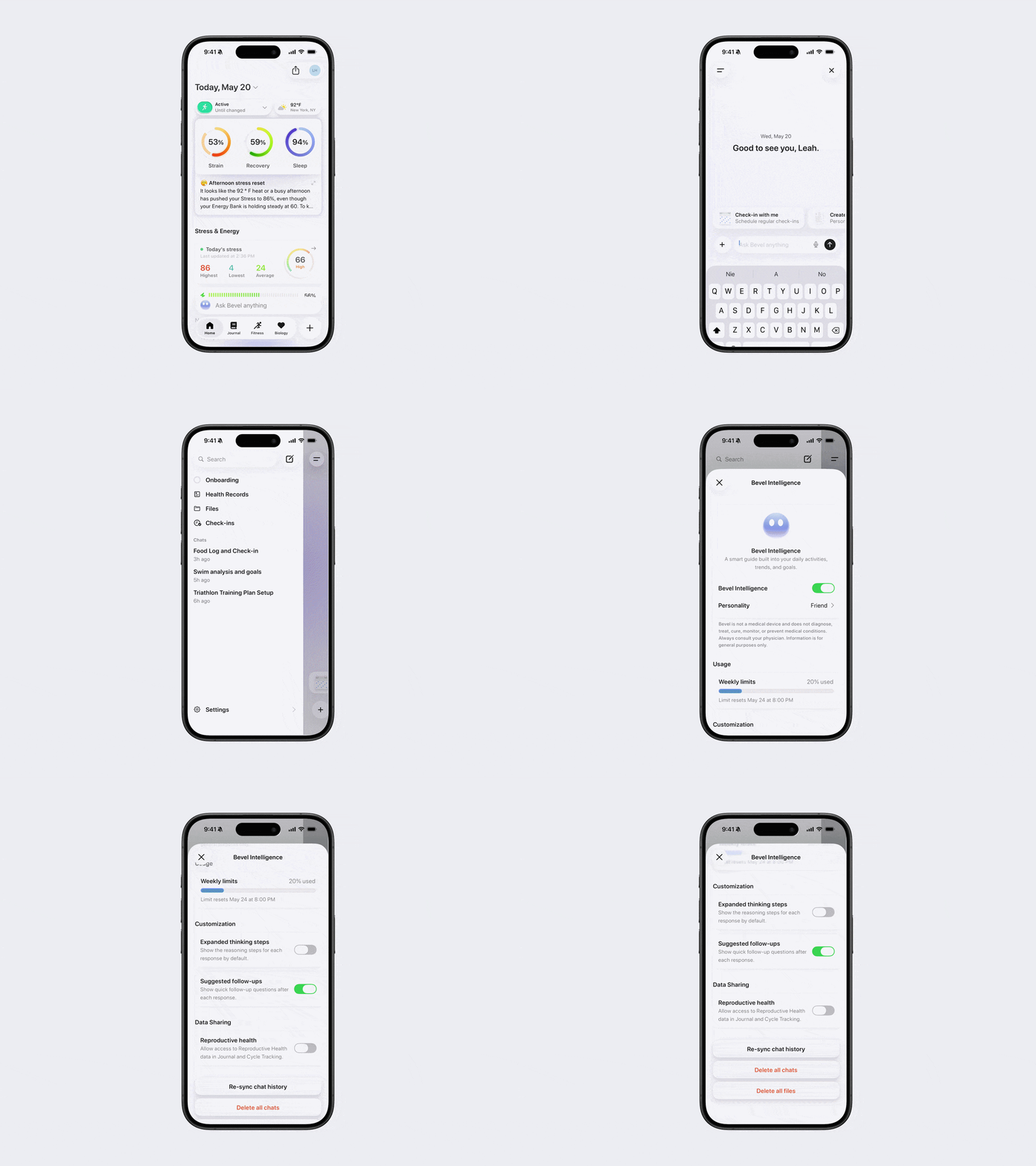
In Bevel Intelligence settings, you can manage:
Turning Bevel Intelligence on or off
Choosing your Bevel Intelligence personality
Viewing your usage, including your weekly limit, how much you have used, and when your limit resets
Managing and purchasing additional credits
Turning expanded thinking steps on or off, which shows the reasoning steps for each response by default
Turning suggested follow-ups on or off, which shows quick follow-up questions after each response
Connecting and managing Calendars
Ghost Mode: Persistent Knowledge, Chat History, Default to Ghost Mode
Reproductive Health: Allow Bevel Intelligence to understand your cycle, upcoming periods, and offer personalized insights.
Advanced: Model Selection (Standard, Upgraded), Beta Features
Re-syncing chat history
Deleting all chats
Deleting all files
Deleting all data
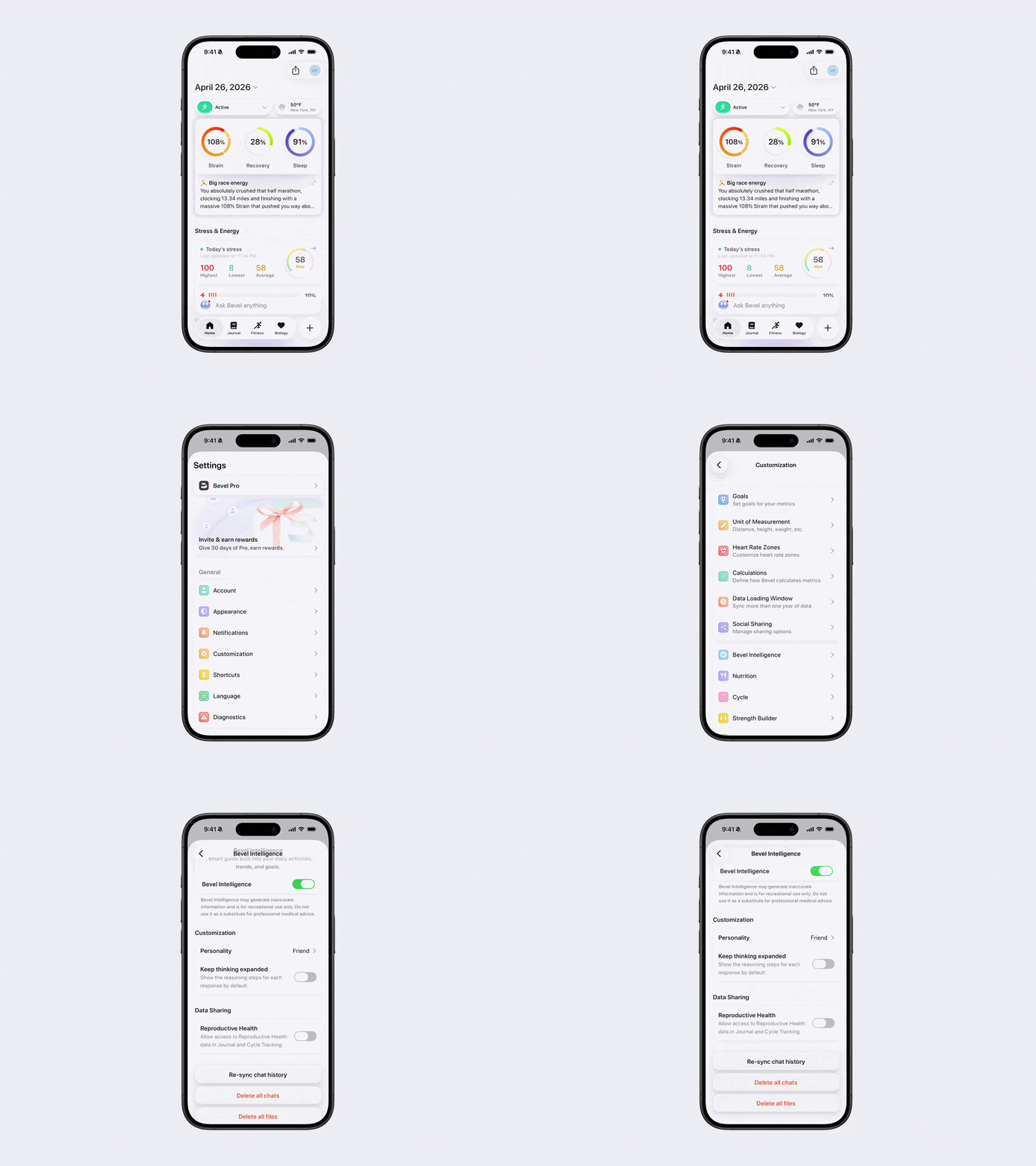
Option 1: Via Profile Settings
Open Bevel.
Tap your initials or profile picture in the top-right corner.
Tap Customization.
Tap Bevel Intelligence.
Select the setting you want to update.
Option 2: Via Bevel Intelligence
Open Bevel Intelligence.
Tap the menu icon in the top-left corner.
Tap Settings in the bottom right corner.
Select the setting you want to update.