
How to Build a Training Plan
A Training Plan helps you work toward a goal over time. For example, you might train four days a week for a triathlon in 16 weeks or follow an ongoing plan to build muscle.
A Training Plan is different from a Routine or an Activity. A Routine is a workout you can reuse, while an Activity is a workout you schedule or complete. A Training Plan brings workouts together around a larger goal. You can still schedule and complete other Activities alongside your plan.
Create a Training Plan
Training plans can currently only be created with Bevel Intelligence. You can start from the Fitness page or ask Bevel Intelligence directly.
From the Fitness page
Open Bevel and go to the Fitness tab.
Tap the training plan banner that appears when you first open Fitness.
Follow the on-screen instructions to create your plan.
From Bevel Intelligence
Open Bevel Intelligence and describe your goal, how often you want to train, and any deadline. For example:
“Create a 16-week triathlon training plan with four workouts per week.”
“Create an ongoing training plan to help me build muscle.”
Review and schedule your plan
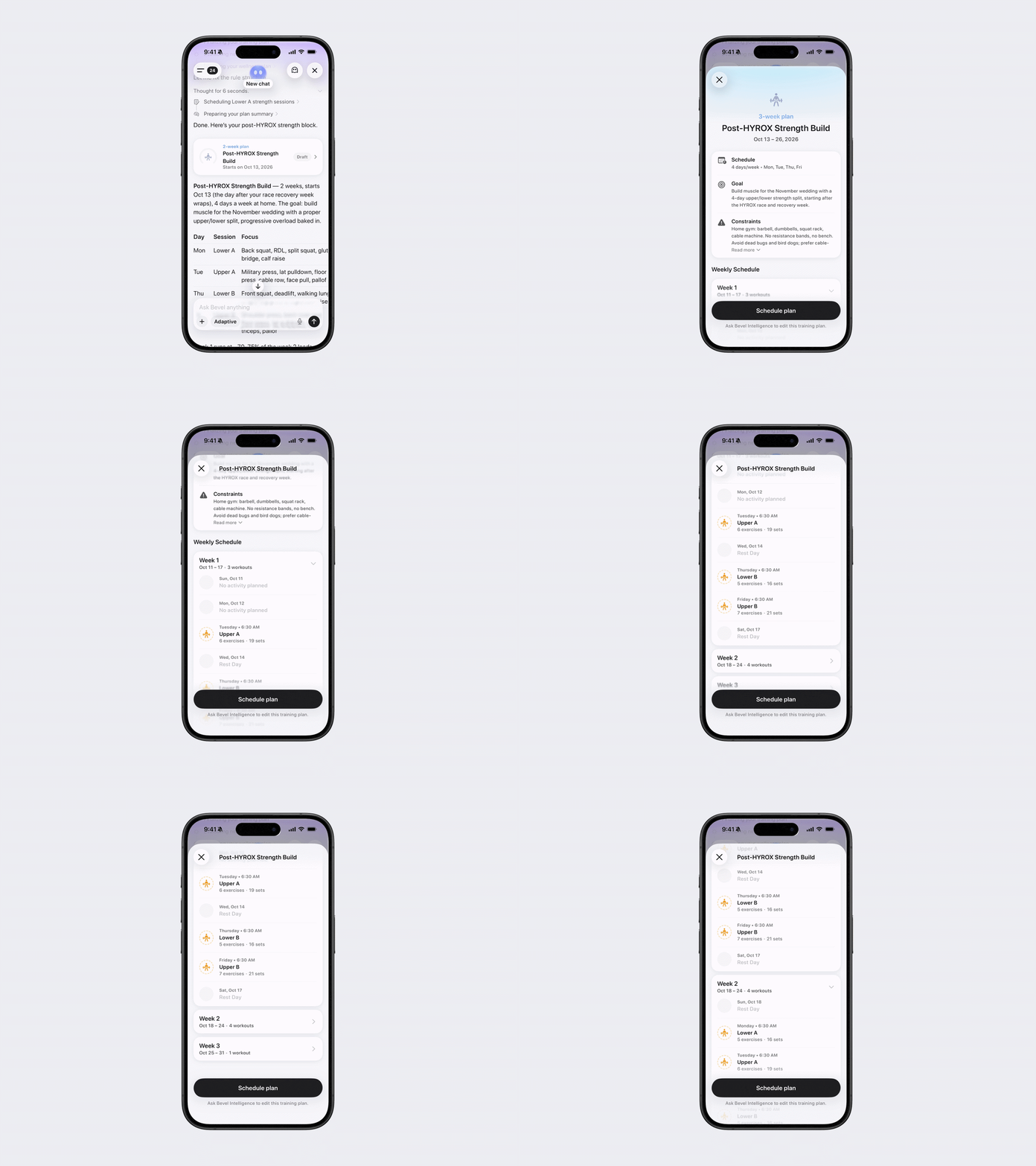
Bevel Intelligence creates your training plan as a draft. Tap the draft to open and review the full plan, then follow the on-screen instructions to schedule it. Creating the draft alone does not schedule the workouts.
To find your full plan later, open Bevel Intelligence, tap the menu icon in the top-left corner, then tap Files. The full training plan is currently only visible in Files. Workouts scheduled from it appear on the Fitness page.
Bring an existing plan into your training calendar
If you already have scheduled activities you want to move into your training calendar, look for the Bring Scheduled Activities to Training Calendar banner on the Fitness page. Tap it and follow the on-screen instructions.
You can also open Bevel Intelligence at any time and ask it to migrate a training plan you’ve already created.