
How to View Daily Data
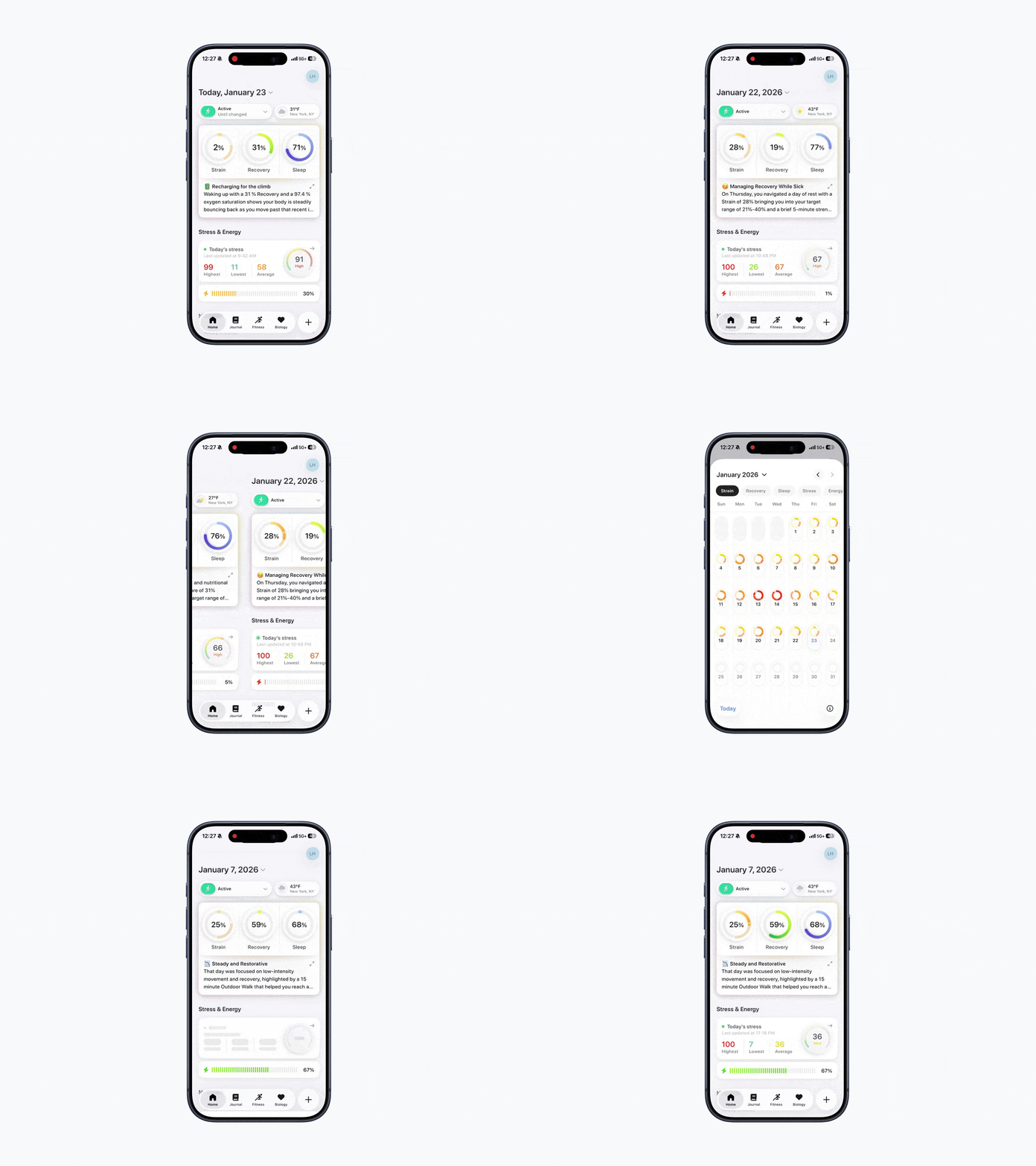
From the Home Dashboard, you can swipe to see past days, so you can quickly compare past performance with today’s real-time data.
You can view daily data by:
Option 1: Scroll Left
Scroll left to view data from previous days.
Option 2: Use the Calendar
Open Bevel
Scroll slightly down.
Tap the calendar icon in the top-left corner
Choose your desired date
Many metrics are influenced by your custom settings, which can be adjusted in your profile under Customization → Calculations.
Strain
Previous Days: Total accumulated Strain at the end of each day.
Current Day: Your current Strain level, updated in real time.
Recovery
Previous Days & Current Day: Recovery Scores are usually based on overnight data and calculated each morning. However, if your HRV or RHR calculation method is set to “Entire Day”, your Recovery Score may continue updating throughout the day as new data is recorded.
Sleep
Previous Days & Current Day: Sleep always reflects overnight Sleep, regardless of the day you are viewing.
Stress
Previous Days: Average Stress for the day.
Current Day: Your current Stress level, updated in real time.
Energy Bank
Previous Days: Energy Bank at the end of that day.
Current Day: Your current Energy Bank, reflecting activity so far today.
Nutrition Score
Previous Days: Nutrition Score at the end of the day.
Current Day: Your current Nutrition Score, based on food logged so far today.
Note
Nutrition Score will unlock once you’ve reached one-third of your daily calorie goal or TDEE if a goal has not been set.
Nutrition Score will not show if you are tracking food in third-party apps like MyFitnessPal or MacroFactor. Only foods logged directly in Bevel count toward the Nutrition Score.
Health Monitor Metrics
Metrics are influenced by your custom settings: open your profile, go to Customization → Calculations to adjust how Bevel calculates each metric.
By default, Bevel uses overnight data, and these metrics are not dependent on whether the day is current or previous.