
How to Manage Routines
The Routines section contains all your Strength Builder and cardio routines. From here, you can view, filter, create, start, edit, duplicate, and delete your routines.
View All Routines
You can view all your routines using either of these options:
Option 1: Via the Routines card
Open Bevel.
Go to the Fitness Tab.
Scroll down to Routines.
Scroll right and Tap See All.
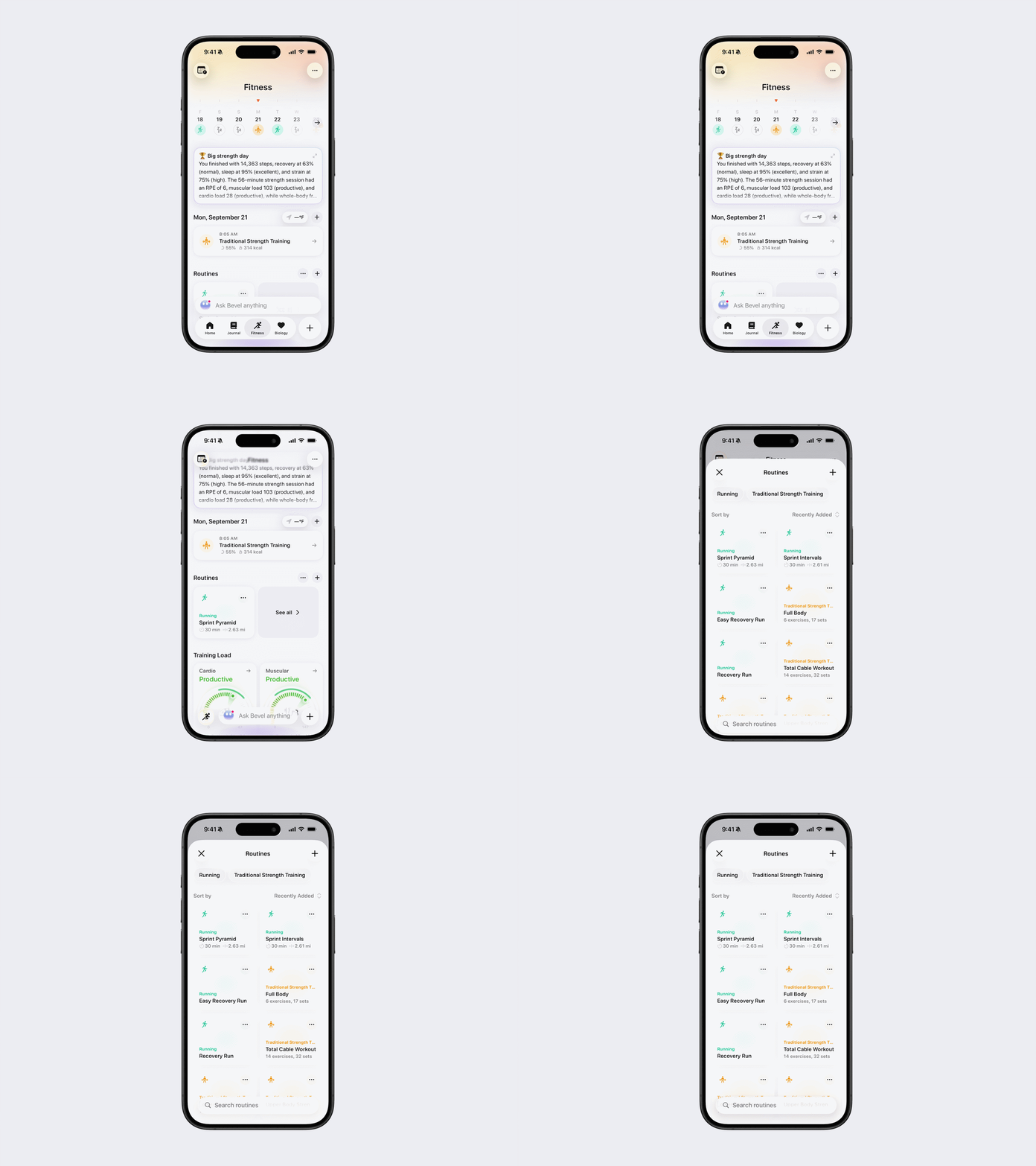
Option 2: Via the three-dot (…) menu
Tap the three dots (…) next to the Routines heading.
Tap See All Routines.
Filter and Sort Routines
From the Routines page, tap the category names at the top to filter your routines by workout type.
You can also sort your routines by:
Recently Added
A–Z
Start or Create a Routine
You can create a routine from either of these locations:
Tap the + button next to the Routines heading on the Fitness Tab.
From the View All Routines page, tap the + button in the top-right corner.
After tapping the + button, select Create Strength or Create Cardio.
Create a Strength Routine
Tap Create Strength.
Select one of the following options:
Create Manually: Build the strength routine yourself.
Generate: Have Bevel generate the strength routine for you.
Create a Cardio Routine
After selecting Create Cardio, you’ll be taken to Bevel Intelligence. Describe the cardio workout you want, and Bevel Intelligence will use your workout history to create a routine tailored to you.
To start an existing routine, open the routine and tap Start.
Edit, Duplicate, or Delete a Routine
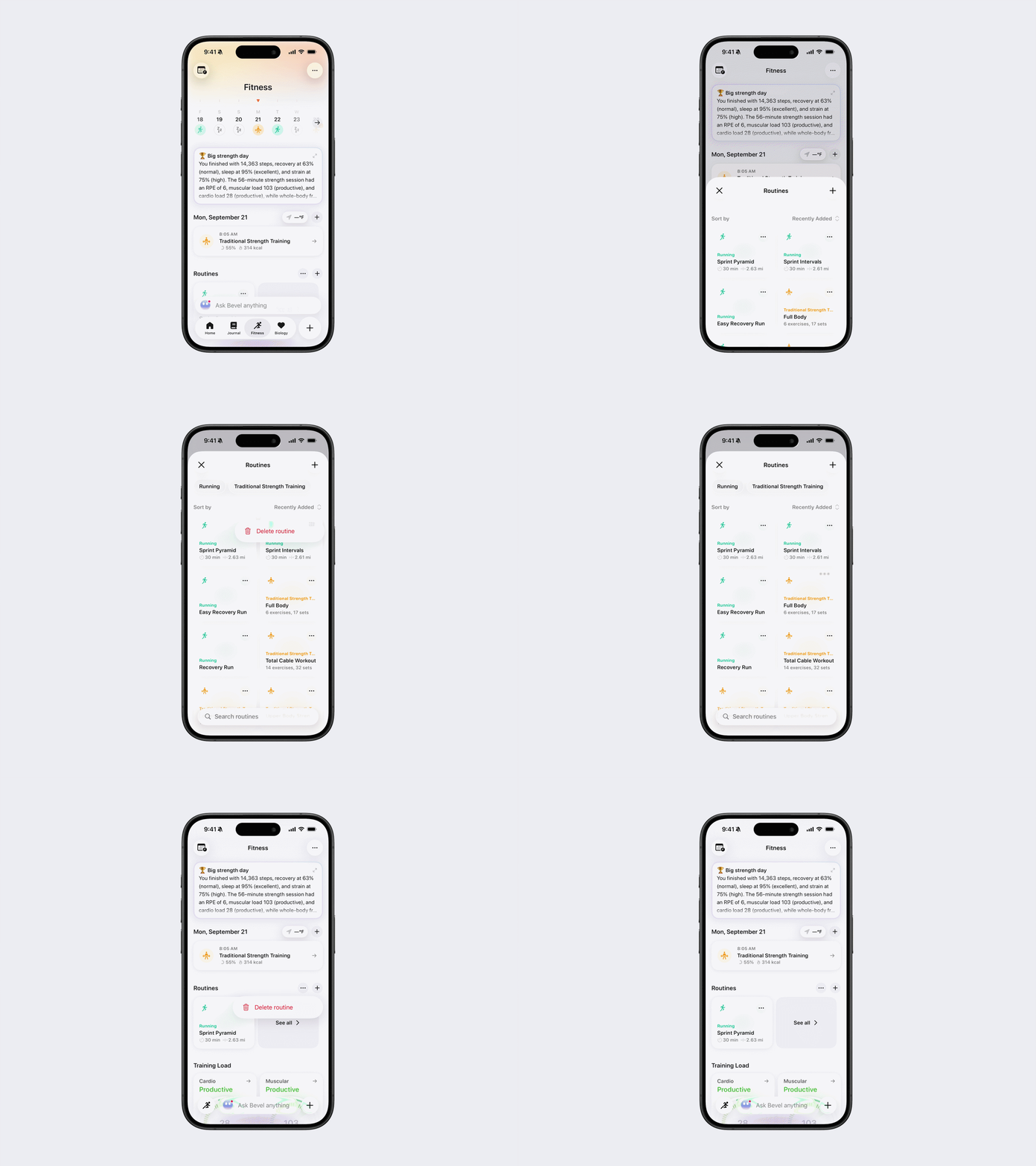
From the see all Routines page, find the routine you want to manage.
Tap the three dots (…) next to the routine.
Select one of the following options:
Strength Routine: Edit Routine, Duplicate, Delete Routine
Cardio Routine: Delete Routine
Edit Pinned Routines
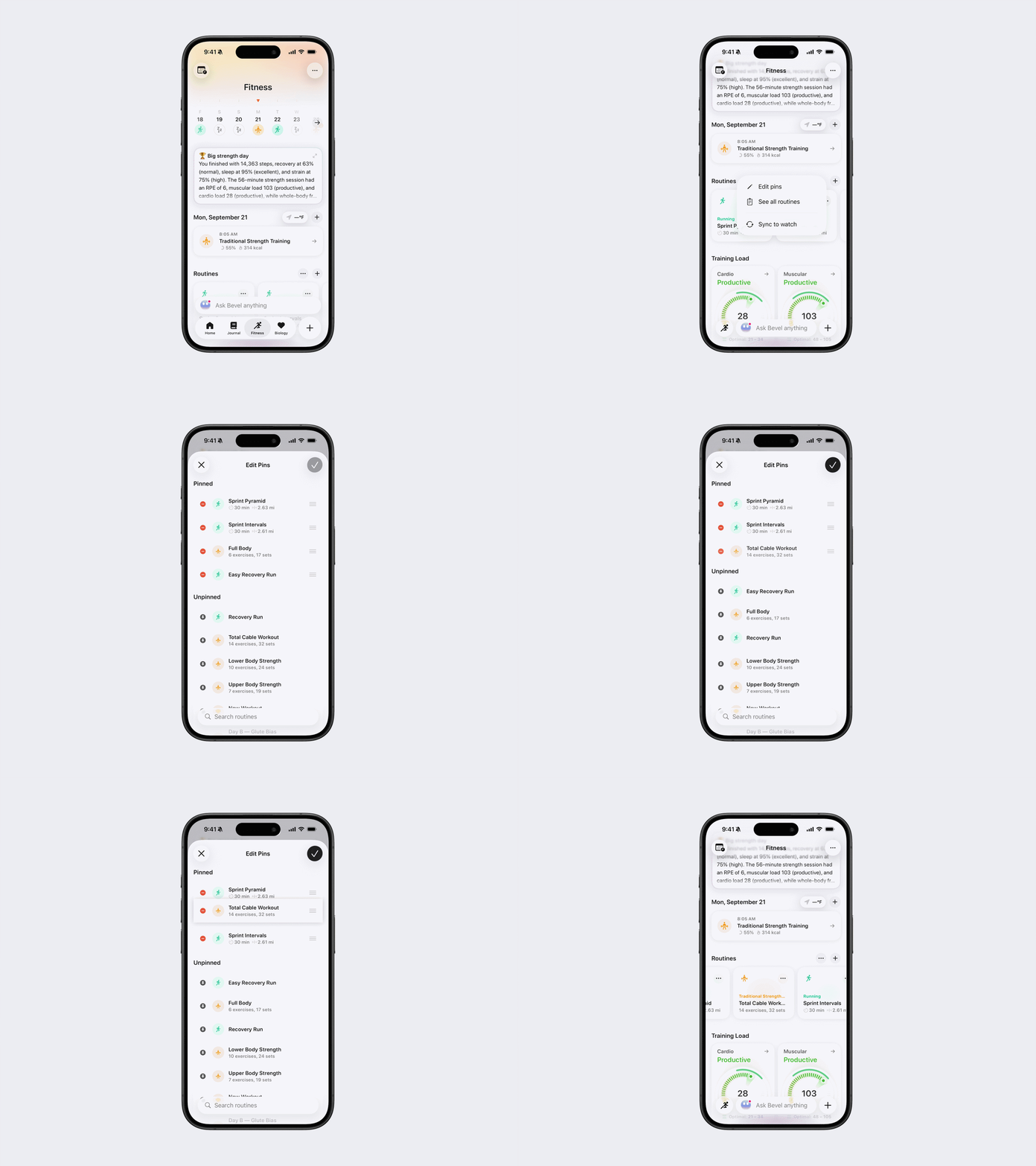
You can customize which routines are pinned to the Routines section:
Tap the three dots (…) next to the Routines heading.
Tap Edit Pins.
From here, you can:
Pin a routine: Tap the pin icon next to an unpinned routine.
Unpin a routine: Tap the minus (–) button next to a pinned routine.
Reorder pinned routines: Press and hold the three-line icon, then drag the routine to your desired position.
Sync Routines to Apple Watch
If you experience any sync issues, you can manually sync your routines:
Open Bevel.
Go to the Fitness Tab.
Scroll down to Routines.
Tap the three dots (…) next to the Routines heading.
Tap Sync to Watch.