
How to Use the Fitness Tab
The Fitness Tab brings your weekly fitness data together in one place, with sections for Today’s Activity, Routines, Training Load, Cardio, and Strength.
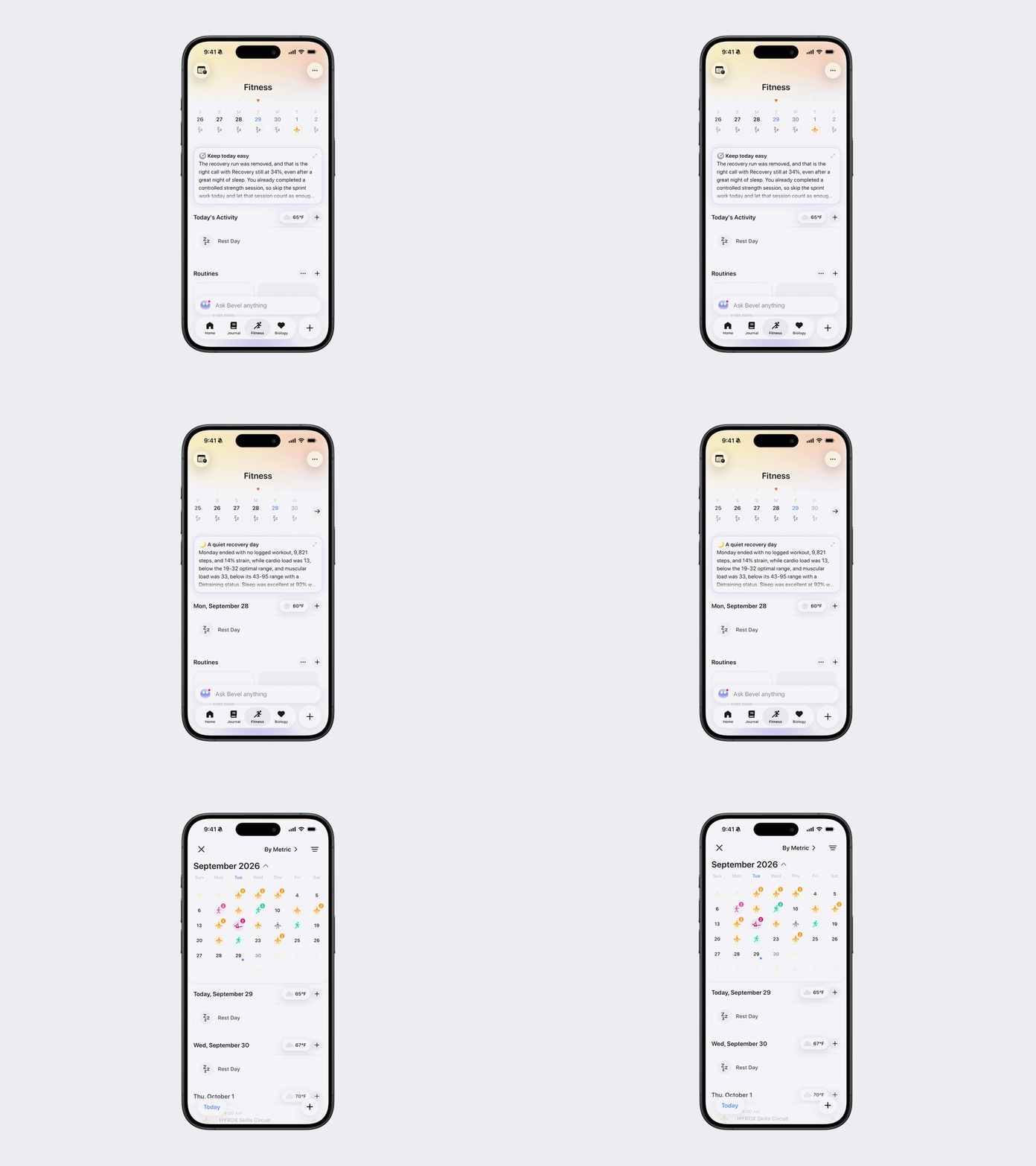
Navigate Between Days
You can move between days using any of the following options:
Tap a day in the weekly view. Swipe left or right to move between weeks.
Tap the calendar button in the top-left corner, then select a date from the Training Calendar. Swipe up or down to move between months.
A list of the activities matching your selected filters appears below the calendar.
View the Calendar by Metric
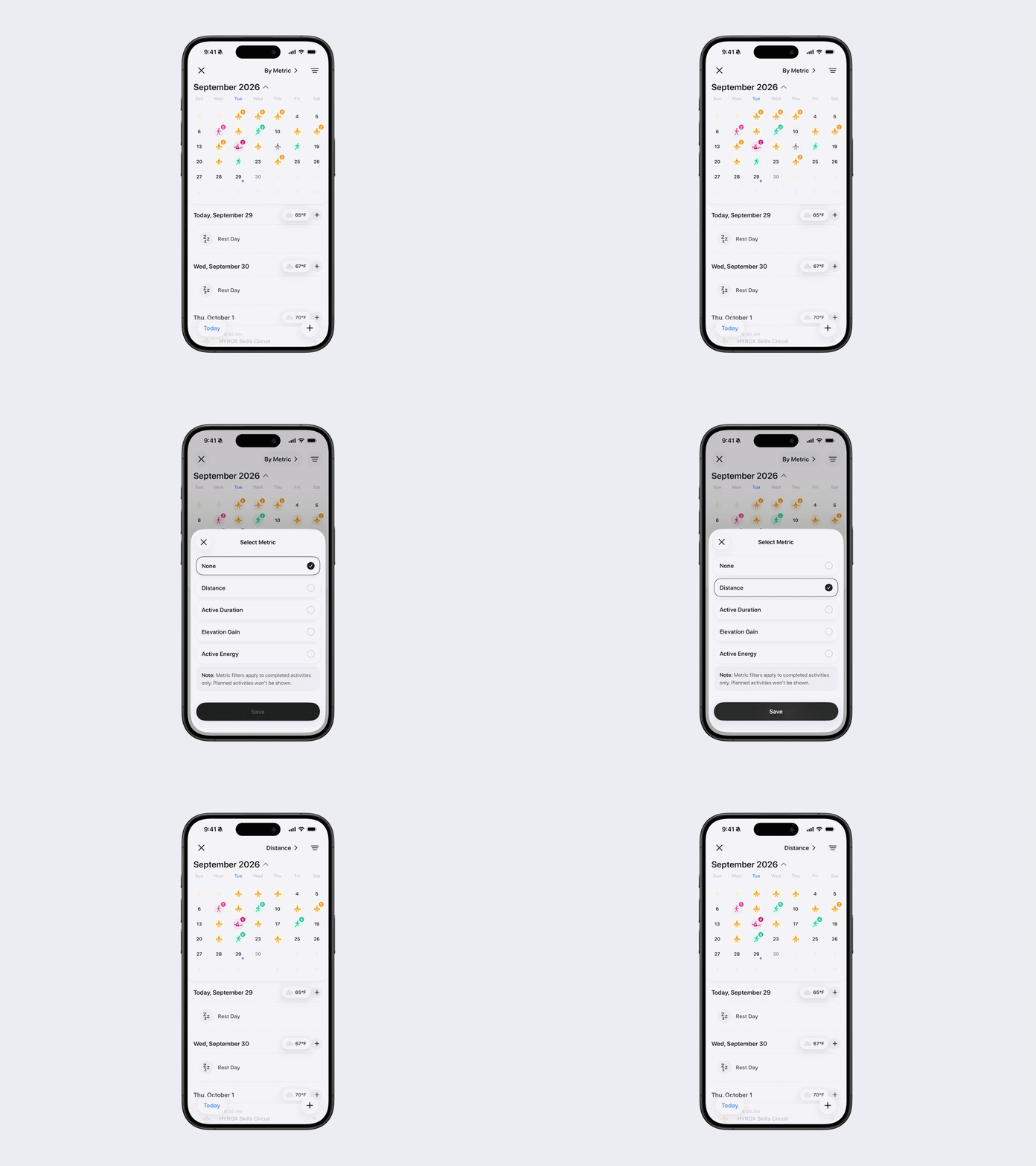
You can change which metric appears on the monthly calendar:
Open the Training Calendar.
Tap By Metric in the top-right corner.
Select one of the following metrics:
Distance
Active Duration
Elevation Gain
Active Energy
Note: Metric filters apply to completed activities only. Planned activities will not be included.
Filter the Calendar by Activity
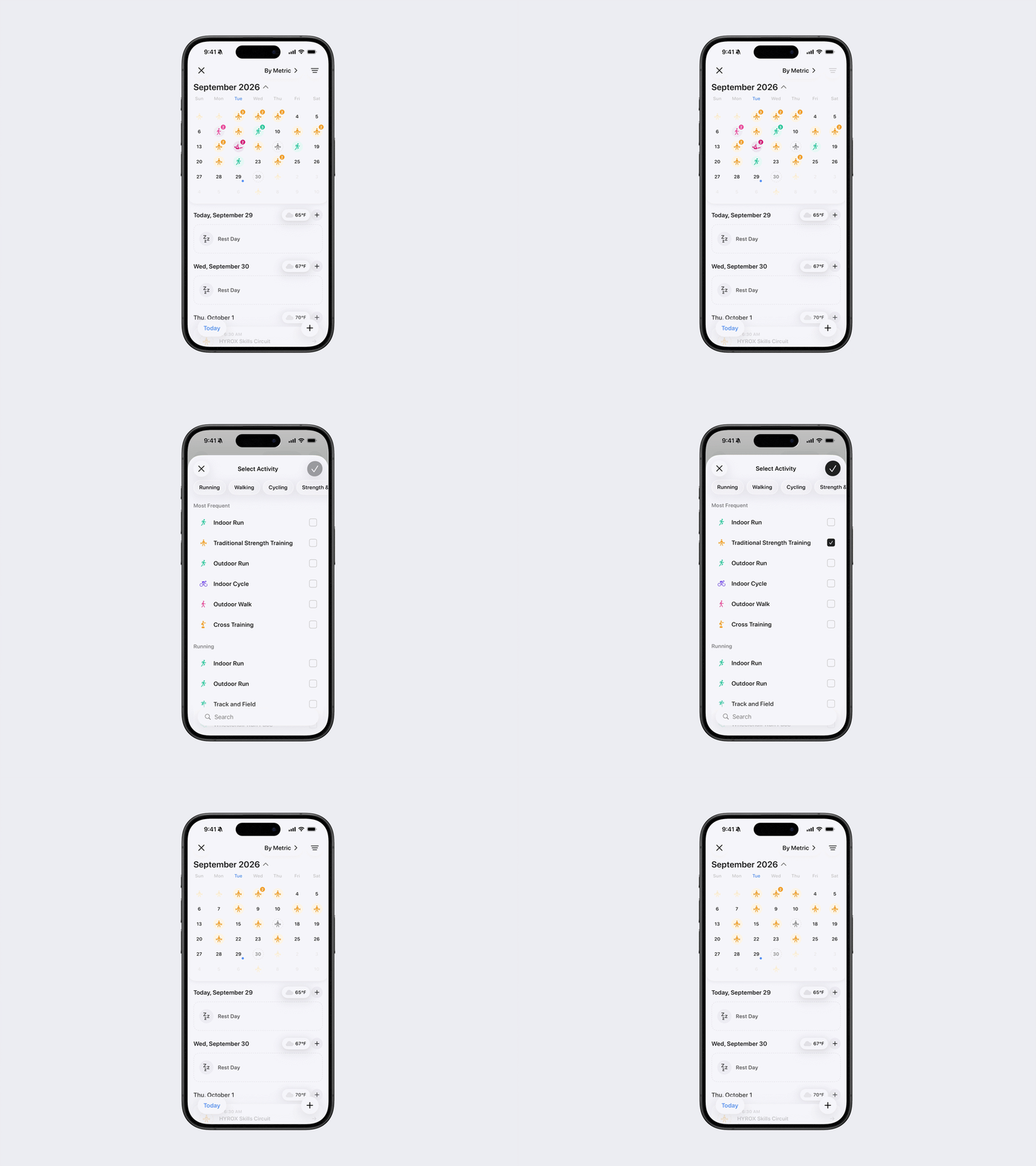
You can display one or more activity types on your calendar:
Open the Training Calendar.
Tap the filter icon with three lines in the top-right corner.
Select one or more activities.
Tap the checkmark in the top-right corner to save your selections.
The calendar and activity list will update based on your selected filters.
Understand Activity States
The Training Calendar uses different indicators to show the status of your activities:
Colored outline: Planned activity
Gray outline: Skipped activity
Gray Filled With Z’s: Rest Day
Filled color: Completed activity
Number: Multiple activities on the same day
Blue dot: Today
Z icon: Rest day
Activity Filter Categories
Running (Teal)
Indoor Run
Outdoor Run
Track and Field
Wheelchair Run Pace
Walking (Pink)
Indoor Walk
Outdoor Walk
Step Training
Hiking
Wheelchair Walk Pace
Cycling (Purple)
Indoor Cycle
Outdoor Cycle
Hand Cycling
Strength & Gym (Orange)
Core Training
Elliptical
Cross Training
HIIT
Jump Rope
Stair Climbing
Traditional Strength Training
Functional Strength Training
Mixed Metabolic Cardio Training
Mixed Cardio
Team Sports (Coral)
American Football
Australian Football
Baseball
Basketball
Cricket
Handball
Hockey
Lacrosse
Rugby
Soccer
Softball
Volleyball
Racquet Sports (Peach)
Badminton
Pickleball
Racquetball
Squash
Table Tennis
Tennis
Water Sports (Blue)
Paddle Sports
Rowing
Sailing
Surfing Sports
Pool Swim
Open Water Swimming
Water Sports
Water Polo
Underwater Diving
Combat & Specialty (Green)
Archery
Bowling
Fencing
Gymnastics
Disc Sports
Climbing
Golf
Boxing
Kickboxing
Martial Arts
Wrestling
Equestrian Sports
Fishing
Hunting
Winter & Ice (Sky Blue)
Cross-Country Skiing
Curling
Downhill Skiing
Snow Sports
Snowboarding
Skating Sports
Other (Deep Purple)
Dancing
Transition
Other Exercise
Play
Fitness Gaming
Multisport
Recovery & Mobility (Light Pink)
Stretching
Flexibility
Cooldown
Yoga
Pilates
Tai Chi
Barre
Dance-Inspired Training
Mind and Body