How to Log Daily Mood
This article explains how to log your Daily Mood in Journal.
Your most recent Daily Mood entry is categorized in Insights as either a Pleasant Mood or Unpleasant Mood.
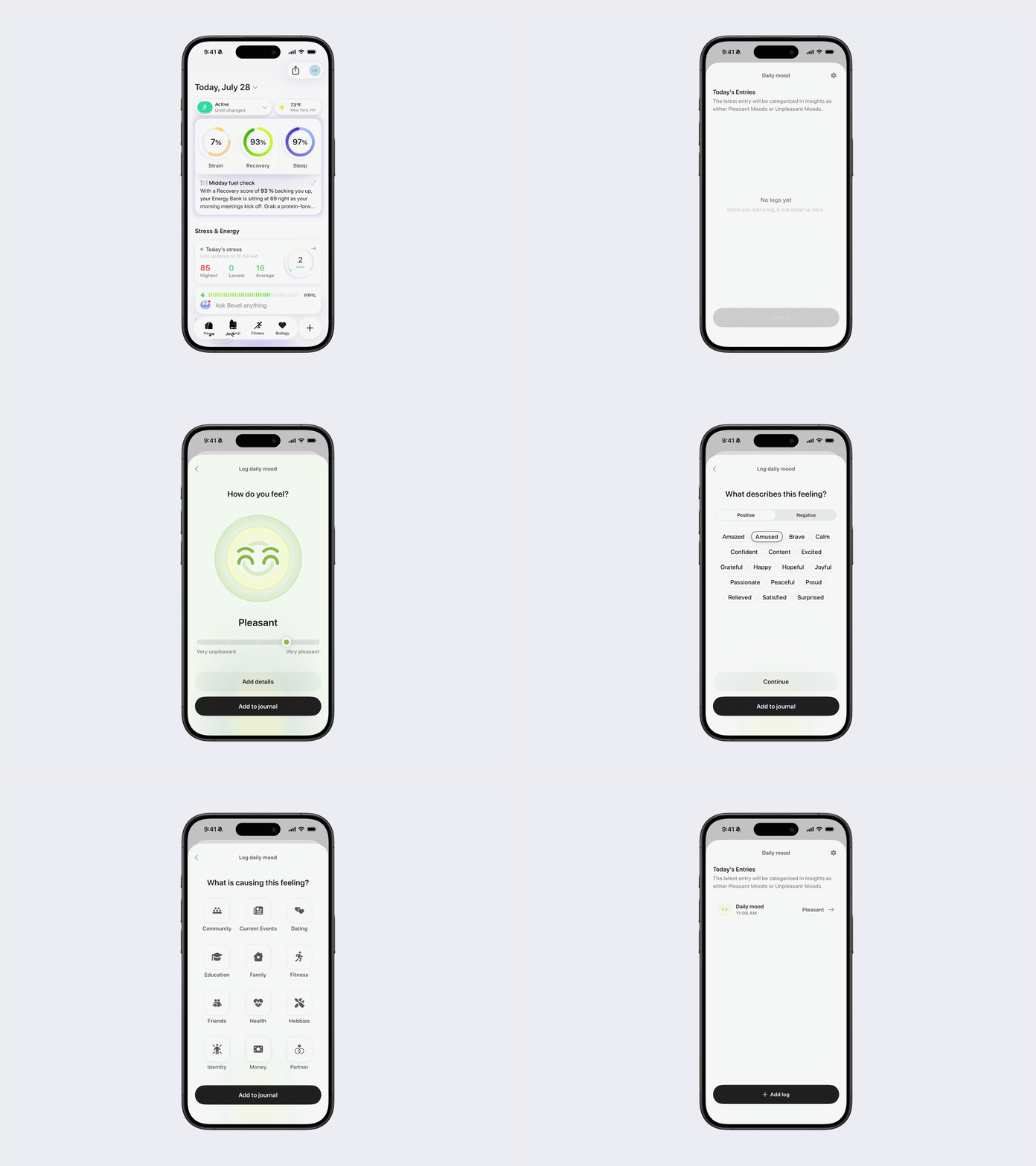
How to log a Daily Mood entry
Open Bevel.
Tap the Journal tab.
Tap Daily Mood.
Tap Add Historical.
Use the slider to rate how you feel:
Very Unpleasant
Unpleasant
Neutral
Pleasant
Very Pleasant
Tap Add to Journal, or tap Add Details for more context.
Add Details (optional)
You can add emotions and what may be contributing to your mood.
Choose between Positive or Negative emotions.
Select as many emotions as you'd like.
Tap Continue or Add to Journal.
Positive emotions
Amazed
Amused
Brave
Calm
Confident
Content
Excited
Grateful
Happy
Hopeful
Joyful
Passionate
Peaceful
Proud
Relieved
Satisfied
Surprised
Negative emotions
Angry
Annoyed
Anxious
Ashamed
Disappointed
Discouraged
Disgusted
Drained
Embarrassed
Frustrated
Guilty
Hopeless
Indifferent
Irritated
Jealous
Lonely
Overwhelmed
Sad
Scared
Stressed
Worried
If you tapped Continue, select what may be contributing to your mood. You can choose multiple options:
Community
Current Events
Dating
Education
Family
Fitness
Friends
Health
Hobbies
Identity
Money
Partner
Self-care
Spirituality
Tasks
Travel
Weather
Work
Tap Add to Journal.
How to edit or delete a Daily Mood entry
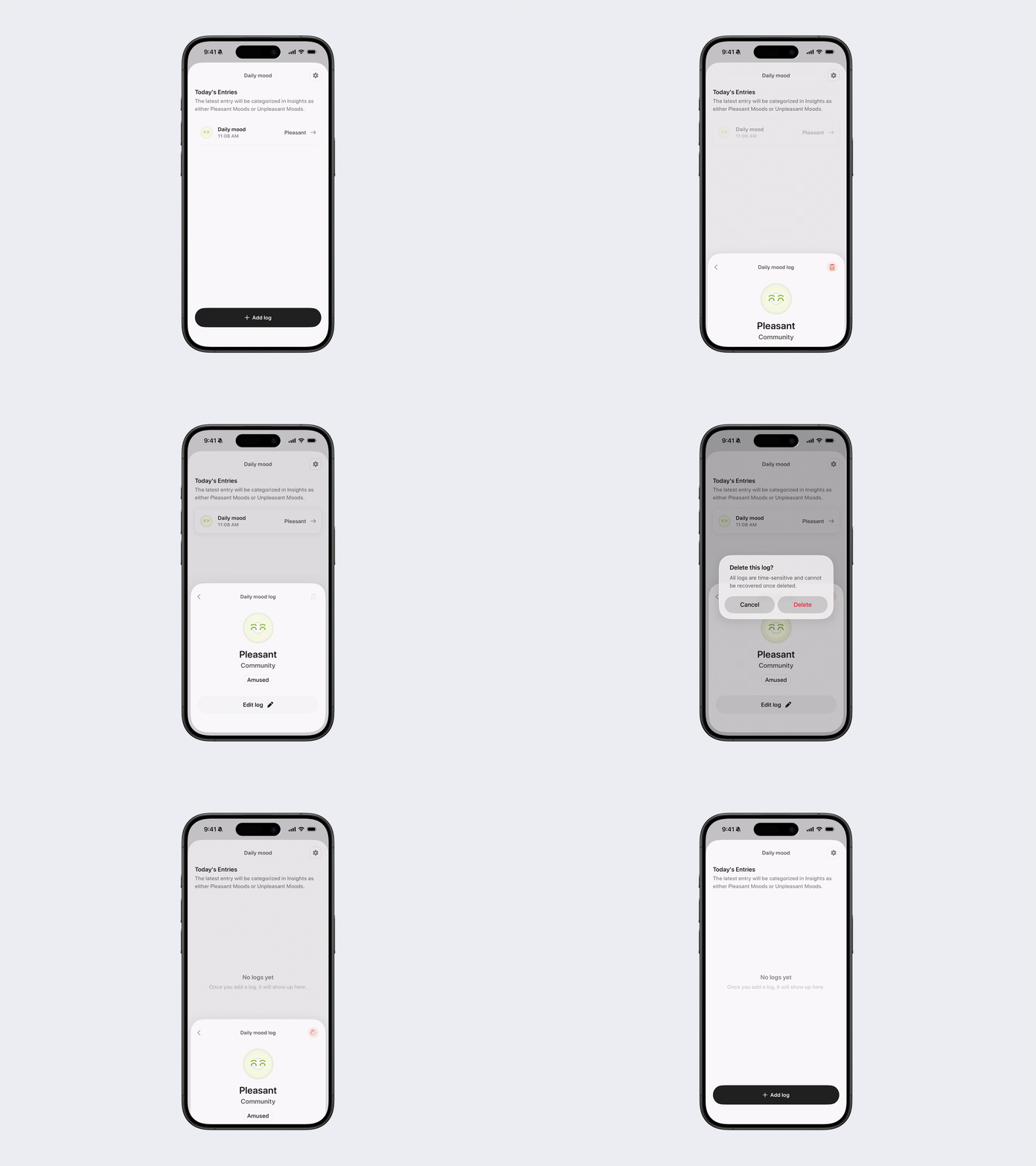
Open Journal → Daily Mood.
Tap the entry you want to change.
You can:
Tap Edit Log to update the entry.
Tap the red trash icon to delete it.
Daily Mood settings
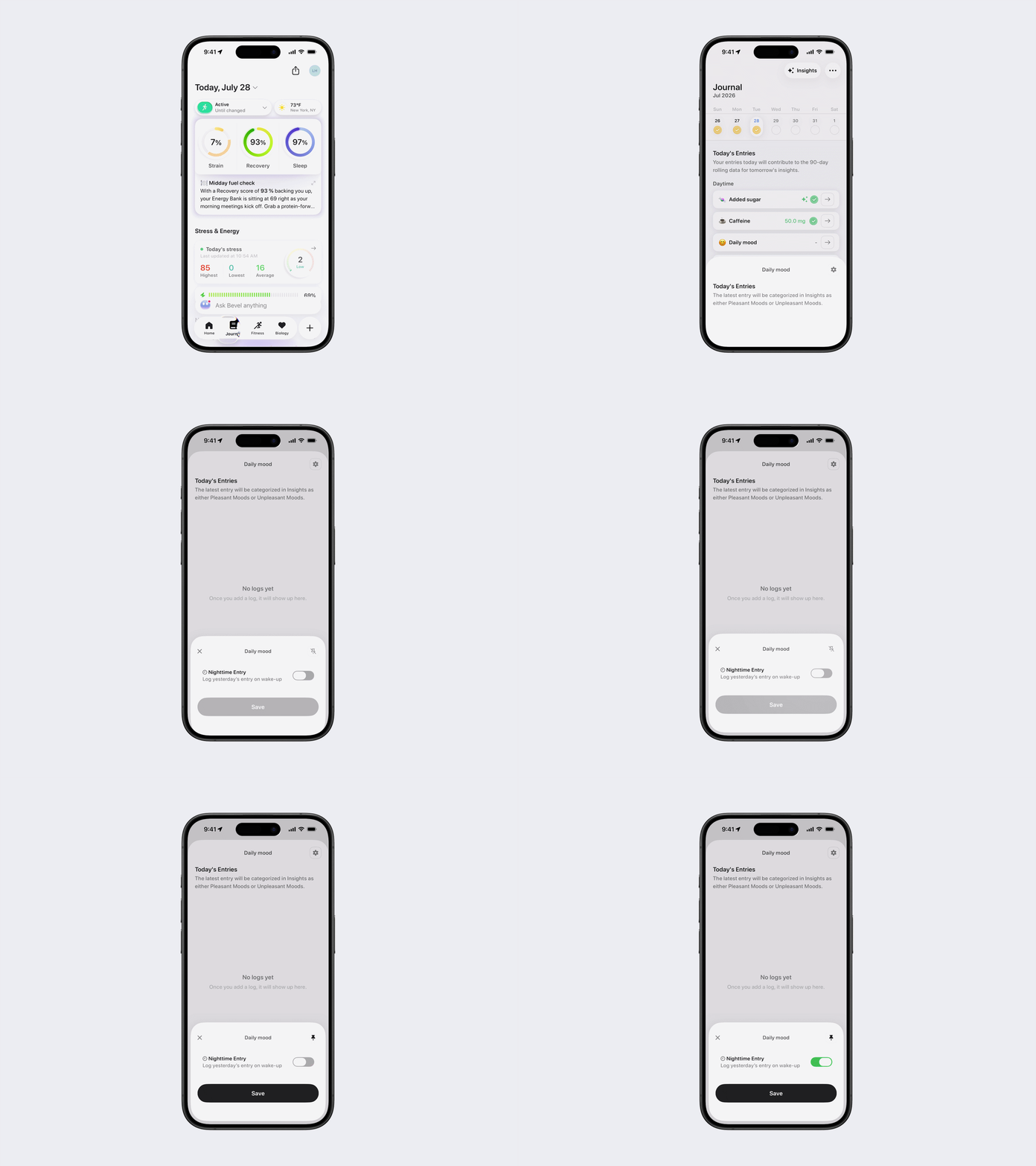
Open Journal → Daily Mood, then tap the Settings icon in the top-right corner.
From here you can:
Pin Daily Mood
Tap the Pin icon to pin Daily Mood to the top of your Journal.Enable Nighttime Entry
Turn on Nighttime Entry (Log yesterday's entry on wake up) if you prefer to log your Daily Mood the following morning instead of the night before.
Tap Save to apply your changes.