
How to Set Default Journal Entries
Edited
For habits you don’t log frequently, you can set default values. These default values will automatically populate each new Journal day.
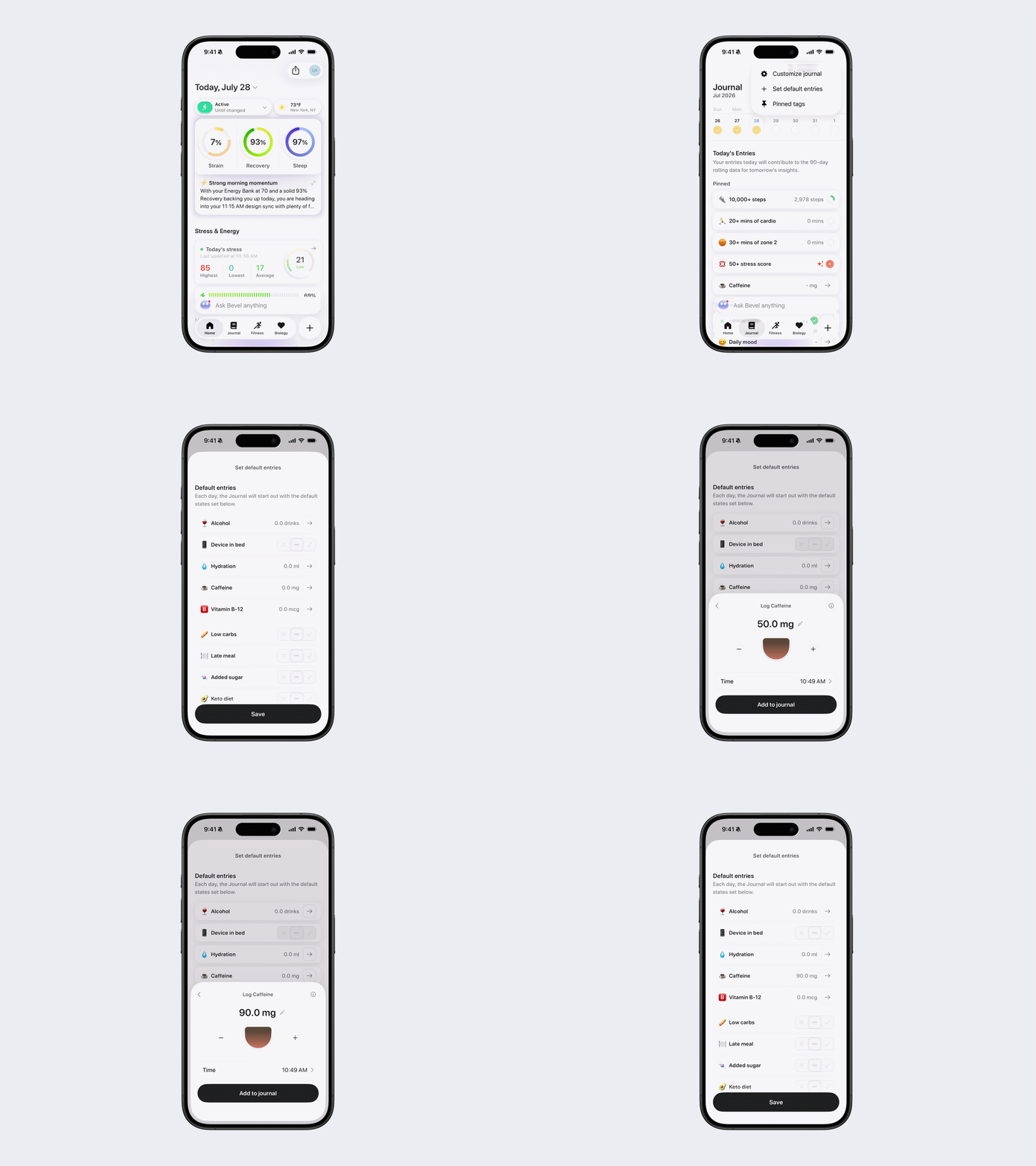
Steps to Set Default Journal Entries
Open Bevel.
Tap the Journal tab.
Tap the three dots (...) in the top-right corner.
Tap Set Default Entries.
Choose the default state for each habit.
Tap Save.
You can also tap Reset All to Default at the bottom.
Was this article helpful?
Sorry about that! Care to tell us more?