
How to Use Journal Insights
Below is an explanation of how to use Journal Insights. Keep in mind that Journal Insights identifies correlations, not cause-and-effect relationships. While a habit may be associated with better or worse recovery, that doesn't necessarily mean it caused the change.
View Journal Insights
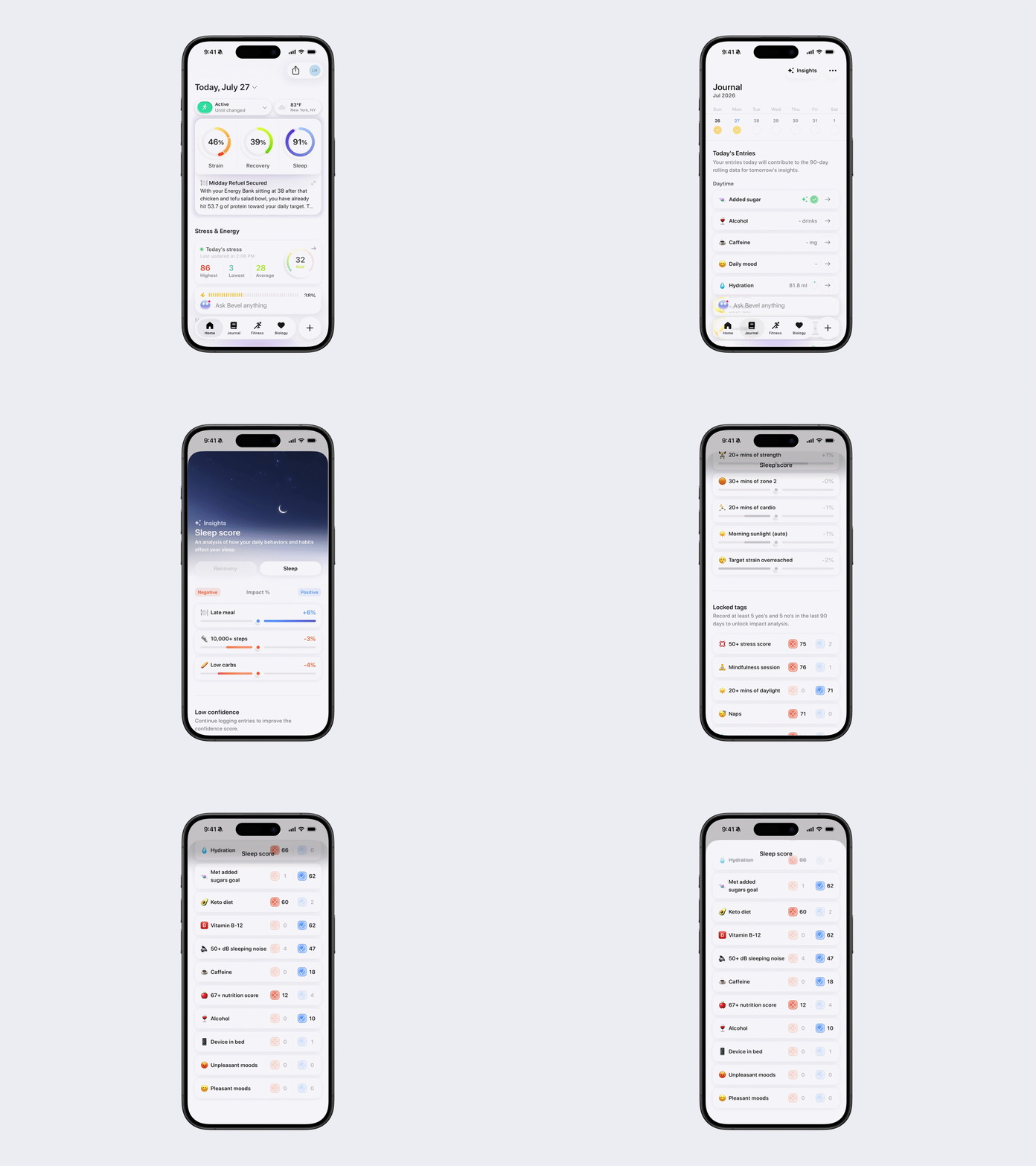
Insights show how your logged habits correlate with Sleep and Recovery over time.
Open Bevel.
Tap Journal Tab.
Tap View Insights in the top-right corner.
Tap Recovery or Sleep tab to view the corresponding insights.
How Journal Insights work
Journal Insights are based on your logging history.
Once you've logged at least 5 "Yes" entries and 5 "No" entries for a habit, Bevel will begin showing how that habit correlates with your Sleep and Recovery.
For most habits:
Any value greater than 0 is counted as Yes.
A value of 0 is counted as No.
Hydration works differently:
Yes: You met your daily water goal.
No: You did not meet your daily water goal.