
How to Use Journal
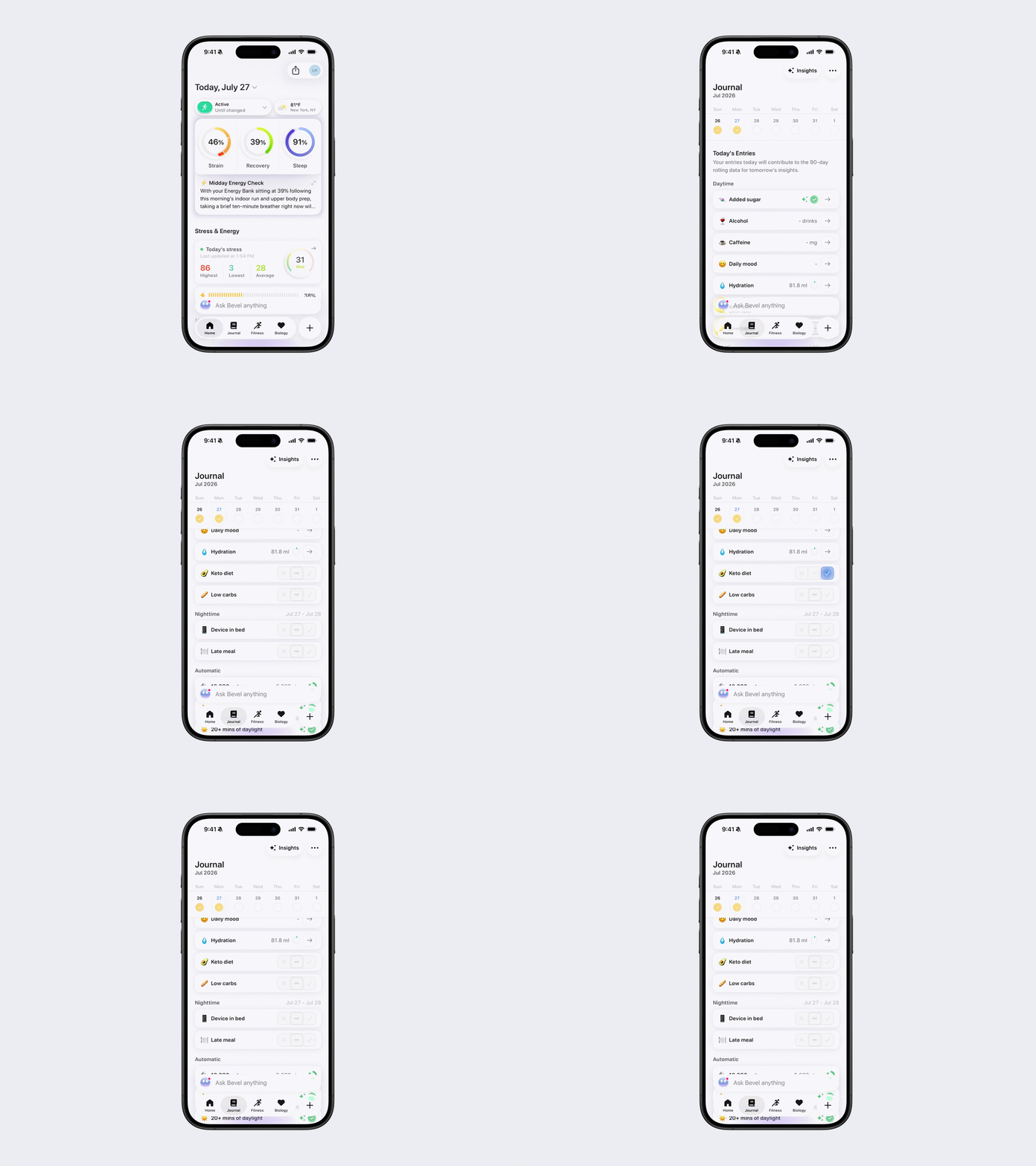
Below is an explanation of how to use the Journal feature. Your entries today will contribute to the 90-day rolling data for tomorrow’s insights.
View today's Journal
You can view today's Journal by following these steps:
Open Bevel.
Tap the Journal tab.
You'll see three sections:
Daytime Entries
Nighttime Entries
Automatic Entries
Log a Journal entry
There are three types of Journal entries:
Automatic: Recorded automatically from supported data sources.
Manual: Logged using Yes, Neutral, or No.
Value-based: Logged by entering a value or selecting from a scale, such as your mood.
Log a Yes/Neutral/No entry
Each manual Journal entry has three possible states:
✔ Checkmark: Yes, this happened.
➖ Minus: Neutral / No effect.
✕ X: No, this did not happen.
Tap the state you want for each entry.
Log a value-based entry
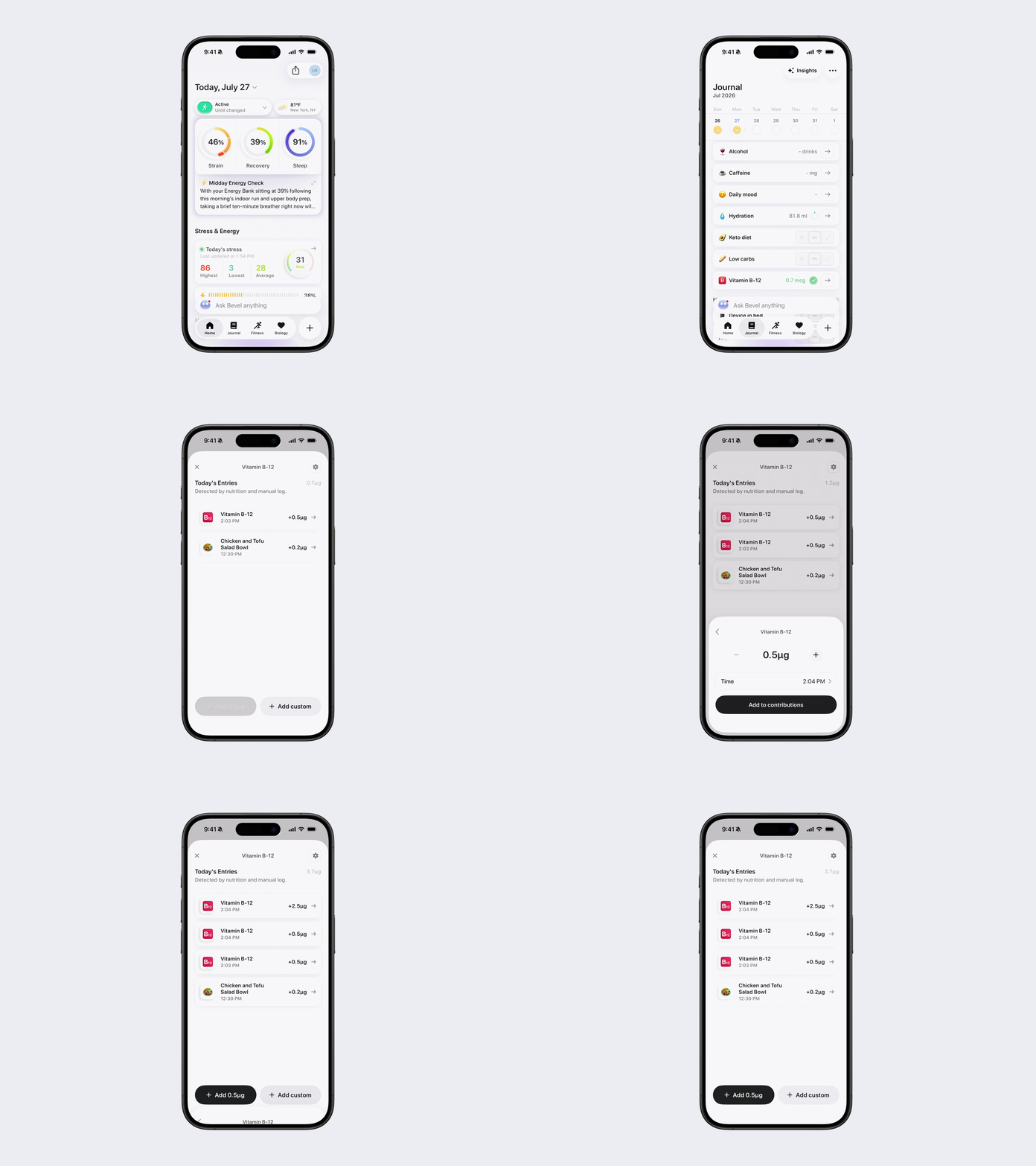
Some Journal entries require you to enter a value instead of selecting Yes, Neutral, or No. Tap the entry and provide the requested value.
To delete a value, tap the entry, then tap the red trash icon. To update a value, tap the entry, edit the amount or time, and then tap Update.
Examples include:
Mood
Caffeine
Water
Vitamins
Supplements
Copy yesterday's entries
You can quickly copy your Journal entries from the previous day.
Scroll to the bottom of the Journal tab.
Tap Copy entries from yesterday.
Only toggle-based entries are copied. Text entries and other input types are not included.
How Data is Logged: Automatic vs Manual Tracking
Many metrics are automatically synced from Apple Health. For all of the metrics below (except Target Strain Overreached), you can customize the threshold that determines when the Journal entry is logged. For example, you can change the 10,000 Steps threshold to 6,000 Steps.
X+ steps
X+ mins of cardio
X+ mins of daylight
X+ mins of strength
X+ mins of zone 2
X+ dB sleeping noise
X+ stress score
X+ nutrition score
Mindfulness session
Morning sunlight (auto)
Naps
Target strain overreached
Some habits are automatically synced from the Nutrition log and allow manual input within Journal:
Added sugar
Alcohol
Caffeine
Calcium
Hydration
Late Meal
Magnesium
Vitamin A
Vitamin B-12
Vitamin B-6
Vitamin C
Vitamin D
Vitamin E
Vitamin K
Zinc
Some habits are automatically synced from Cycle and allow manual input within Journal:
Abdominal cramps
Menstruation
Other habits require manual input within Journal
Acupuncture
ADHD medication
Alcohol
Anti-anxiety medication
Artificial sunlight
Ashwagandha
Birth control
Breathing exercises
CBD
Chiropractor
Cold Shower
Compression Therapy
Creatine
Cupping
Daily Mood
Dairy
Dairy Free
Fever
Fish oil
Foot bath
Gluten free
Hot tub
Ice bath
Injury
Intermittent fasting
Keto diet
Low carbs
Marijuana
Massage therapy
Masturbation
Morning sunlight
Ovulation
Pain medication
Percussive therapy
Physical therapy
PMS
Pregnant
Probiotic
Red Light therapy
Sauna
Seasonal allergies
Sexual activity
Sickness
Sleep medication
Talk therapy
Tobacco
Tumeric
Vegan diet
Vegetarian diet
Weight-loss medication
Nighttime-specific habits that require manual input in Journal.
Animal in bedroom
Blue light glasses
Cooling mattress
CPAP machine
Device in bed
Ear plugs
Gravity blanket
Humidifier
Melatonin
Mouth tape
Nasal strip
Reading in bed
Shared bed
Sleep interruption
Sleep mask
White noise machine