
How to Redeem a Promotion Code
Bevel occasionally offers promotion codes that unlock special offers, discounts, or extended access to Bevel Pro.
There are three ways to redeem a promotion code:
Option 1: Redeem Through a Promotion Link
The easiest way to redeem a promotion is through a promotion link.
When you tap a valid promotion link, you'll be directed to the App Store to download Bevel if you don't already have it installed.
After installing the app and creating an account, the promotion will automatically be applied to your account.
Option 2: Enter a Promotion Code During Onboarding
If you've received a promotion code, you can enter it while creating your Bevel account.
Download and open Bevel.
Follow the onboarding process.
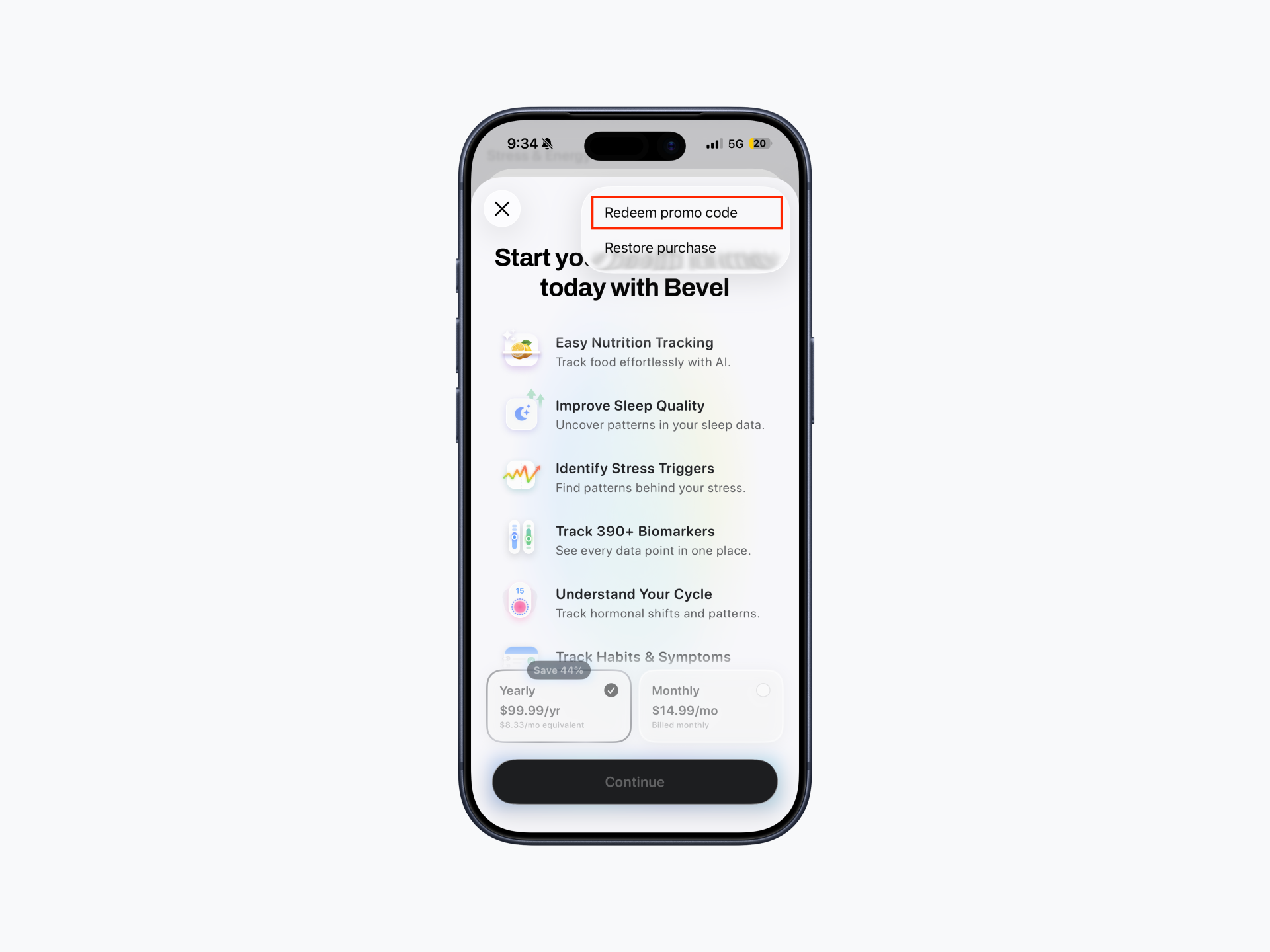
On the subscription screen, tap the "..." menu.
Select Redeem promo code.
Enter your code.
Option 3: Redeem Through Apple
You can also redeem your promotion code through the App Store.
Open the App Store.
Tap your profile picture in the top-right corner.
Select Redeem Gift Card or Code (or Redeem Code, depending on your App Store version).
Enter your promotion code.
Follow the prompts to complete redemption.
Promotion Code Eligibility
If you already have an active Bevel subscription, your promotion will begin after your current subscription period ends.
For example, if you're on a monthly plan and redeem a yearly promotion, the yearly subscription will start automatically once your monthly subscription expires.
Please note: Only one promotion code can be active on an account at a time.