Understanding Biomarkers
Bevel lets you view different Biomarkers and related insights, helping you understand your Biological Age and track your health over time. Monitoring these biomarkers is helpful because it shows how lifestyle, sleep, activity, and other factors affect your overall aging process, allowing you to make informed decisions to improve your health and wellness.
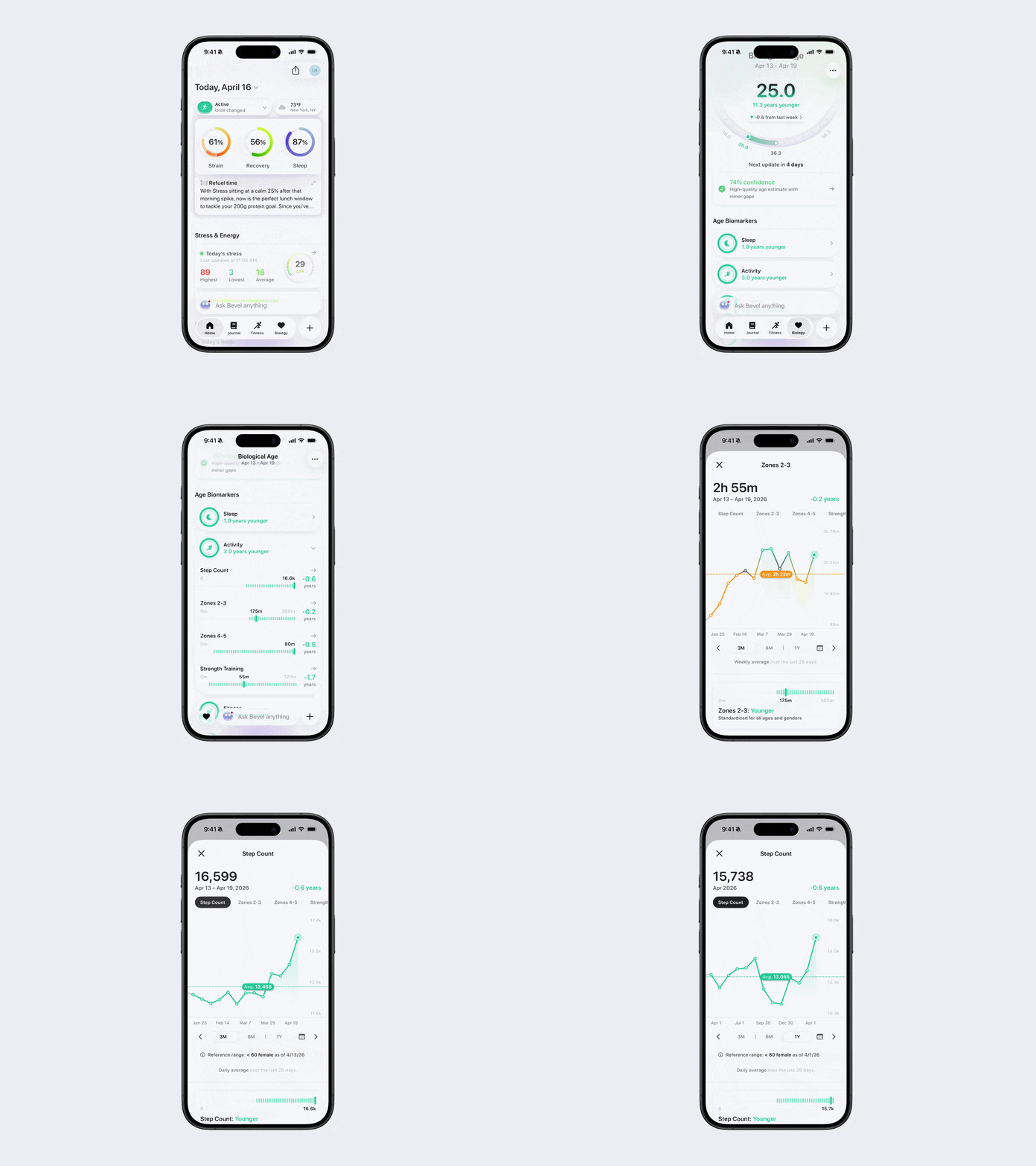
View Physiological Age Biomarkers
You can explore Physiological Age Biomarkers in Bevel to see specific data points and trends.
Open Bevel.
Tap the Biology tab.
Scroll down to Age Biomarkers.
Tap a section (Sleep, Activity, Fitness, Lifestyle, Blood) to open it.
For each data point, view the latest data and, if available, the respective ranges.
Note: Respective ranges are based on Bevel research or ranges in your updated reports.
Tap each data point to see (if applicable):
Trend Charts over time
Comparisons against standardized data points for your age and gender
Descriptions and actionable tips to improve the biomarker
Tap the tabs at the top to switch between related metrics (e.g., Time Asleep, Sleep Consistency).
Tap the tabs at the bottom to adjust the time range displayed in the graphs.
Note: The dotted line represents the average over the chosen time period.
The ± number of years at the top shows the impact on your Biological Age.
View Other Biomarkers
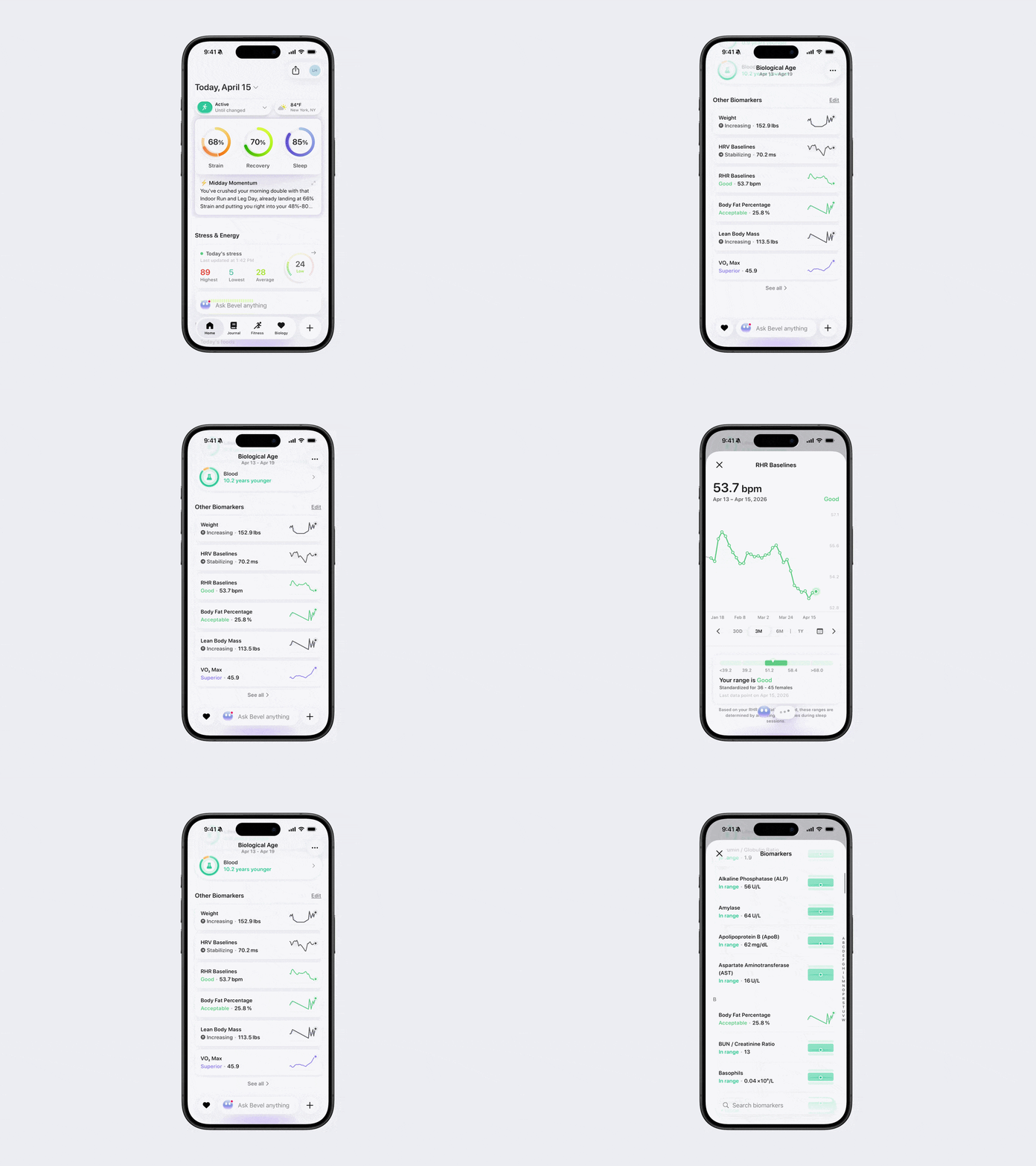
You can track additional health metrics beyond Physiological Age Biomarkers.
Open Bevel.
Tap the Biology tab.
Scroll down to Other Biomarkers.
Tap a Biomarker to view Trend Charts and descriptions.
Tap See All to view all Biomarkers.
For certain metrics, such as Weight and Blood Pressure, you can manually add data
Weight: Tap the + button to manually add a weight entry.
Blood Pressure: Tap the clock icon to view your historical data, then tap the + button to add a new reading.
Note: If you have a compatible smart scale or blood pressure monitor that syncs with Apple Health, Bevel can automatically import those measurements.