Understanding Biological Age and Confidence
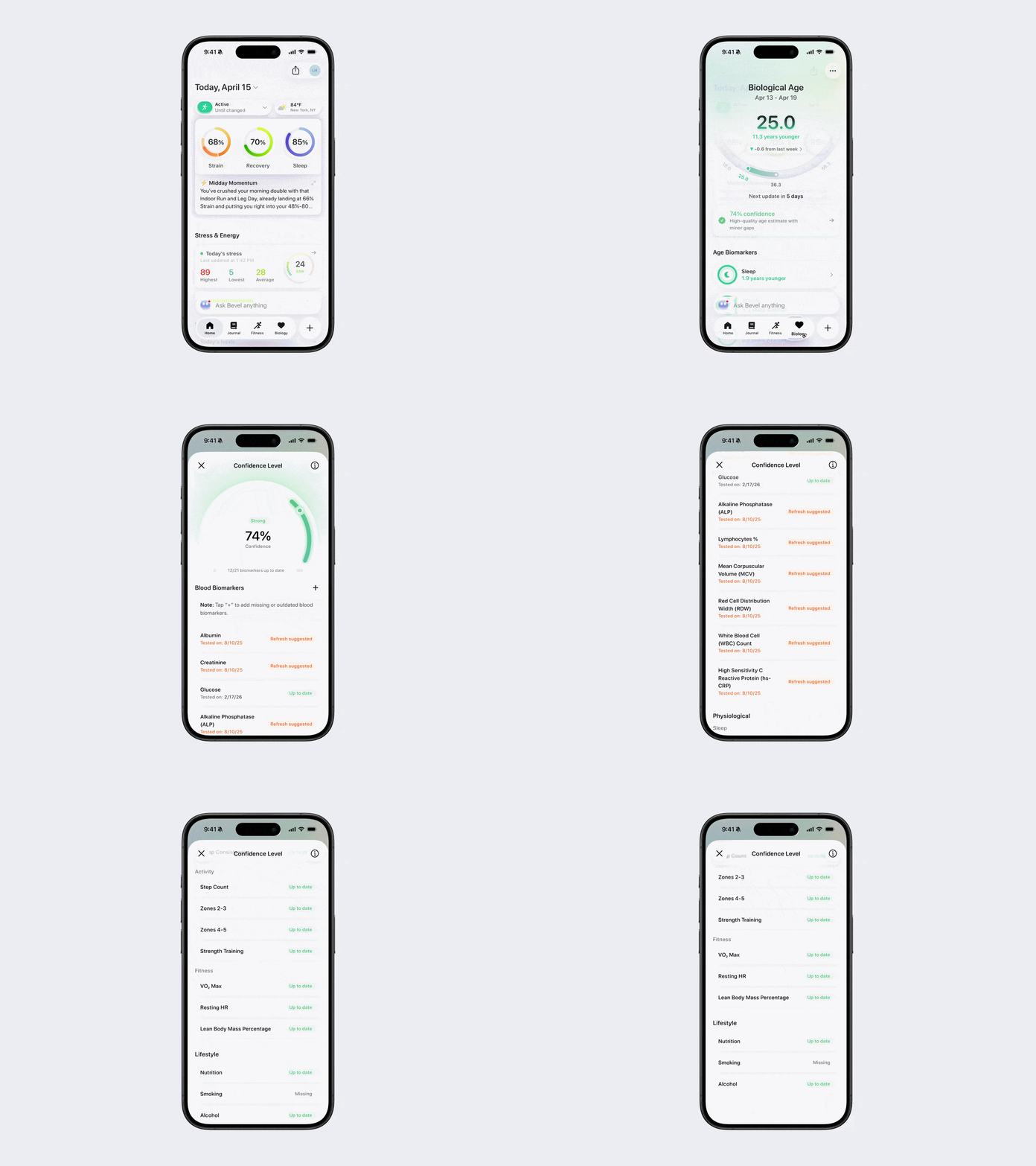
Bevel can estimate your Biological Age using a variety of health data. Uploading your Blood Tests helps complete this estimate and improves accuracy.
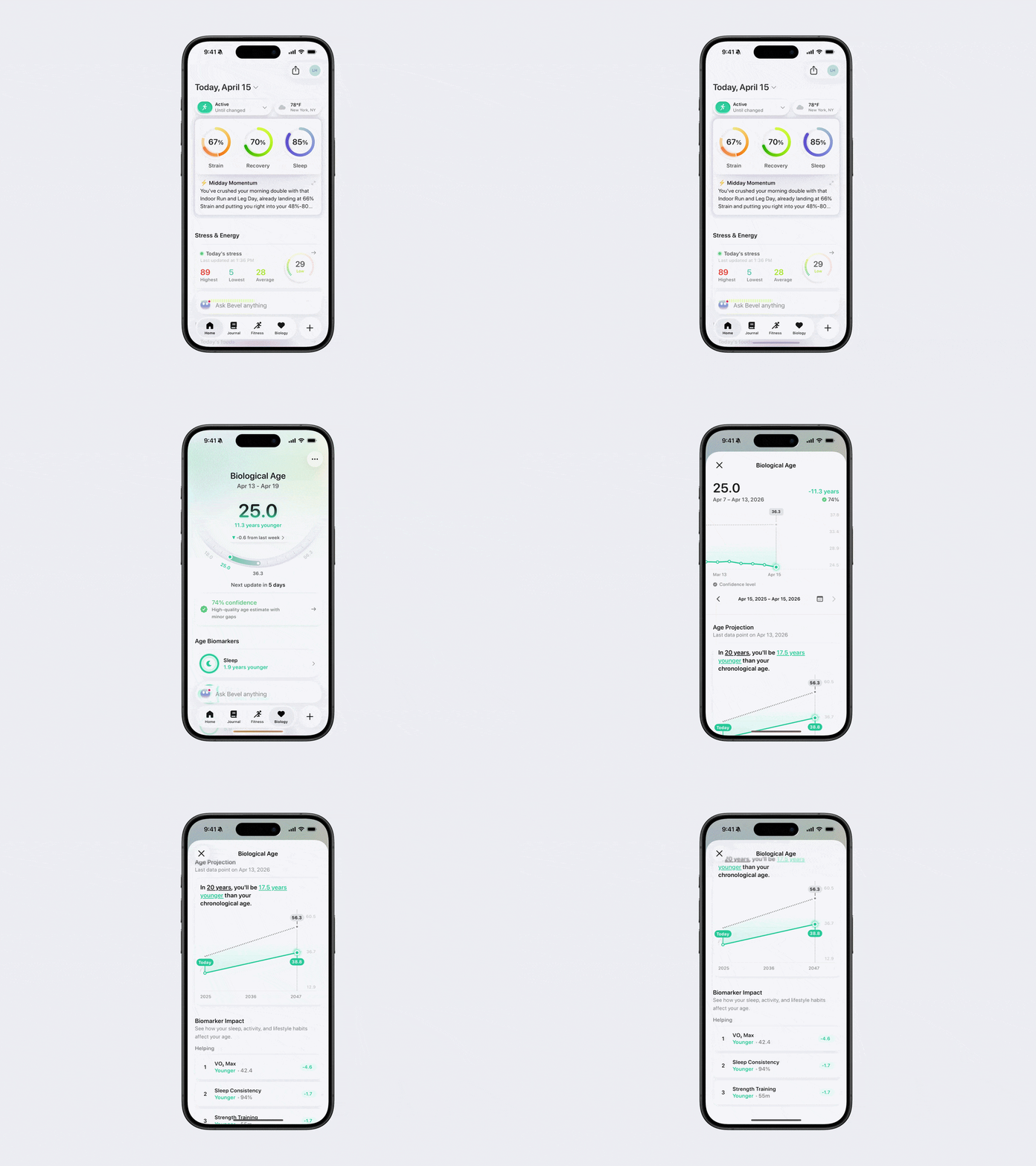
View Your Biological Age
Open Bevel.
Tap the Biology tab.
Your Biological Age will appear at the top.
Tap the button underneath your Biological Age that shows the years younger or older to view a more in depth report.
Age Projection: See what your Biological Age estimate will be up to 20 years from now.
Biomarker Impact: Learn which habits and factors are helping or hurting your age, so you can make targeted improvements.
No Biological Age Available
If no Biological Age is available, it may be due to one of the following:
Collect more health data: Bevel is still establishing your physiological baseline (about 20 days of data needed).
Add blood tests: Upload blood tests to improve the Confidence in your Biological Age estimate. Blood tests conducted mid-week will be reflected in the following week’s Biological Age.
Under 18 years old: This feature is only available for users 18 and older.
Age or sex not set: Add your age and sex by tapping Set your age and sex beneath Biological Age or in your profile. You can also update this information directly in Apple Health.
Confidence in Your Biological Age
The confidence level reflects how reliable your Biological Age estimate is based on the data available. It may be lower if your data is limited, incomplete, or outdated.
Blood Biomarker: Blood Biomarkers are lab-measured values from blood tests that impact your Biological Age and update periodically.
Up to date: Recent results (less than 3 months old)
Refresh suggested: Older results with reduced contributions (6 to 12 months old)
Missing: No contributing results (over 1 year old or never uploaded)
Physiological & Lifestyle Biomarkers: Physiological and Lifestyle Biomarkers are metrics that reflect your Sleep, Fitness, Activity, and overall Lifestyle patterns.
Up to date: Sufficient data from the past 30 days (most require 20+ days)
Calibrating: Limited data from the past 30 days (most require 1-19 days)
Missing: No data from the past 30 day
View Your Confidence
Open Bevel.
Tap the Biology tab.
Confidence will appear beneath your Biological Age.
Tap the Confidence banner to see the factors influencing your Confidence Score.