How to Report a Nutrition Issue
Our team works hard to review foods and fix any issues in the database. If you notice a problem with a food item, you can submit it for review. The more information you provide, the faster and more accurately we can address it.
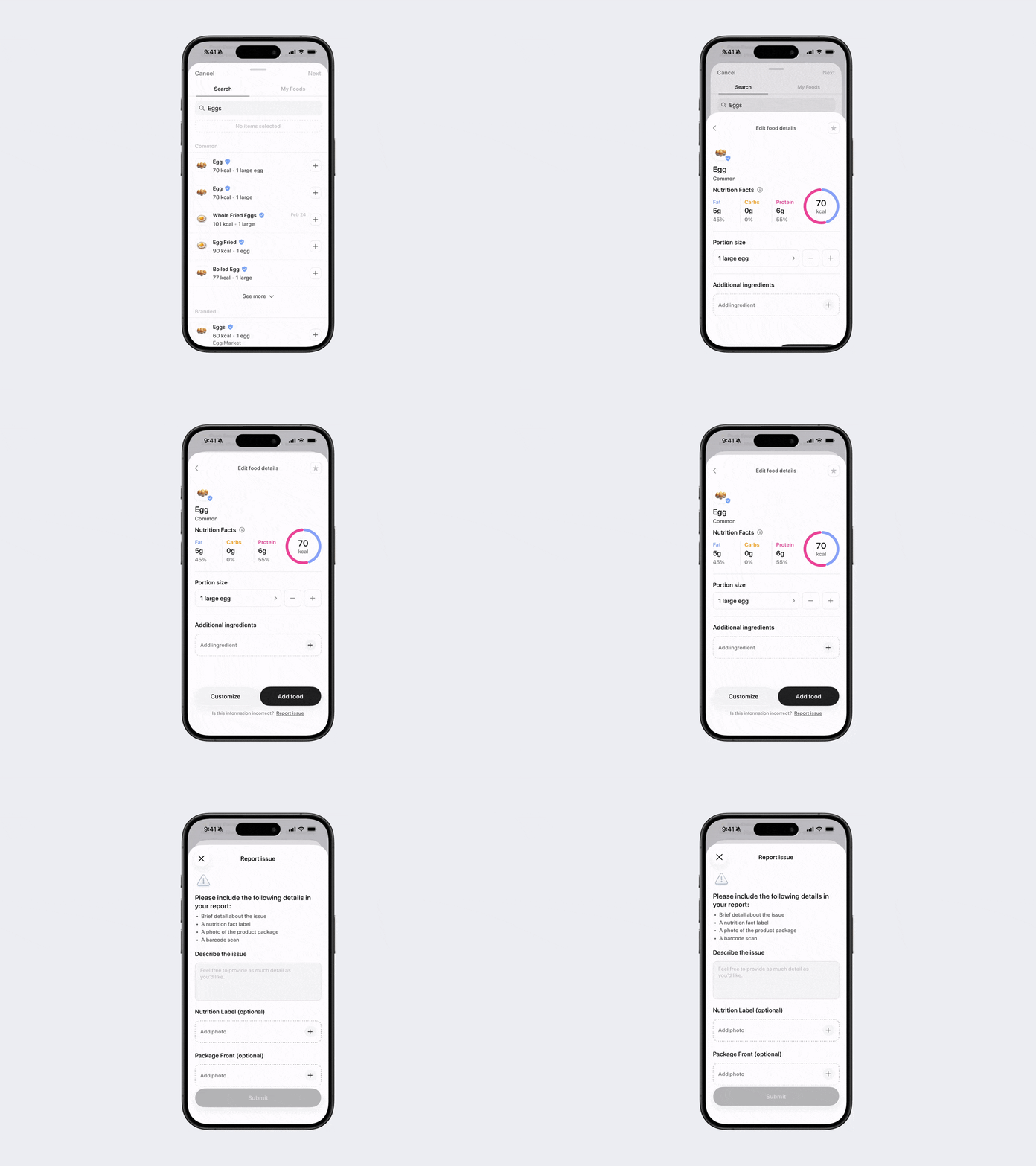
Option 1: Report via Food Logging
When logging food:
Find the food in the database that has the issue.
Tap Report Issue at the bottom of the screen.
Fill out the required fields and submit.
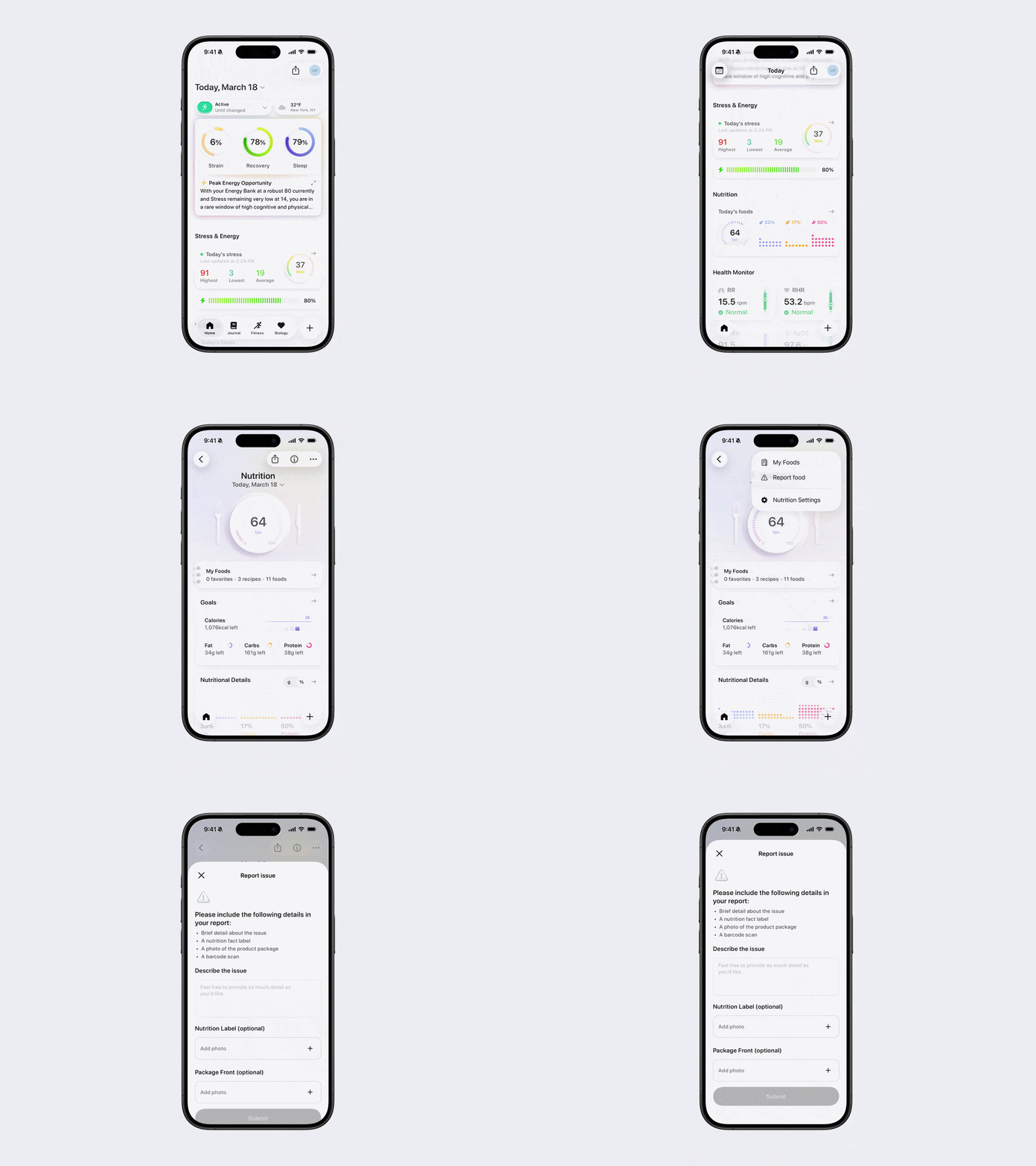
Option 2: Report via Nutrition Section
Open Bevel.
Scroll down to the Nutrition section and tap to open it.
Tap the three dots (…) in the top-right corner.
Tap Report Food.
Fill out the required fields and submit.
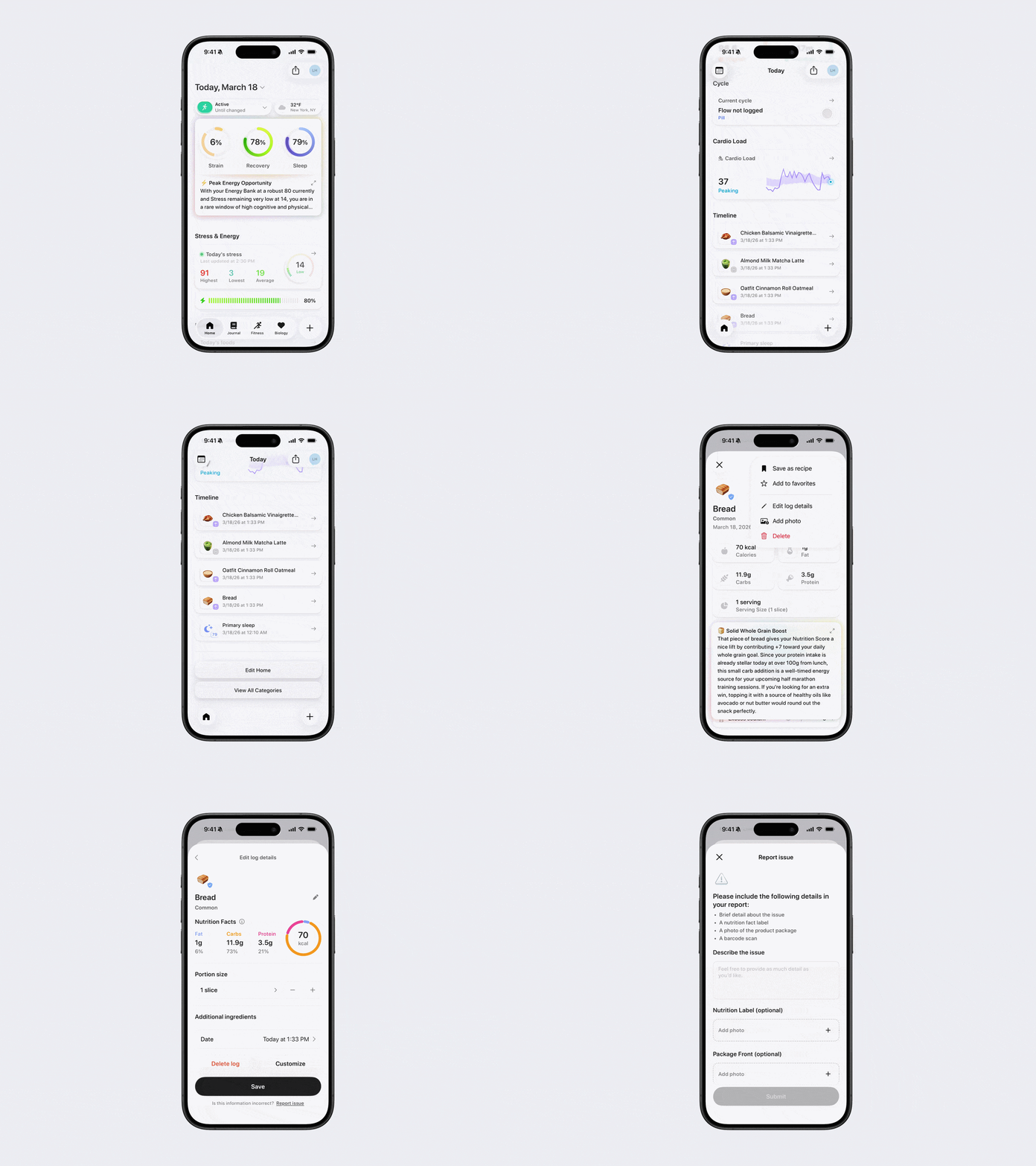
Option 3: Report via Timeline
Open Bevel.
Scroll down to the Timeline section.
Tap the food item you wish to report.
Tap the three dots (…) in the top-right corner.
Select Edit Log Details.
Tap Report Issue at the bottom of the screen.
Fill out the required fields and submit.