
How to Use the Muscle Distribution Chart
Edited
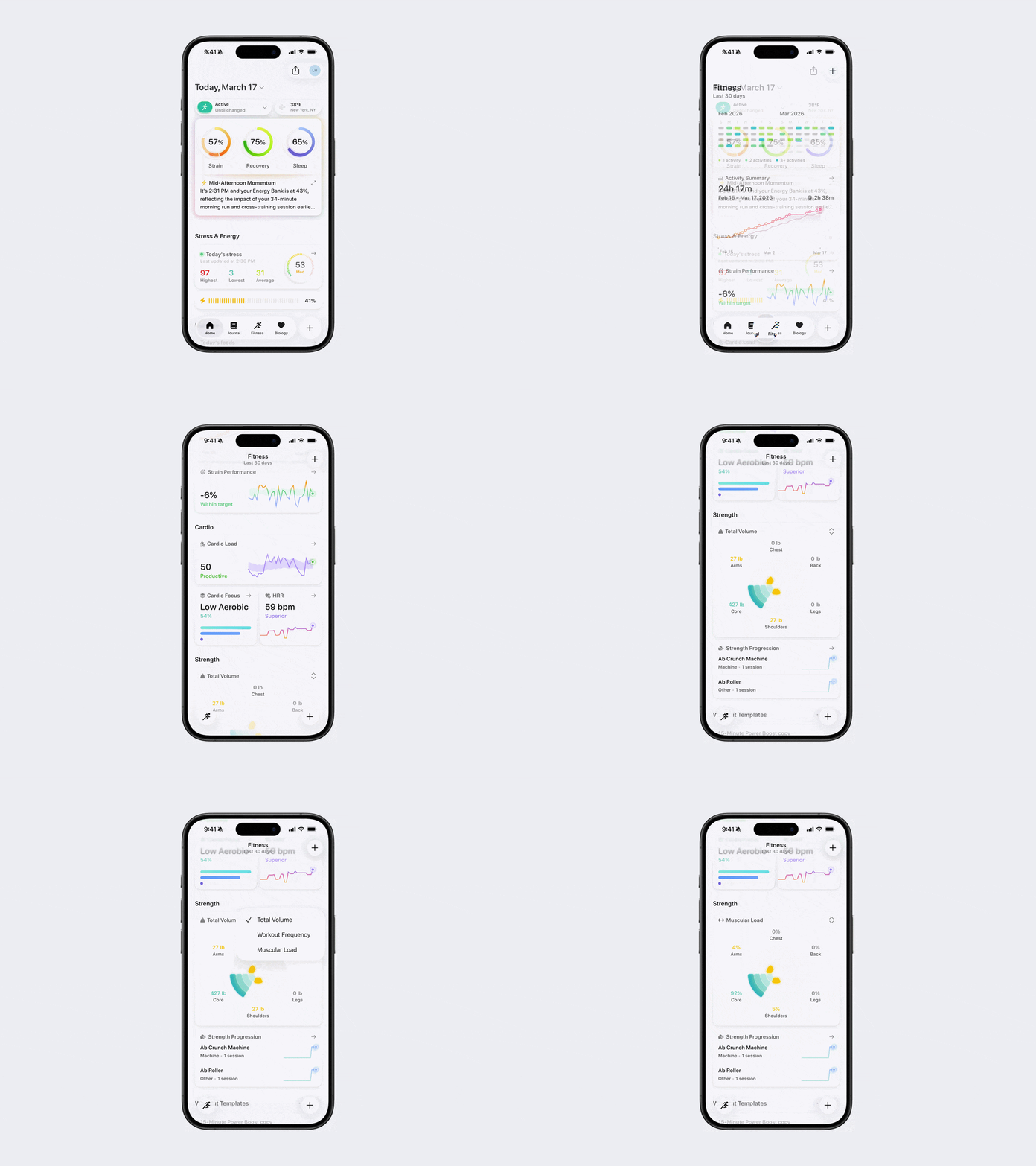
The Muscle Distribution Chart helps you track your strength across different parts of your body. Use the chart to ensure balanced training across muscle groups and avoid overtraining or neglecting certain areas.
How to View the Muscle Distribution Chart
Open Bevel.
Go to the Fitness tab.
Scroll down to the Muscle Distribution Chart under the Strength Tab.
In the top-right corner, change the view between Total Volume, Workout Frequency, and Muscular Load.
What the Muscle Distribution Chart Shows
Total Volume: Calculated by multiplying the weight by the number of reps for each exercise, this reflects the total amount you’ve lifted over a given time period.
Workout Frequency: How often you train each body area.
Muscular Load: The overall workload placed on each muscle group, combining intensity and volume.
Was this article helpful?
Sorry about that! Care to tell us more?