How to Generate a Template
Bevel allows you to generate workout Templates automatically based on your preferences, available time, and training goals.
How to Generate a Template
Option 1:
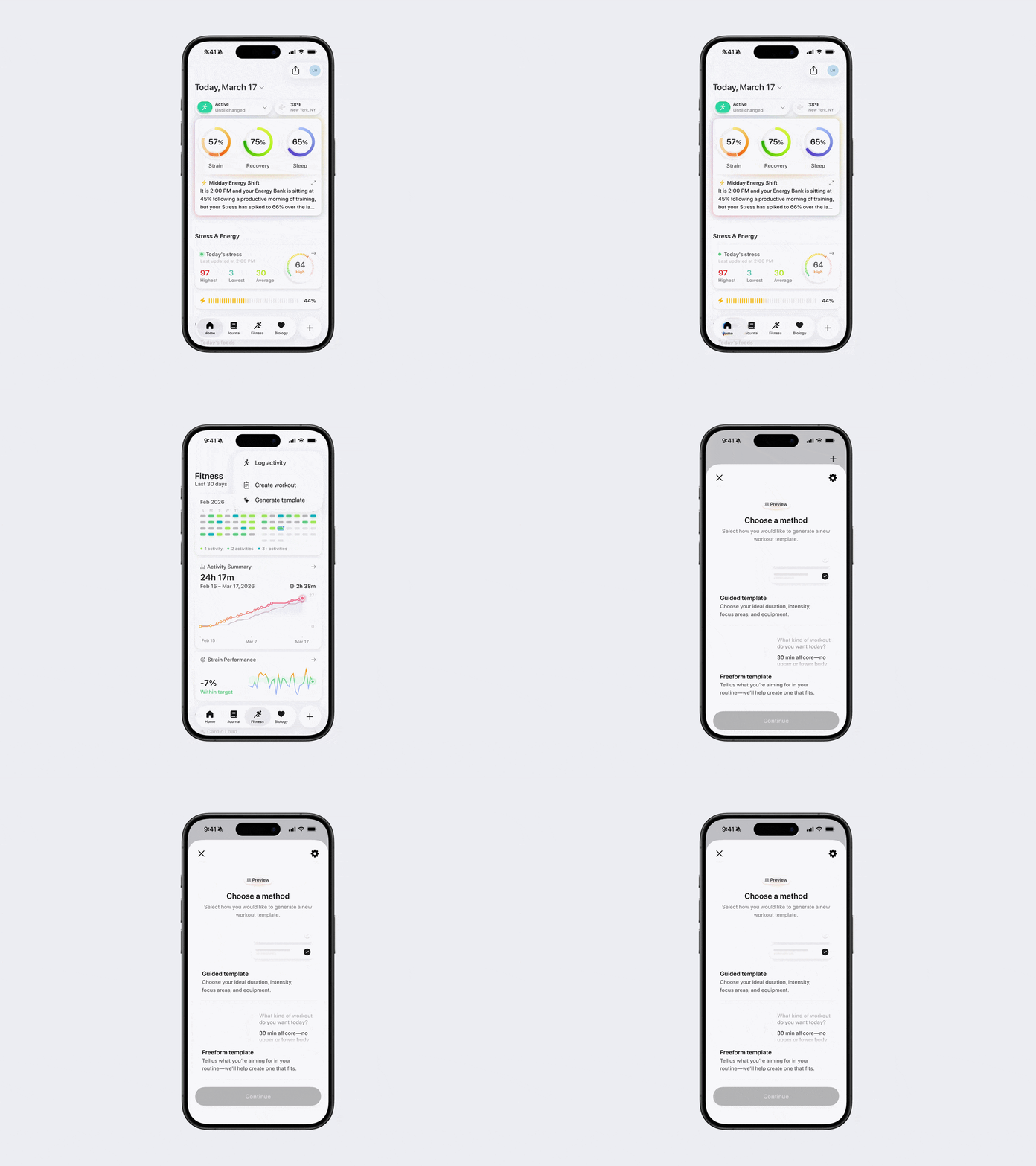
Open Bevel.
Go to the Fitness tab.
Tap the + button in the top-right corner.
Tap Generate Template.
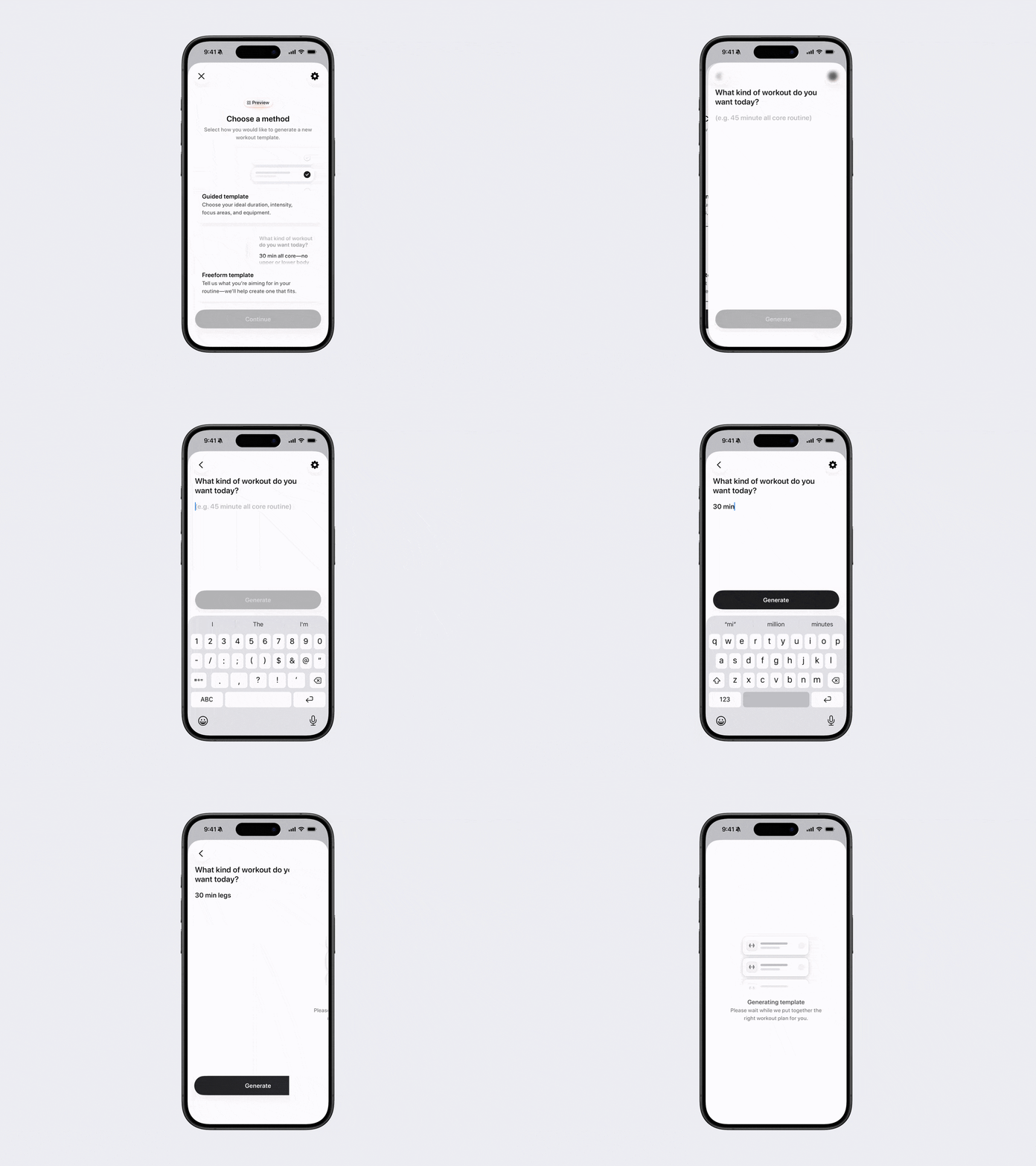
Choose between a Guided Template or Freeform Template.
Option 2:
Open Bevel.
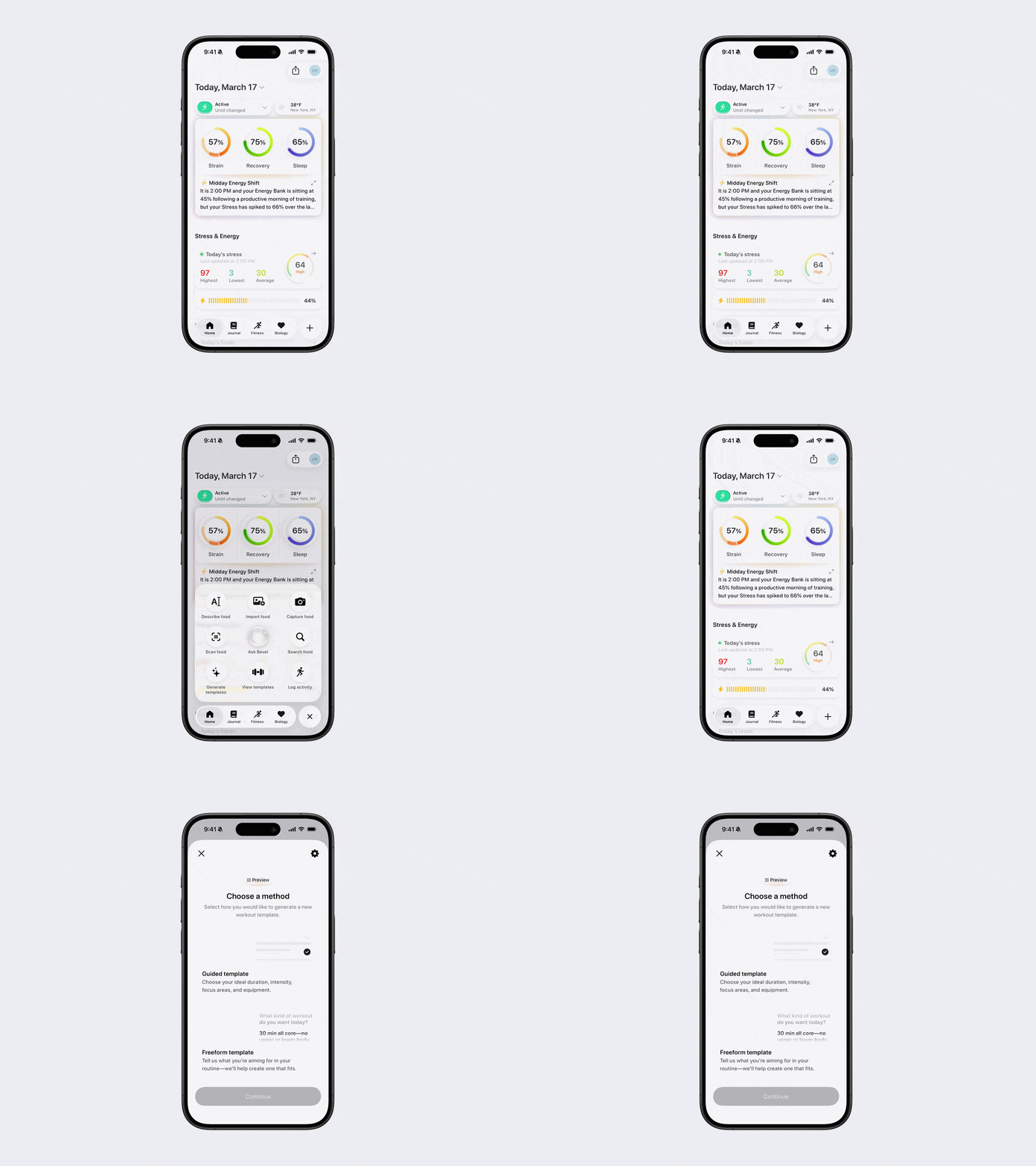
Tap the + button in the bottom-right corner.
Tap Generate Template.
Choose between a Guided Template or Freeform Template.
Note: Don’t see this option? You can edit your action button to add it. See the Edit Action Button article for steps.
Option 3:
Use Bevel Intelligence to create Templates for you. It can build a Template from scratch and adjust it based on your preferences.
Guided Template
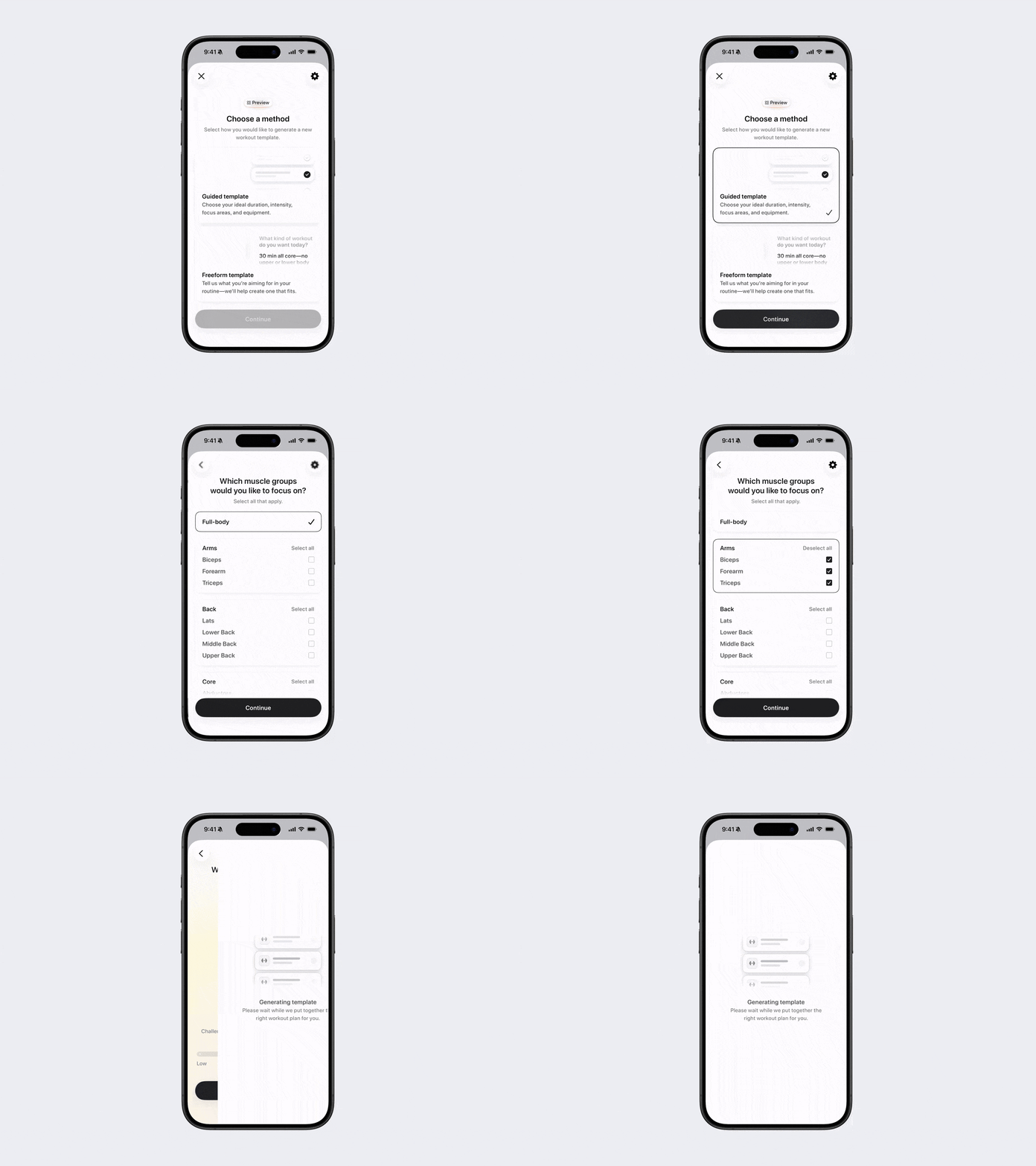
The Guided Template helps you create a structured workout plan step by step. It guides you through selecting workout duration, target muscle groups, and intensity, ensuring your workout matches your goals and available equipment.
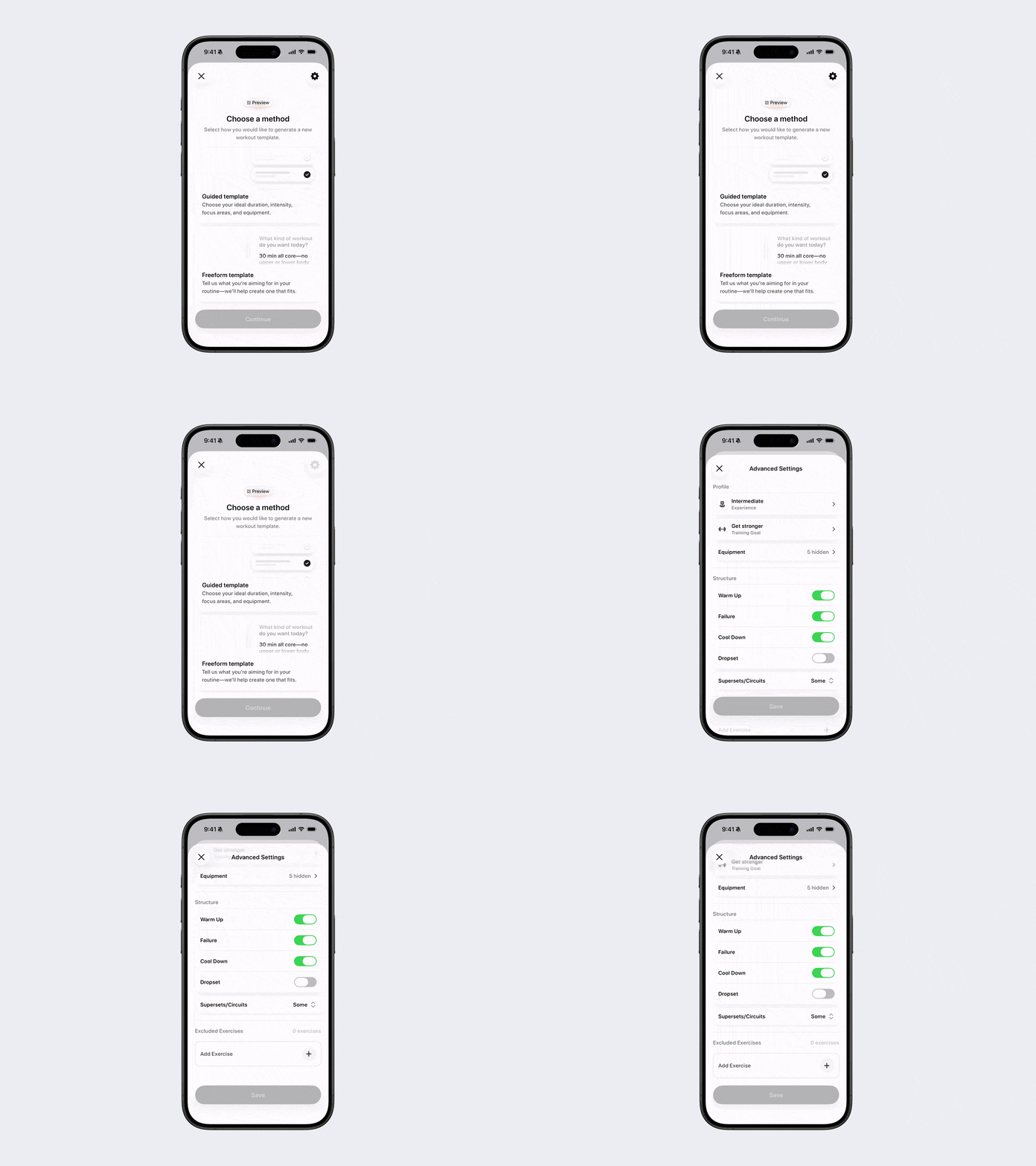
Note: At any point during this process, tap the gear icon in the top-right corner to adjust advanced settings such as:
Experience level
Training goal
Available equipment
Workout structure
Excluded exercises
Steps
Select Guided Template and tap Continue.
Enter how much time you have to train and tap Continue.
Select the muscle groups you want to focus on and tap Continue.
Choose your intensity level and tap Generate.
Click Save.
Freeform Template
The Freeform Template lets you design a custom workout using your own words. This is ideal if you have a specific workout style or combination in mind and want flexibility in your plan.
Note: At any point during this process, tap the gear icon in the top-right corner to adjust advanced settings such as:
Experience level
Training goal
Available equipment
Workout structure
Excluded exercises
Steps
Select Freeform Template and tap Continue.
Enter, in freeform text, the type of workout you want.
Tap Generate.
Click Save.
Tip: Freeform Templates work best when you include both the time you have available and the type of workout you want. For example, “Create a 45-minute full-body strength workout I can do at home with dumbbells.”