
How to Use Referrals
Bevel allows you to invite friends through Referrals. For the best experience, make sure your friends sign up using your referral link or code. This ensures the referral is properly tracked and any rewards are applied correctly.
Gift your friends 30 days of unlimited access to Bevel Pro and receive exclusive rewards when they join.
Share Your Referral Link.
Invite friends by sharing your personal referral link.
Open Bevel.
Tap your initials or profile picture in the top-right corner.
Tap Invite & Earn Rewards.
You can invite friends to Bevel in two ways: sharing a referral link or sharing a referral code.
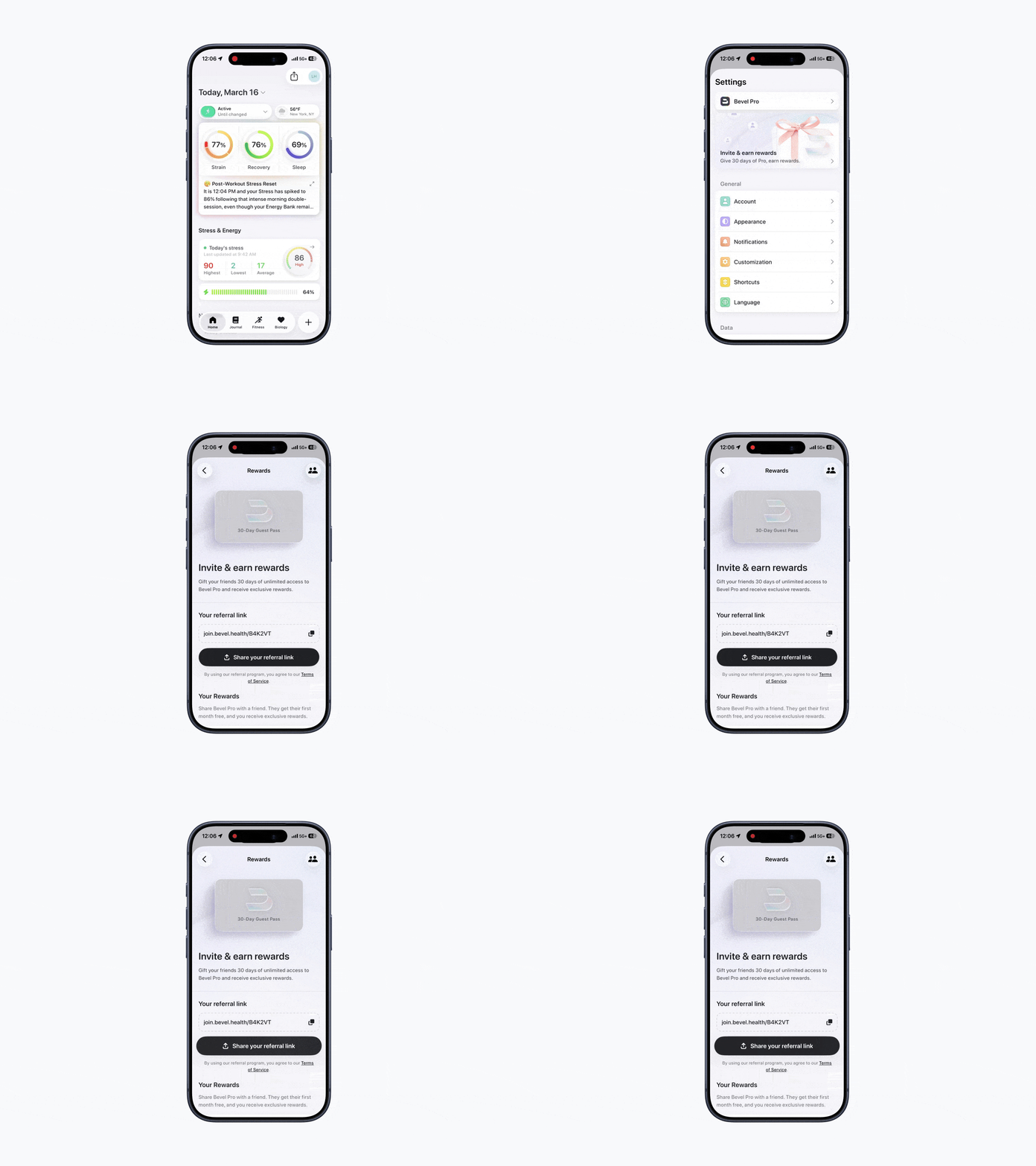
Option 1: Share a Referral Link
The easiest way to invite friends is by sharing your personal referral link. In Invite & Earn Rewards, tap Share your referral link.
When your friend taps the link, they’ll be taken directly to the App Store to download Bevel. After they install the app and create an account, the referral will automatically be linked to your account.
Option 2: Share a Referral Code
You can also invite friends by sharing your referral code. In Invite & Earn Rewards, tap the copy icon next to your referral link to copy the code.
Your friend can enter this code during onboarding or later in Settings to redeem the referral offer.
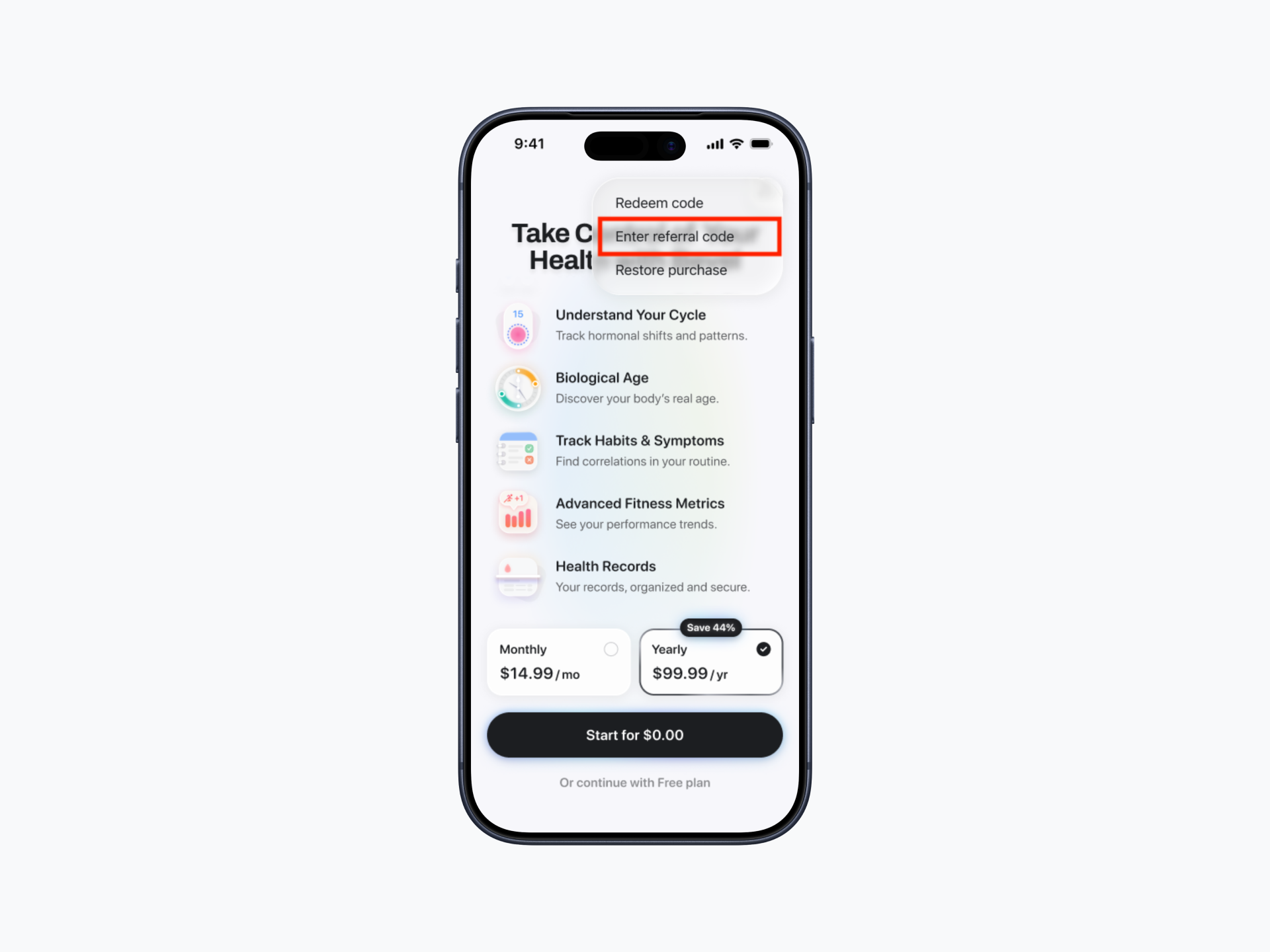
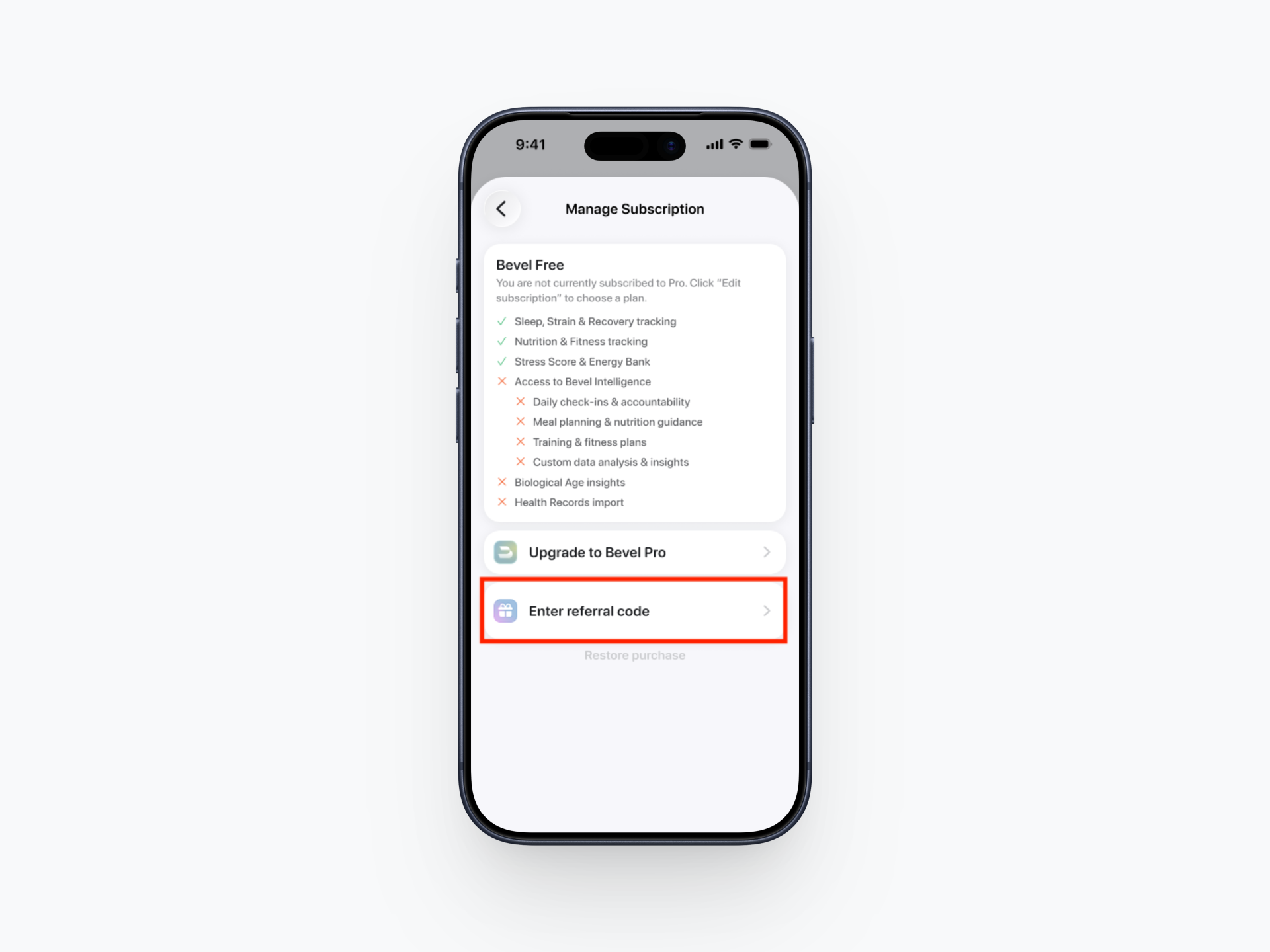
How to Enter the Referral Code
Option 1: On the payment screen, tap "..." then enter referral code.
Option 2: Enter referral code in Settings.
Referral Eligibility
To ensure referrals are applied correctly, the following rules apply:
The invited user must not have previously had Bevel Pro.
The invited user must not have previously redeemed a free trial.
If the invited user is currently in a free trial, they can still enter a referral code and their trial will be extended to a full 30 days of Bevel Pro.
The referral must be applied during onboarding or before upgrading to Bevel Pro.
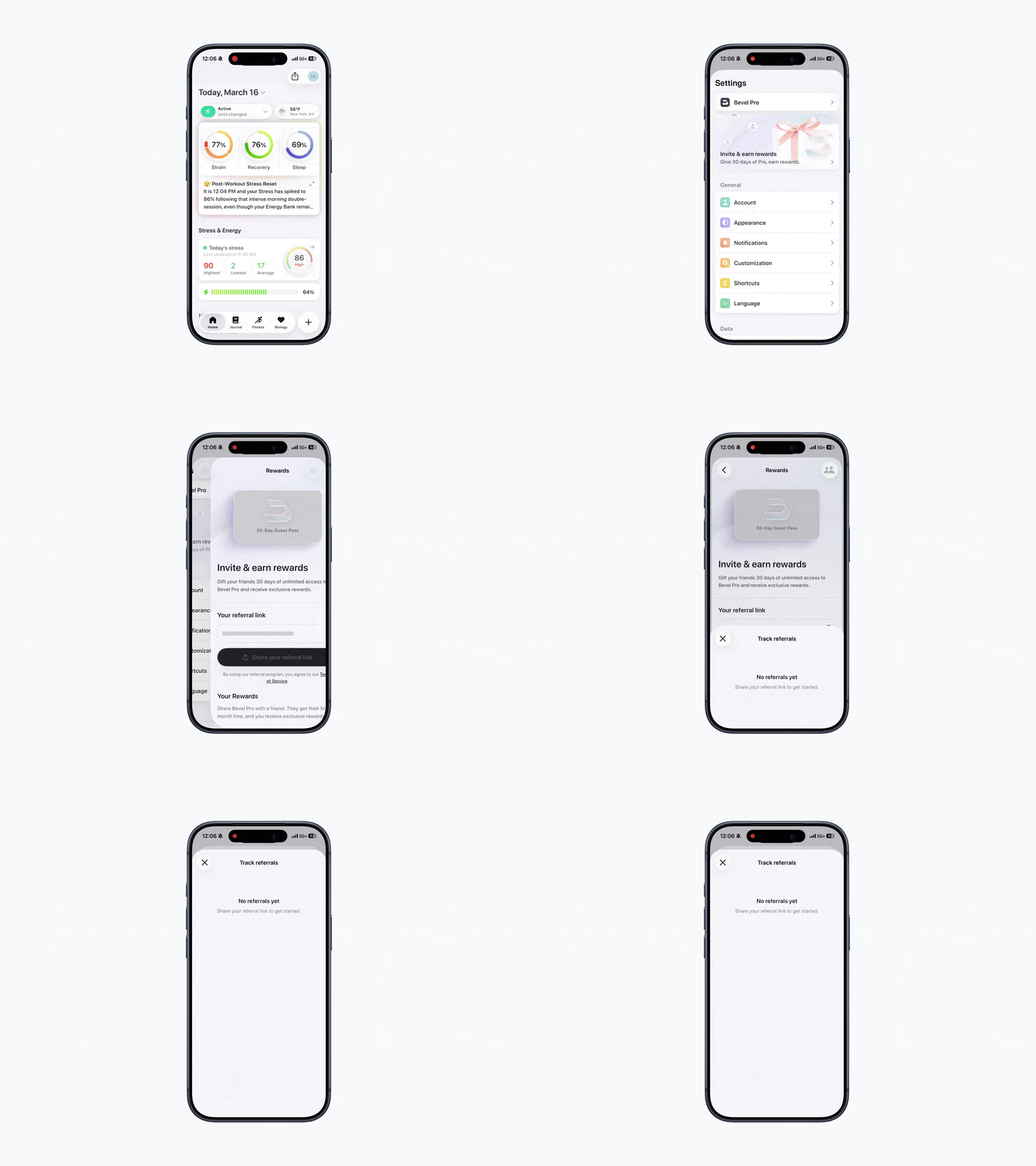
Check Referral Status
You can track the friends you’ve invited and their referral progress.
Open Bevel.
Tap your initials or profile picture in the top-right corner.
Tap Invite & Earn Rewards.
Tap the people icon in the top-right corner
Rewards
Earn exclusive rewards when your friends join Bevel.
Open Bevel.
Tap your initials or profile picture in the top-right corner.
Tap Invite & Earn Rewards.
Scroll down to Your Rewards.
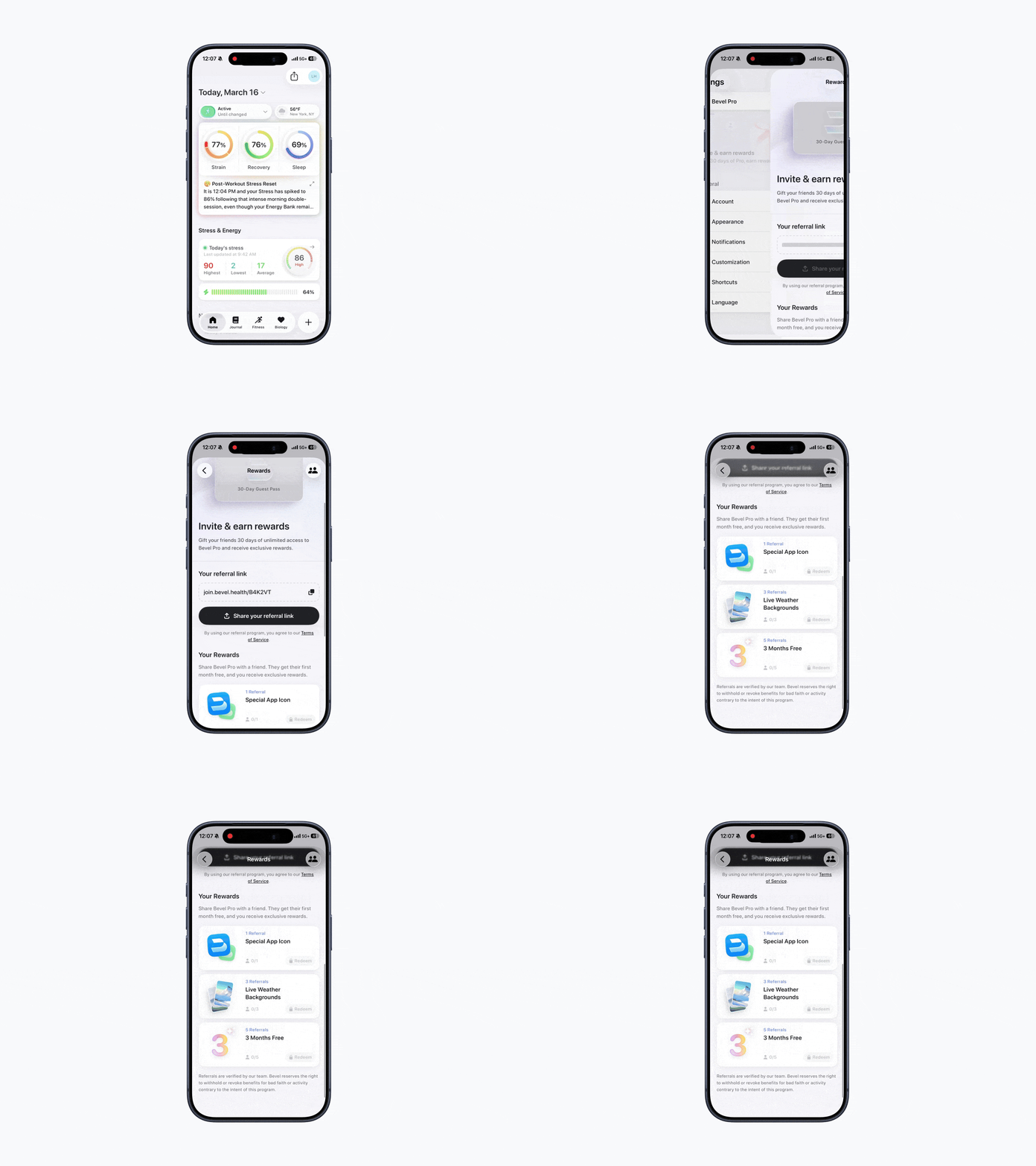
Reward Offerings
Unlock exclusive rewards as more friends join Bevel using your referral link.
1 Referral = Special App Icon
3 Referrals = Live Weather Backgrounds
5 Referrals = 3 Months Free