
How to Guide Bevel Intelligence
Edited
You can make it clearer how Bevel Intelligence should process information by using guided prompts.
Guide Bevel Intelligence
Option 1: Via the Main Bevel Intelligence screen
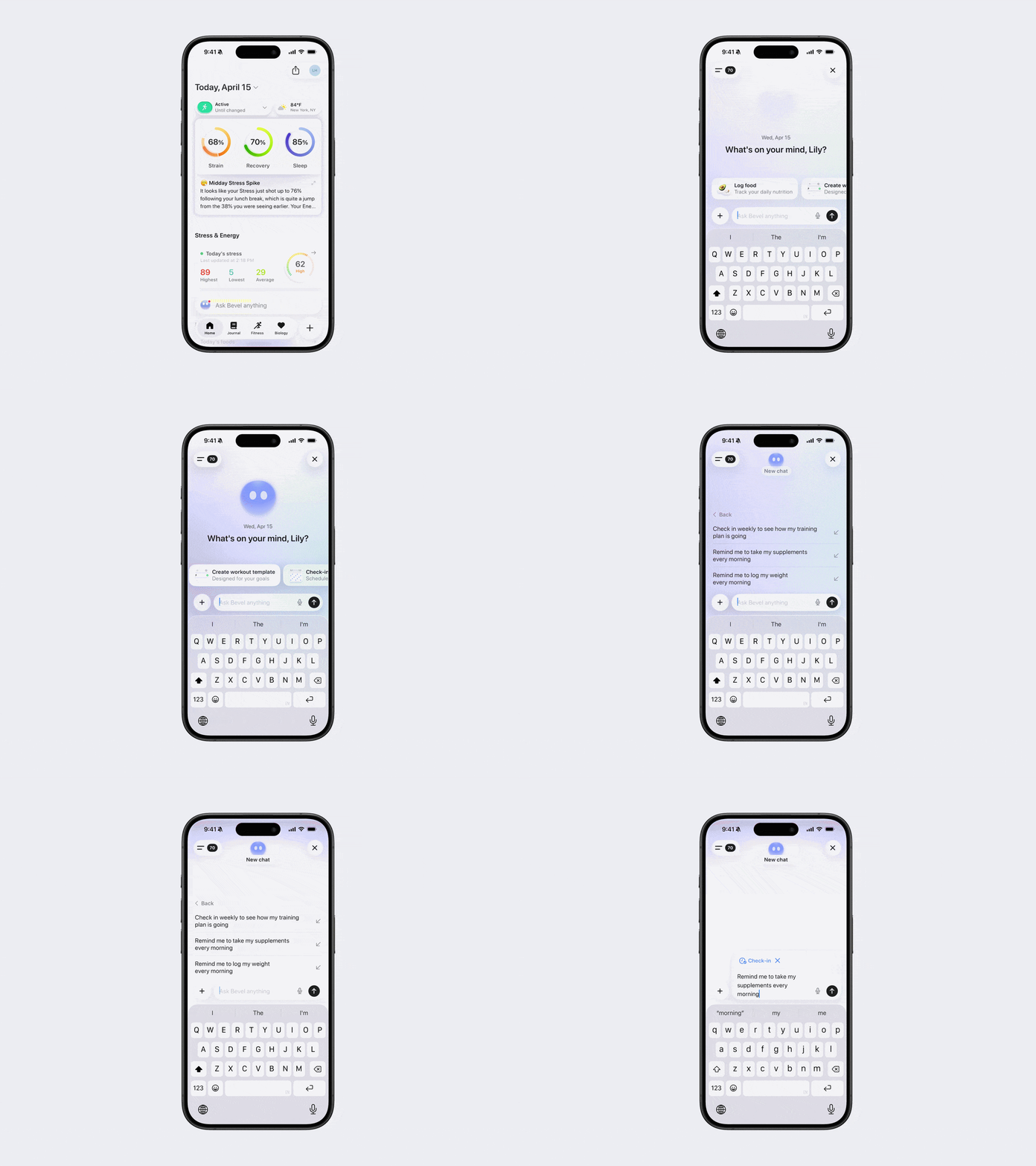
Open Bevel Intelligence.
Tap one of the suggested prompts above the keyboard. Swipe right to browse more options before selecting one.
Select a prompt and follow the guided flow.
Example: Check-in with me → Send me a weekly progress summary every Sunday
Option 2: Via the Expand Menu in Bevel Intelligence
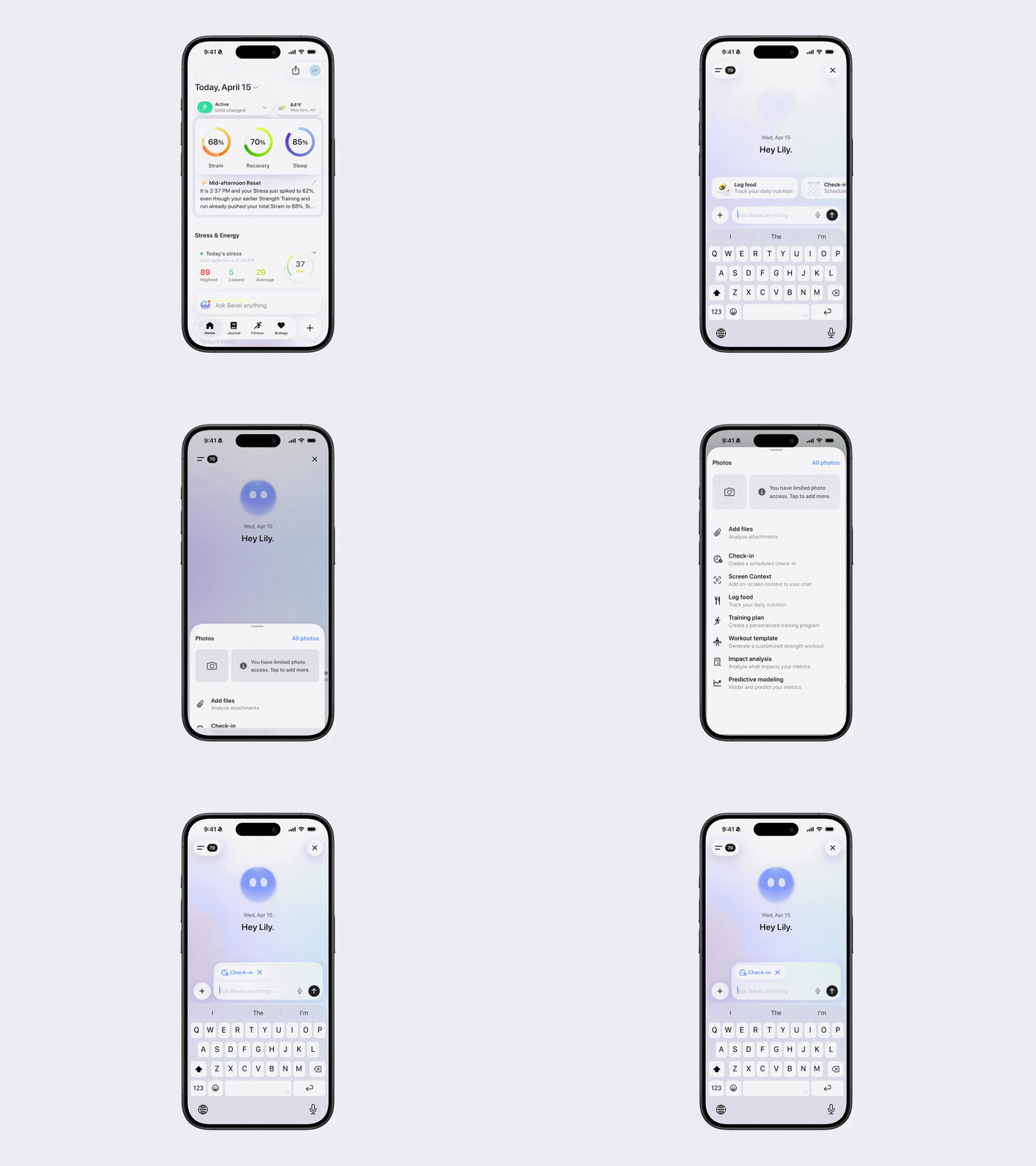
Open Bevel Intelligence.
Tap the + button in the bottom left corner.
Scroll and select a suggested option.
Type your prompt as you normally would, using the suggestion as a starting point.
Was this article helpful?
Sorry about that! Care to tell us more?