How to Set Bevel Intelligence Personality
You can customize how Bevel Intelligence interacts with you by choosing a personality that matches your preferences.
Personality options
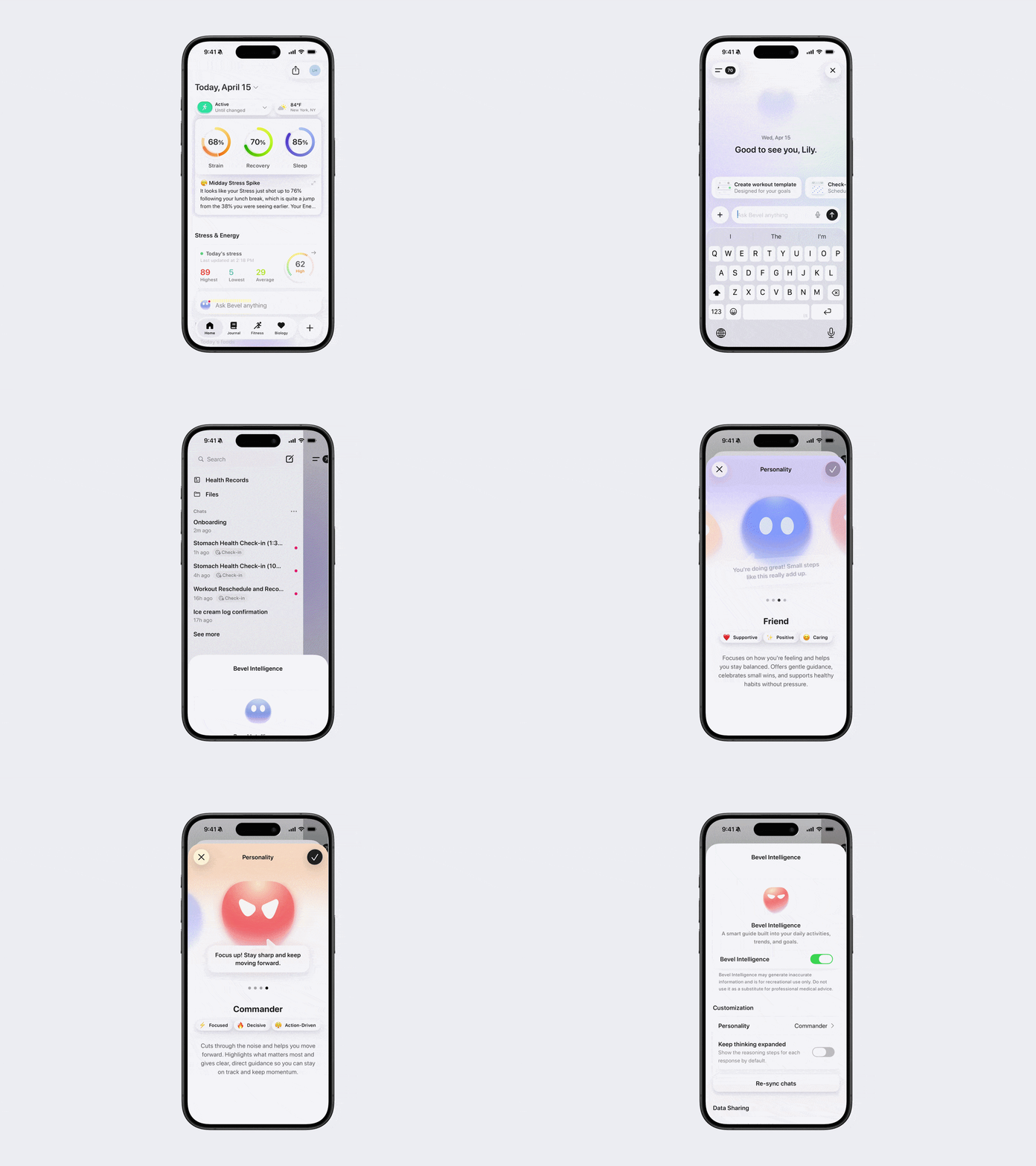
Friend
Focuses on how you’re feeling and helps you stay balanced. Offers gentle guidance, celebrates small wins, and supports healthy habits without pressure.
Tone: supportive, positive, caring
Commander
Cuts through the noise and helps you move forward. Highlights what matters most and gives clear, direct guidance so you can stay on track and maintain momentum.
Tone: focused, decisive, action-driven
Guardian
Keeps an eye on your well-being and helps you avoid pushing yourself too hard. Points out risks, encourages balance, and supports choices that protect your long-term health.
Tone: protective, cautious, steady
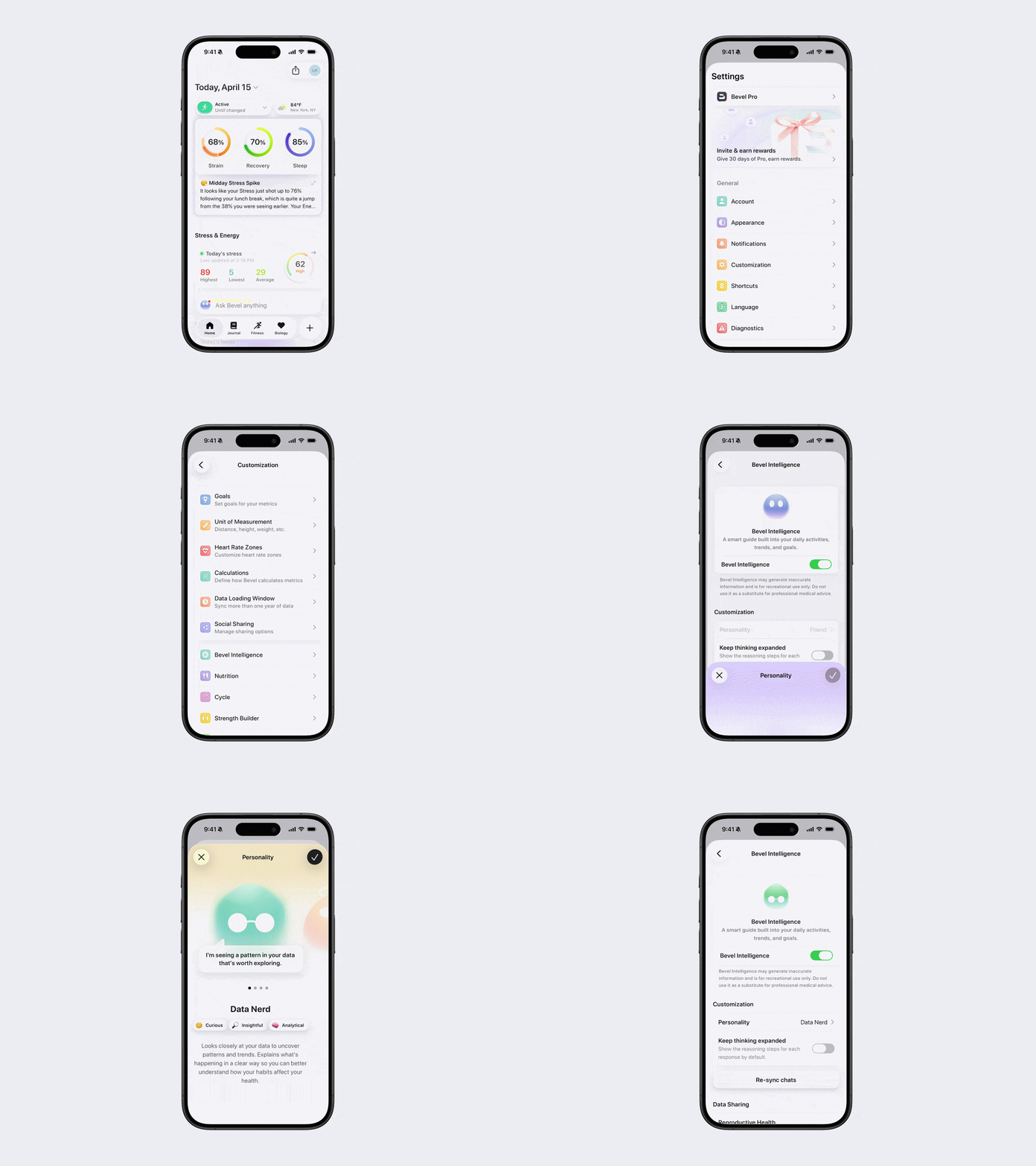
Data Nerd
Looks closely at your data to uncover patterns and trends. Explains what’s happening in a clear, structured way so you can better understand how your habits affect your health.
Tone: analytical, informative, insight-driven
Note: You can also further personalize these personalities by telling the AI how you want it to respond. Your preferences can be written into the personality file so the experience feels more tailored to you.
How to change your personality
Option 1: Via Bevel Intelligence
Open Bevel Intelligence.
Tap the menu icon in the top left corner.
Tap Settings in the bottom right corner.
Tap Personality.
Swipe and select how you want Bevel to communicate with you.
Tap the check mark in the top right corner.
Option 2: Via Profile Settings
Open Bevel.
Tap your initials or profile picture in the top-right corner.
Tap Customization.
Tap Bevel Intelligence.
Tap Personality.
Swipe and select how you want Bevel to communicate with you.
Tap the check mark in the top right corner.