
How to Create a Custom Food
Edited
You can create a Custom Food by entering nutrition details manually or using the Nutrition Facts Scanner to extract information automatically. This is useful for foods that aren’t in Bevel’s database or for homemade items.
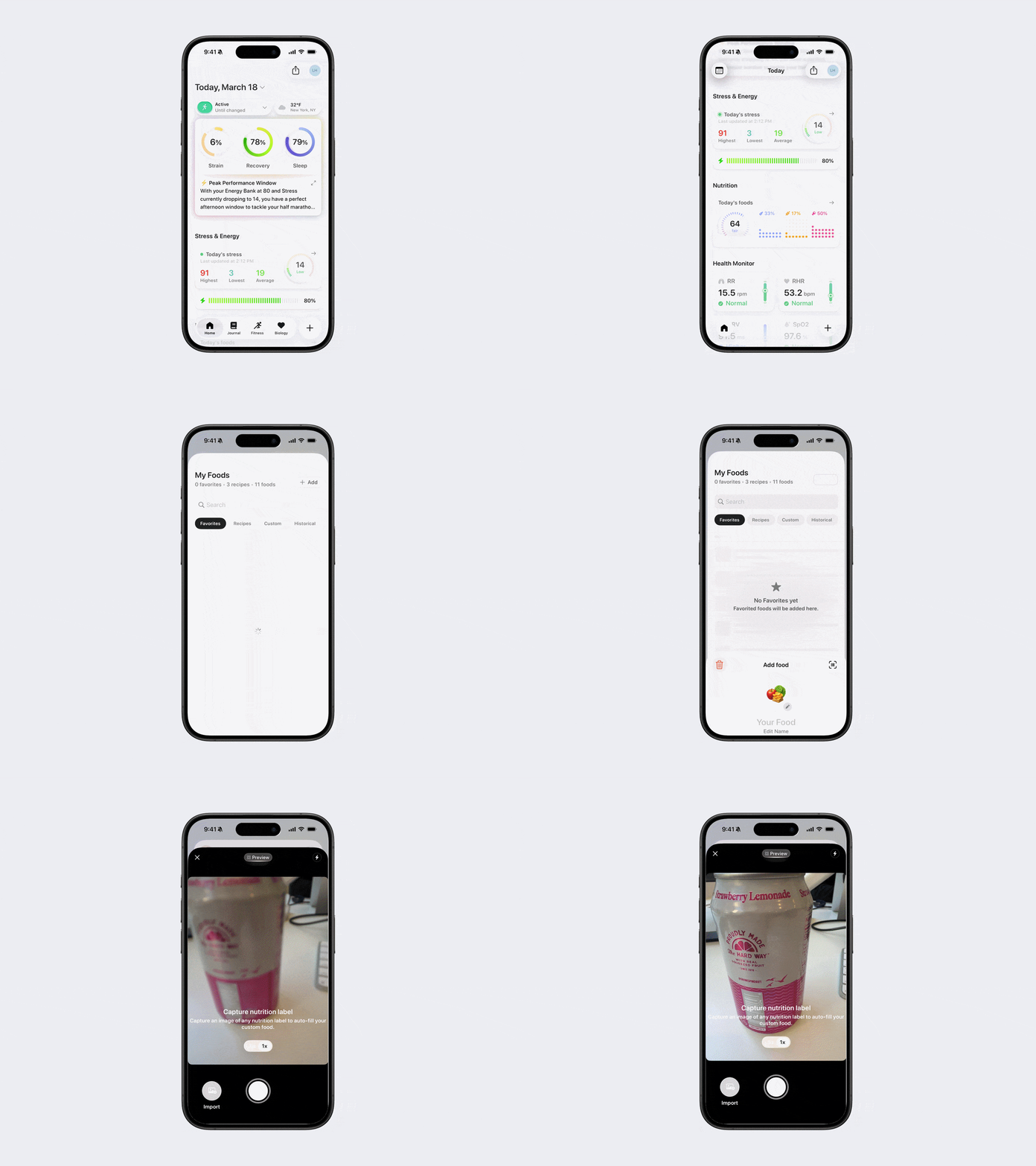
Navigate to My Foods.
Tap + Add in the top-right corner.
Tap Create Custom Food.
Either:
Enter nutrition information manually (serving size, calories, macronutrients, etc.)
Or tap the scanner icon in the top-right corner and use your device’s camera to extract data from a nutrition label or import a label from your camera roll.
Tap Save.
Was this article helpful?
Sorry about that! Care to tell us more?