
How to Create Recipes
Edited
You can create a Recipe by combining multiple ingredients into a single meal and automatically calculating its nutritional value. This is ideal for homemade dishes, meal prep, or recipes that include a mix of packaged and fresh foods.
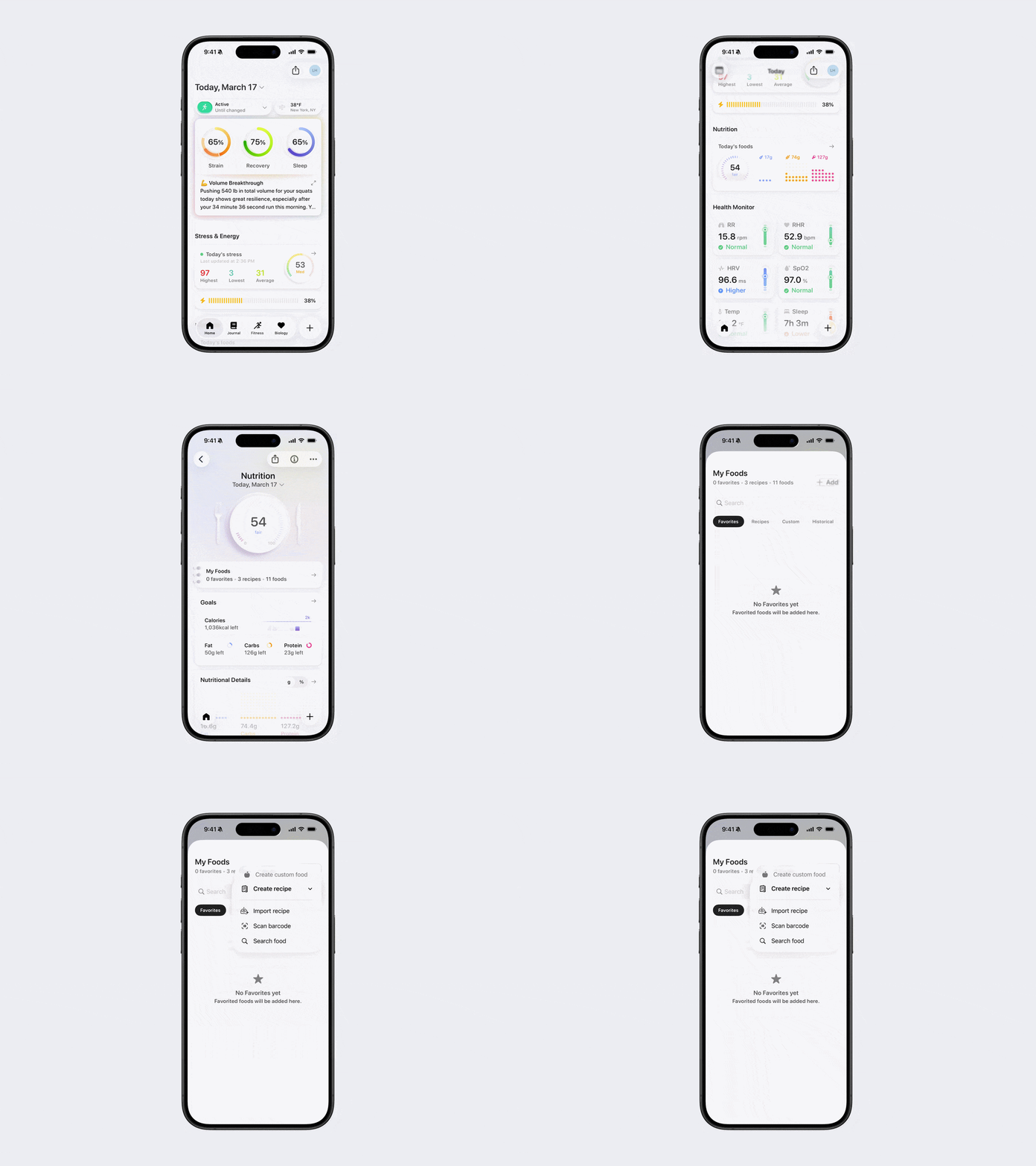
Navigate to My Foods.
Tap + Add in the top-right corner.
Tap Create Recipe.
Choose how to add ingredients:
Import Recipe: Write or paste recipe details, capture with your camera, or import a photo.
Scan Barcode: Scan single or multiple barcodes (use Multi-scan for multiple items).
Search Food: Select ingredients from Bevel’s food database.
Was this article helpful?
Sorry about that! Care to tell us more?