How to View Daily Macros and Nutrition Facts
Tracking your daily Macros and Nutrition Facts helps you understand how your food choices align with your health and performance goals.
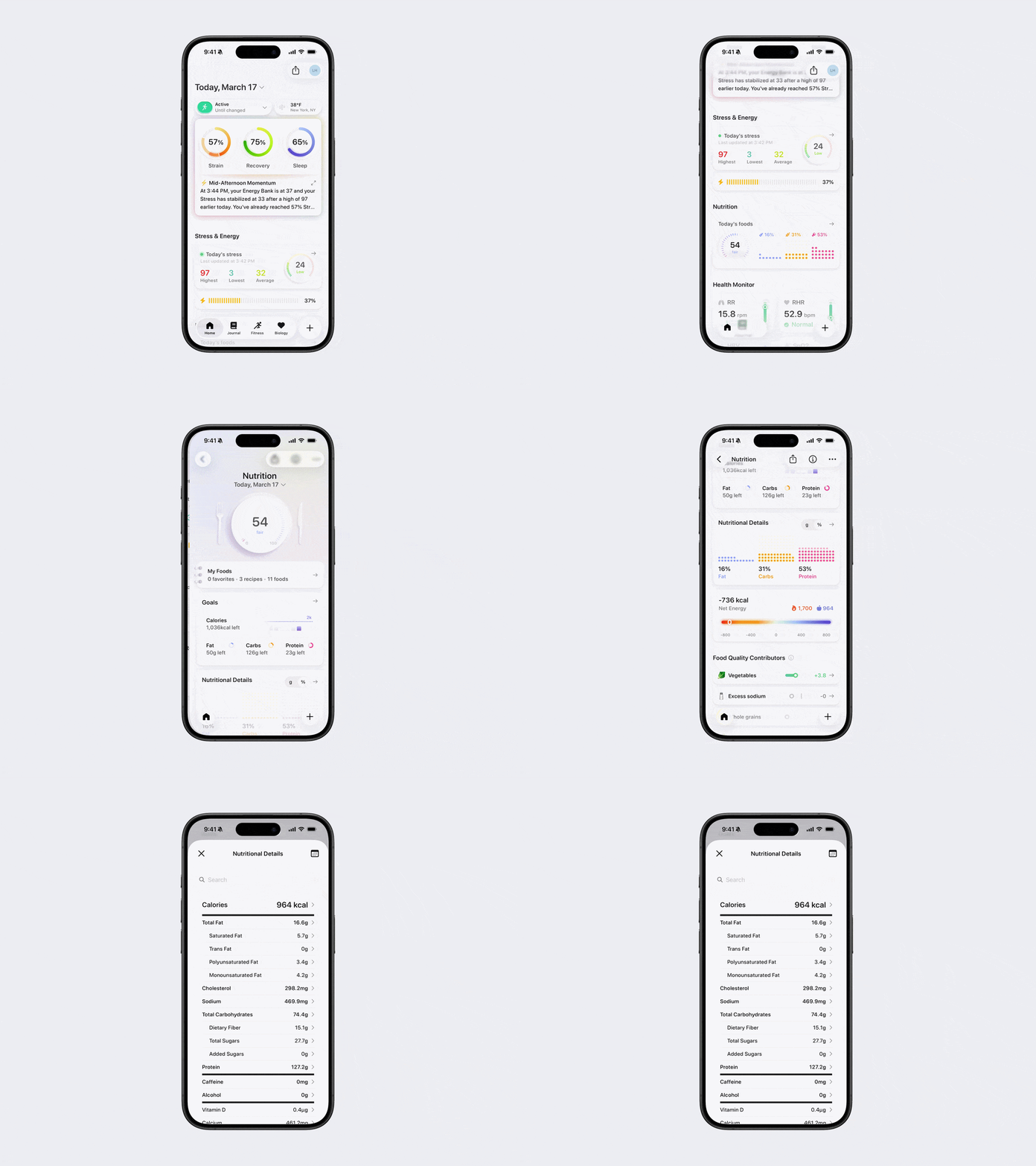
You can view a summary of your daily intake using one of the options below.
Option 1: Via Home Page
Open Bevel.
Scroll down to the Nutrition section.
View your intake of fats, carbs, and protein directly from the summary display.
Option 2: Via Nutrition Section
Open Bevel.
Scroll down to the Nutrition section and tap to open it.
Scroll down to Nutritional Details.
View your intake of fats, carbs, and protein.
Note: You can switch between viewing macros in grams (g) or as a percentage (%) of total intake by toggling g or % next to Nutritional Details.
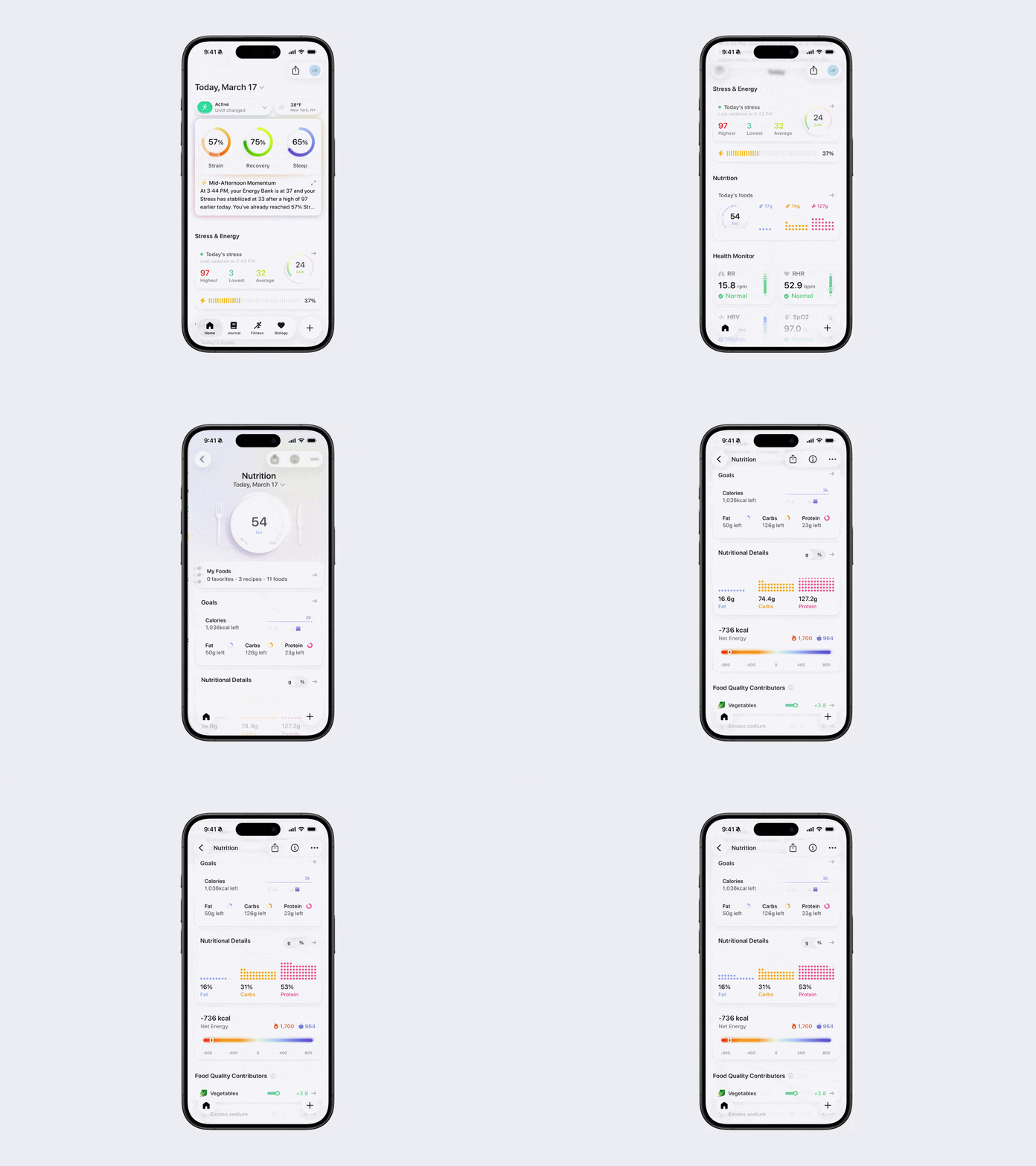
Note: The dots represent the distribution of macros across your total daily intake. This is just a visual representation and does not take your calorie goal into account. Imagine it as one square filled with all the dots showing your macro breakdown.
How to View Your Daily Nutrition Label
You can also view a detailed breakdown of all macro and micronutrients in the form of a nutrition label
Open Bevel.
Scroll down to the Nutrition section and tap to open it.
Scroll down to Nutritional Details.
Tap underneath the macro breakdown section.
You will see your full daily nutrition label with detailed nutrient information.