Understanding Nutrition Score and Food Quality Contributors
The Nutrition Score is a continuous evaluation of your diet, combining food quality and glucose impact to assess your metabolic health.
Your score helps you understand how your daily food choices support overall health and balance.
How It Works
Your Nutrition Score remains locked each day until approximately one-third of your calorie goal is logged.
If you have a personal calorie goal set, this is used; otherwise, the app calculates a default goal based on your recent energy intake and activity levels (TDEE).
As you log foods, you earn or lose points based on Food Quality.
You can connect a CGM device to track Glucose Impact.
The goal is to maximize your score by maintaining a healthy, balanced diet.
Where to Find Your Nutrition Score
You can view your Nutrition Score:
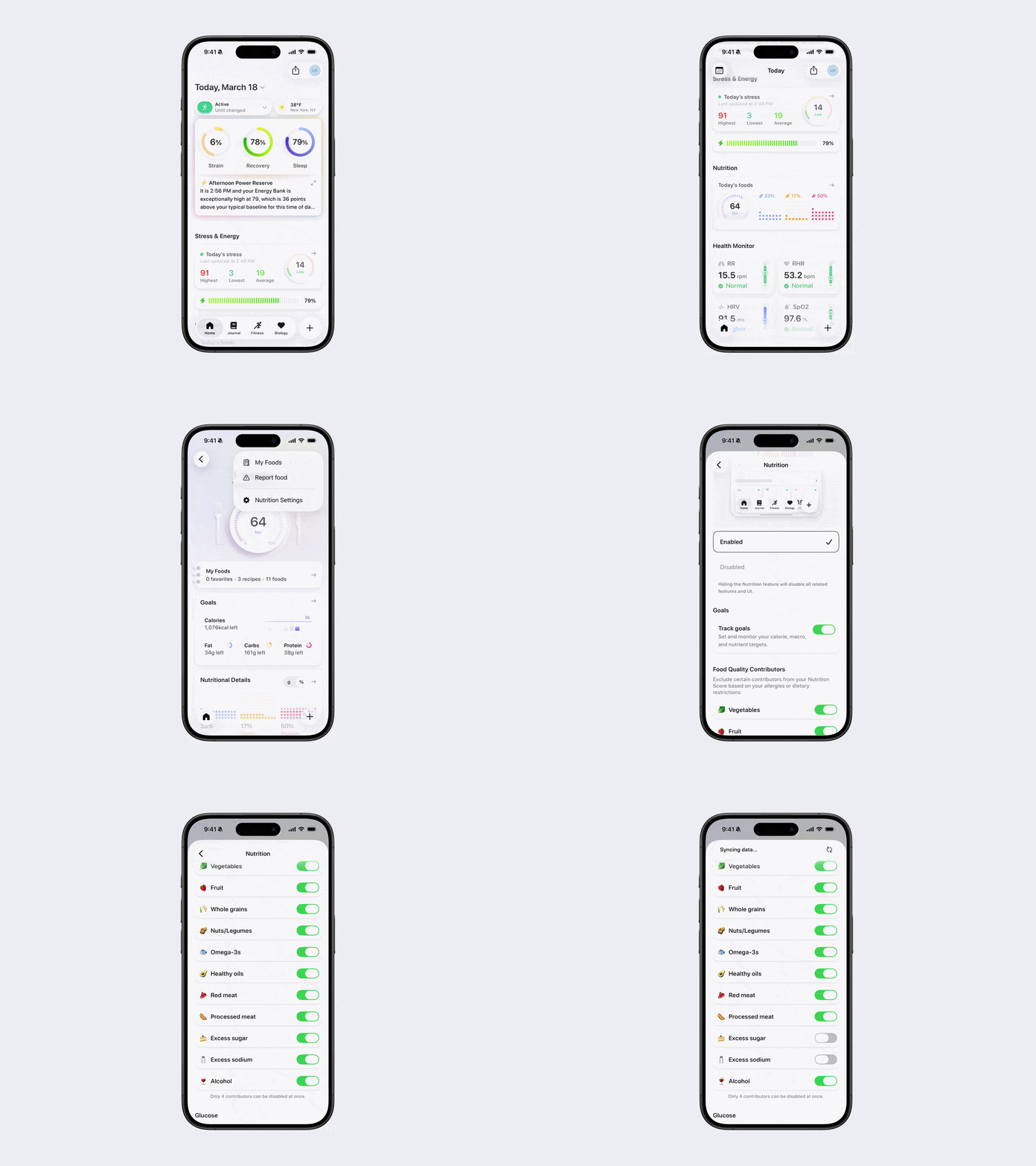
On the Home Page, underneath the Nutrition section.
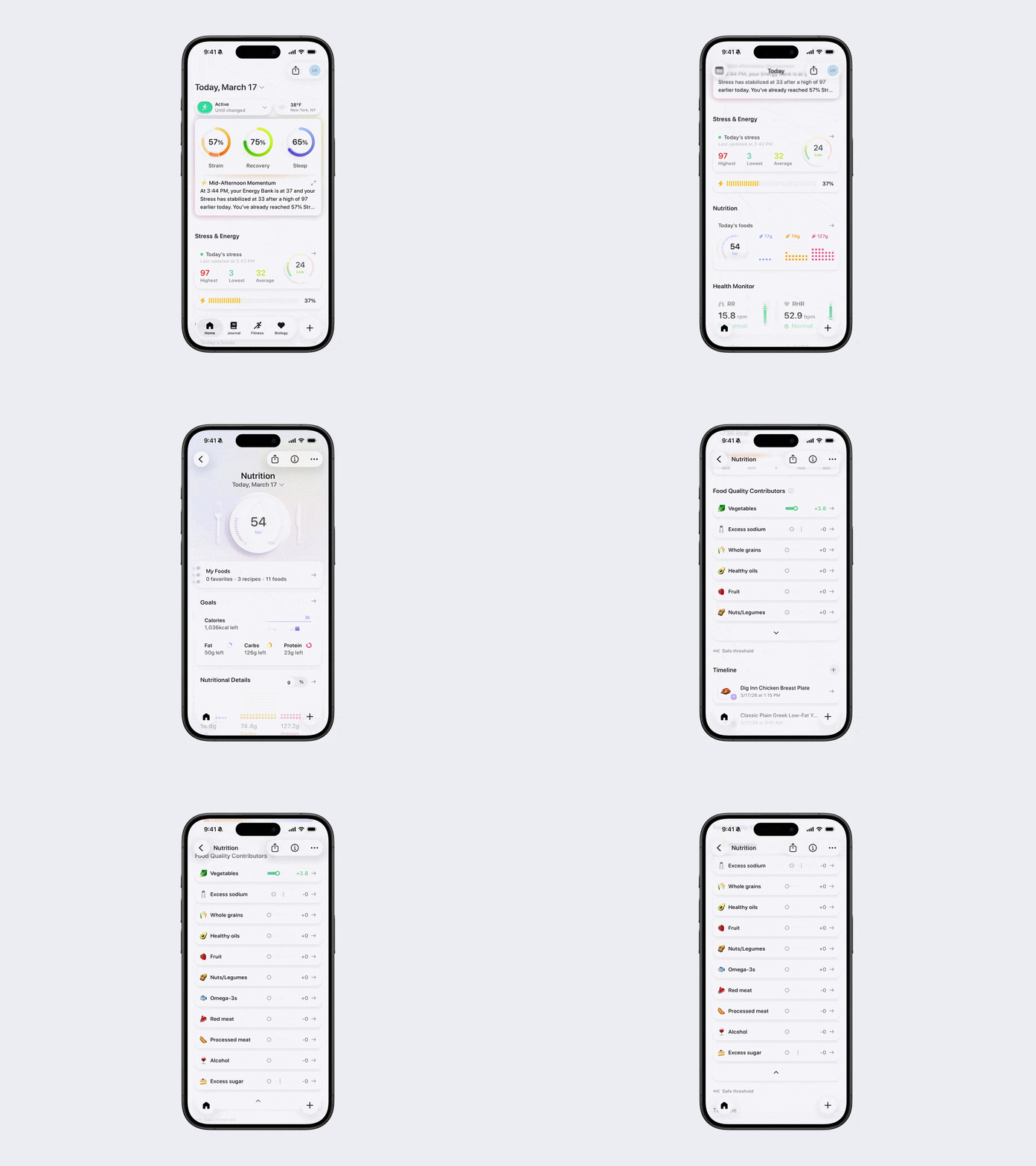
By tapping into Nutrition from the Home Page (your score appears at the top).
To see a detailed breakdown:
Scroll down to Food Quality Contributors within the Nutrition screen.
Tap the relevant Food Quality Contributor to see a breakdown of the foods impacting it.
Food Quality Contributors show which components are positively or negatively impacting your score.
Positive Food Contributors
Healthy Oils
+10 points when you have met your daily intake of healthy oils. For an average person, healthy oils with monounsaturated and polyunsaturated fats make up 20-35% of your daily calories. Once you reach +10 points, no more are added.
Omega-3s
+10 points when you have met your daily intake of fatty fish and omega-3s. For an average person, this is 250mg of omega-3 per day. Once you reach +10 points, no more are added.
Fruit
+10 points when you have met your daily intake of whole fruits (no juices or processed fruit). For an average person, this is 2.5 cups per day. Once you reach +10 points, no more are added.
Vegetables
+10 points when you have met your daily intake of whole vegetables (not sauces or juices). For an average person, this is 2.5 cups per day. Once you reach +10 points, no more are added.
Nuts/Legumes
+10 points when you have met your daily intake of nuts, seeds, and legumes. For an average person, this is 1oz per day. Once you reach +10 points, no more are added.
Whole Grains
+10 points when you have met your daily intake of whole grains. For an average person, this is 3 servings per day. Once you reach +10 points, no more are added.
Negative Food Contributors
Excess Sugar
-10 points when your added sugar intake exceeds 5% of your daily calories. For an average person, this is 1 serving a day. Once you reach -10 points, no more are subtracted.
Excess Sodium
-5 points when your daily sodium intake exceeds a threshold of 2300mg a day. No points will be subtracted if you stay under 1500mg. Once you reach -5 points, no more are subtracted.
Red Meat
-5 points when you reach your daily intake of red meat. For an average person, this is 70g of cooked red meat per day. Once you reach -5 points, no more are subtracted.
Processed Meat
-10 points when you reach your daily intake of processed meat. For an average person, this is 1.5 servings per day. Once you reach -10 points, no more are subtracted.
Alcohol
-10 points when you consume one drink (~14g) per day. Once you reach -10 points, no more are subtracted.
If there are specific contributors you do not want affecting your score (due to allergies, dietary restrictions, or personal preferences), you can exclude up to four using one of the methods below.
In some cases, excluding certain contributors can make your score more relevant to your goals. For example, if you follow a carnivore diet, you may want to turn off red meat to avoid it negatively impacting your score despite being a core part of your nutrition. Similarly, endurance athletes may choose to exclude added sugars or sodium, since their higher energy and electrolyte demands differ from standard guidelines.
These adjustments help tailor your score to better reflect your individual needs and lifestyle.
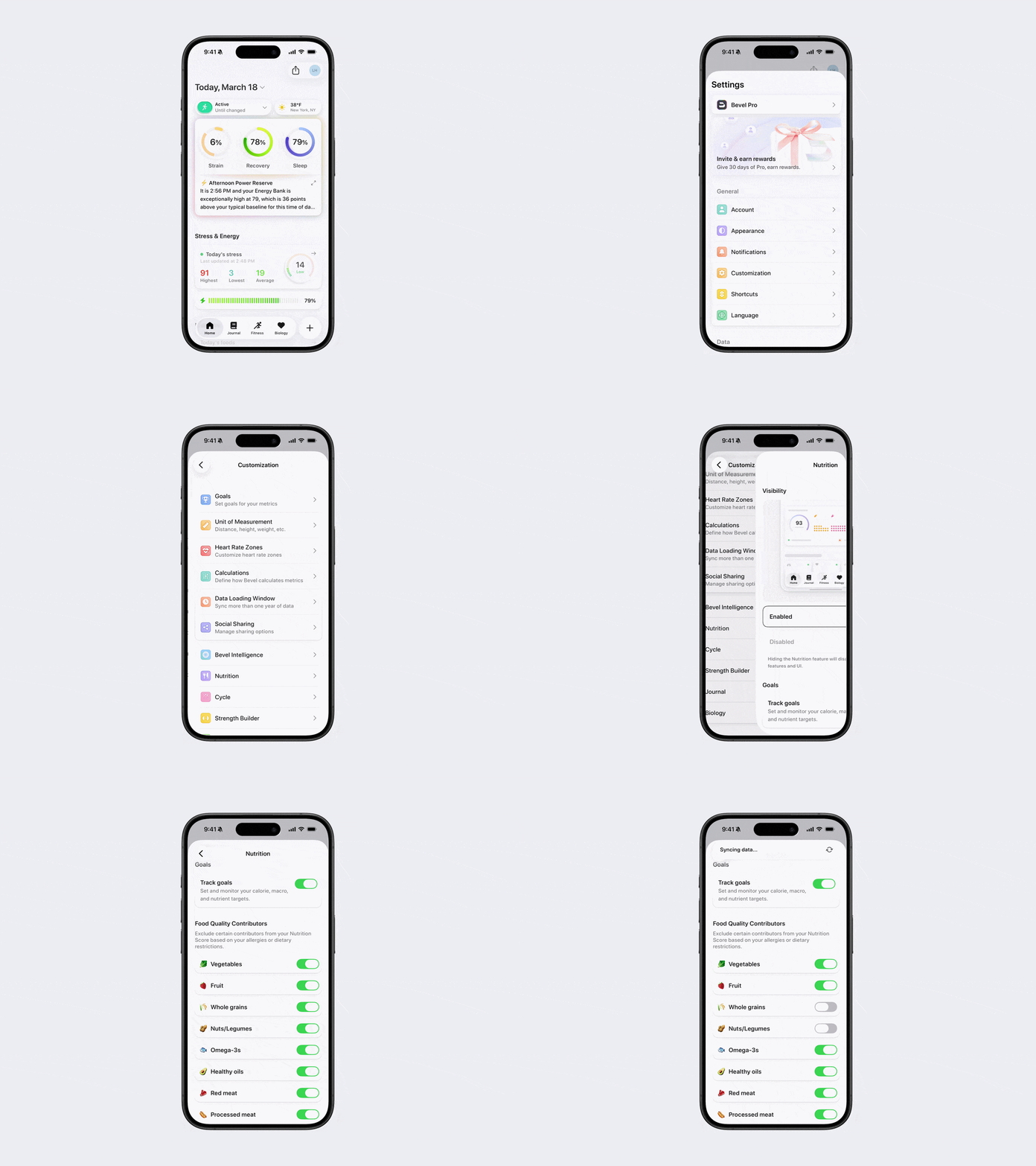
Option 1: Via Profile
Open Bevel.
Tap your initials or profile picture in the top-right corner.
Tap Customization.
Tap Nutrition.
Scroll down and toggle off specific Food Quality Contributors.
Option 2: Via Nutrition Section
Open Bevel.
Scroll down to the Nutrition section and tap to open it.
Tap the three dots (…) in the top-right corner of the Nutrition screen.
Tap Nutrition Settings.
Scroll down and toggle off specific Food Quality Contributors.