
How to Use Camera Control
Edited
Use your iPhone’s Camera Control button to quickly access the Capture Food feature for food logging. This makes it much faster to log your meals on the fly.
How to Set Up Camera Control
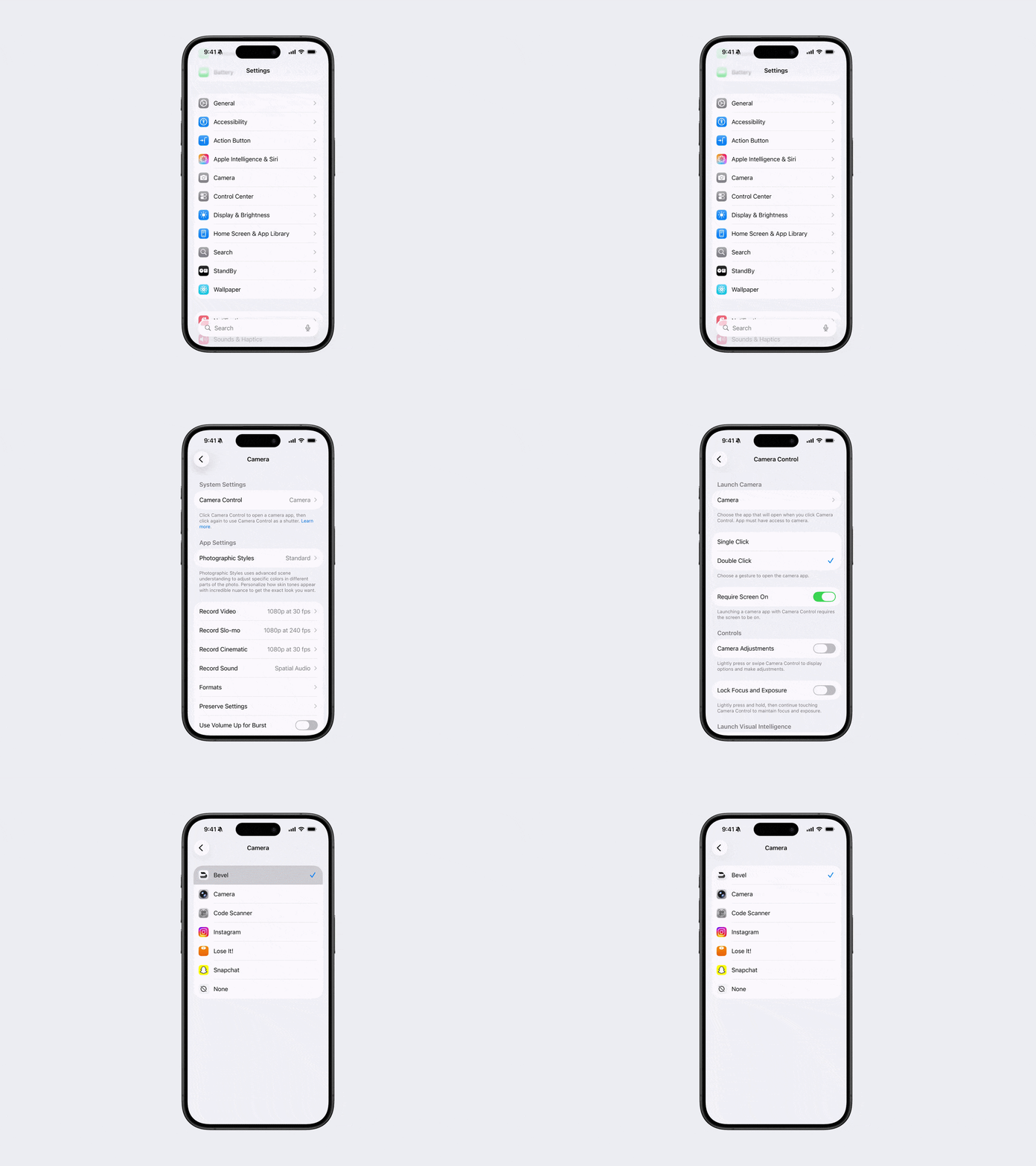
Open Settings on your iPhone.
Go to Camera.
Tap Camera Control.
Tap Camera.
Choose Bevel from the list.
Adjust any other Camera Control settings to your preference.
Note: Camera Control is available on iPhone 16 or later, including all subsequent iPhone models (iPhone 16, iPhone 16 Plus, iPhone 16 Pro, iPhone 16 Pro Max, iPhone 17, and newer).
Was this article helpful?
Sorry about that! Care to tell us more?