
How to Edit Template View
Edited
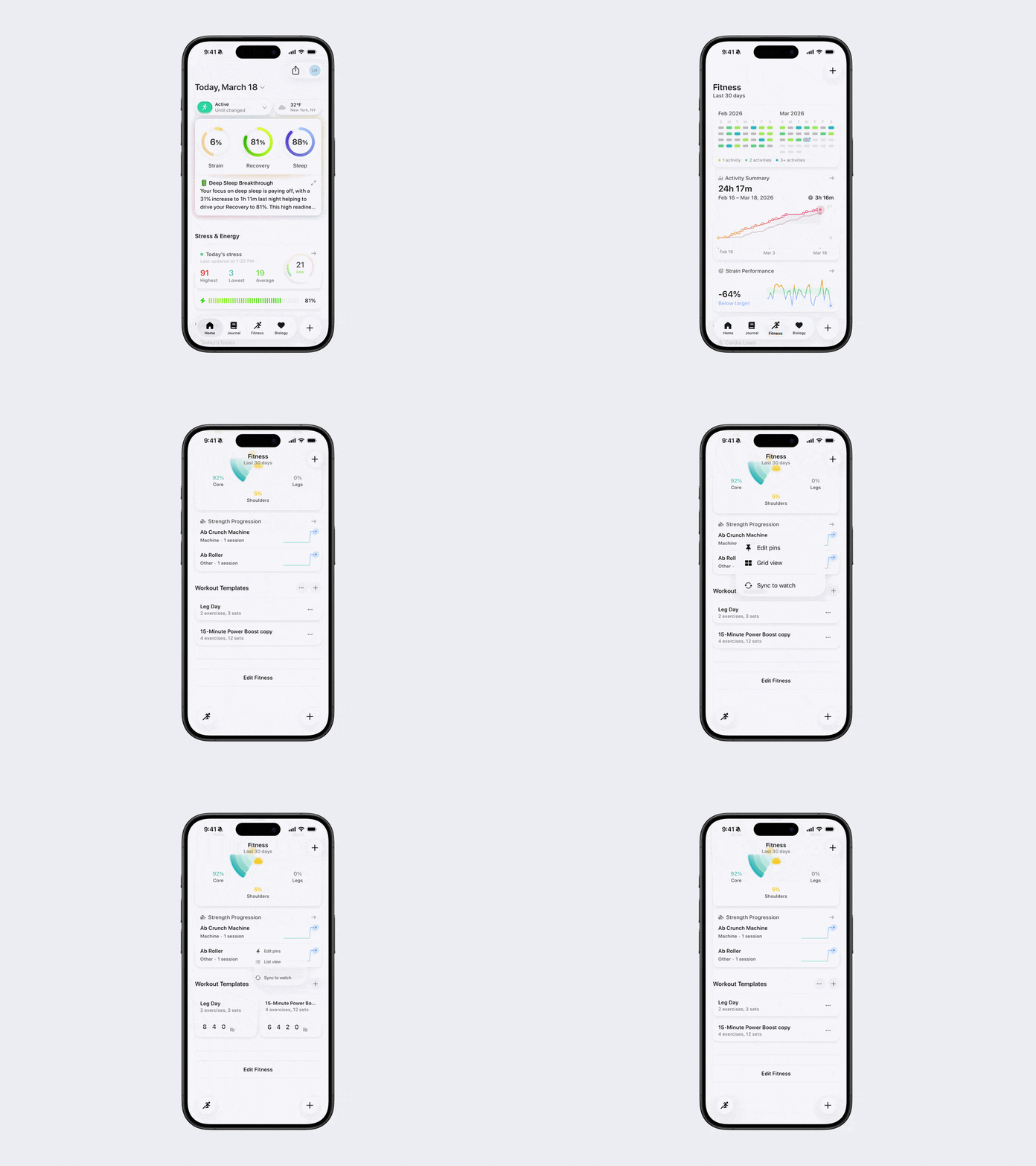
Switch Between Grid and List View
Bevel allows you to customize how your workout Templates are displayed and organized.
Open Bevel.
Go to the Fitness tab.
Scroll down to Workout Templates.
Tap the three dots (…) next to Workout Templates.
Select either Grid View or List View.
Note: To apply this view on your Apple Watch, tap Sync to Watch after making your selection.
Pin Templates
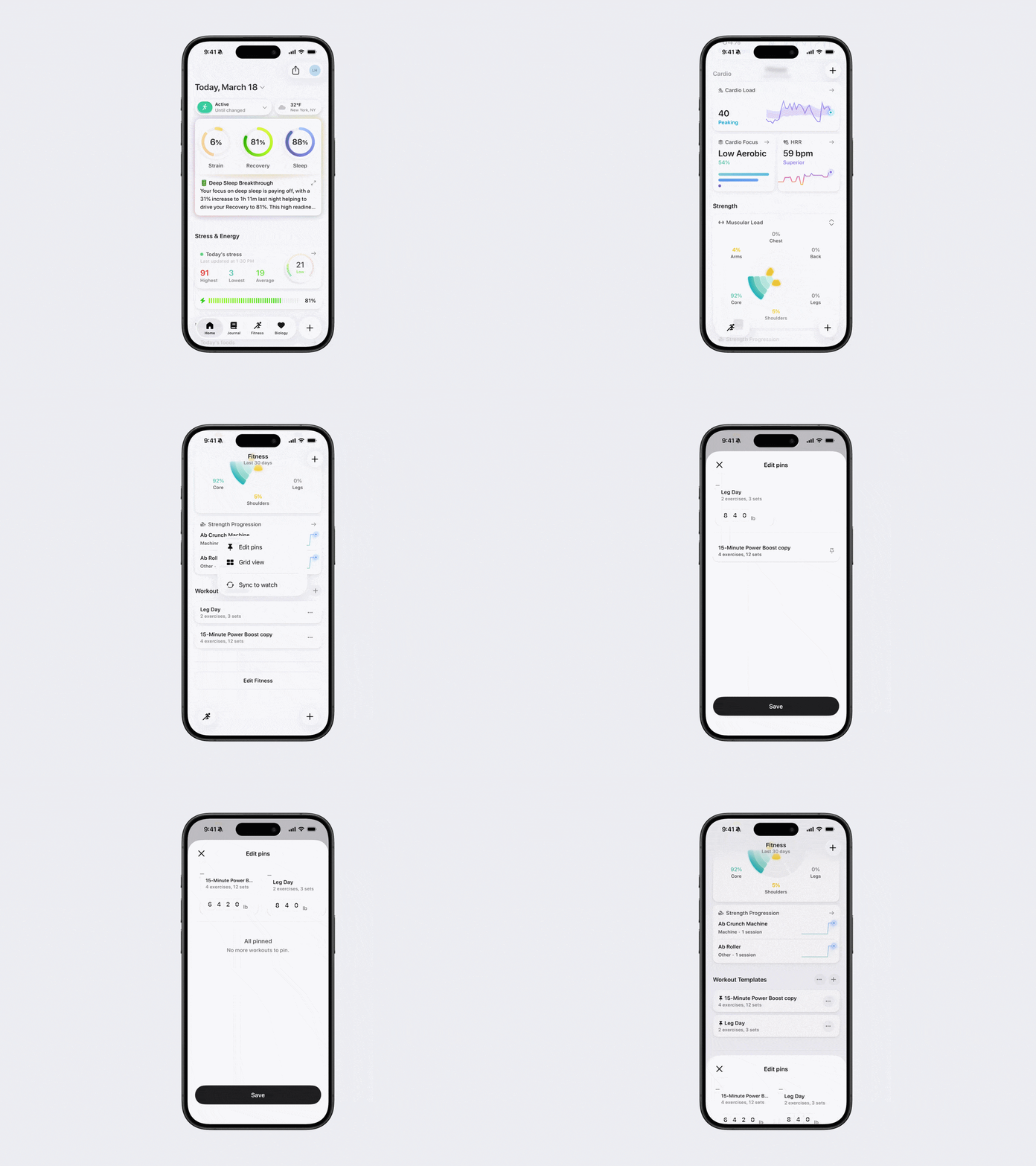
Bevel also allows you to pin your favorite Templates to the top.
Open Bevel.
Go to the Fitness tab.
Scroll down to Workout Templates.
Tap the three dots (...) next to Workout Templates.
Select Edit Pins.
Pin or unpin your favorite.
Tap Save.
Note: You can drag and drop your pinned Templates to rearrange the order they appear in.
Was this article helpful?
Sorry about that! Care to tell us more?