How to Use the Plate Calculator
Bevel allows you to skip the math and preview the plate and bar weights needed to hit your target set weight with Plate Calculator.
This article explains how to access and use the Plate Calculator.
Edit Plate Calculator
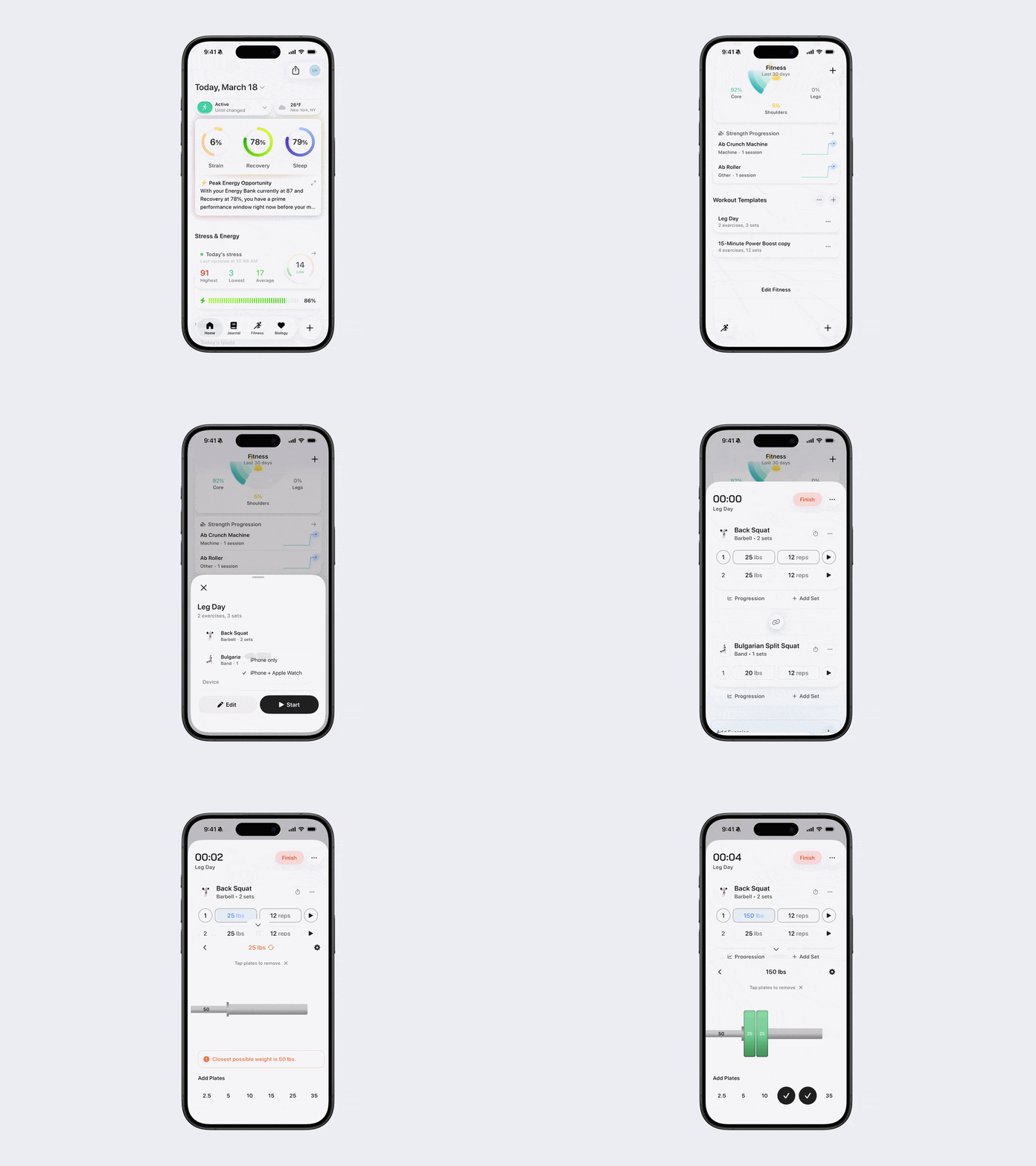
To access Plate Calculator editing:
Open Bevel.
Go to the Fitness tab.
Scroll down to Workout Templates.
Select a Template that uses plates.
Tap Start.
Tap the weight you want to edit.
Tap Plate Calculator.
To add plates to each side of the bar, tap the plates that match the weight you want to load.
Note: The Plate Calculator can only be accessed after starting a workout and is not available while creating a Template. It’s available on your phone, not on Apple Watch.
Change Plate and Bar Weights
From the Plate Calculator screen:
Tap the Settings (gear icon) in the top-right corner.
Adjust the weights of your plates and bars.
Tap the checkmark to save your settings.
Remove a Plate
To remove a plate, tap the plate you want to remove.
You’ll now see your updated Plate Calculator setup, customized to match your gym equipment.
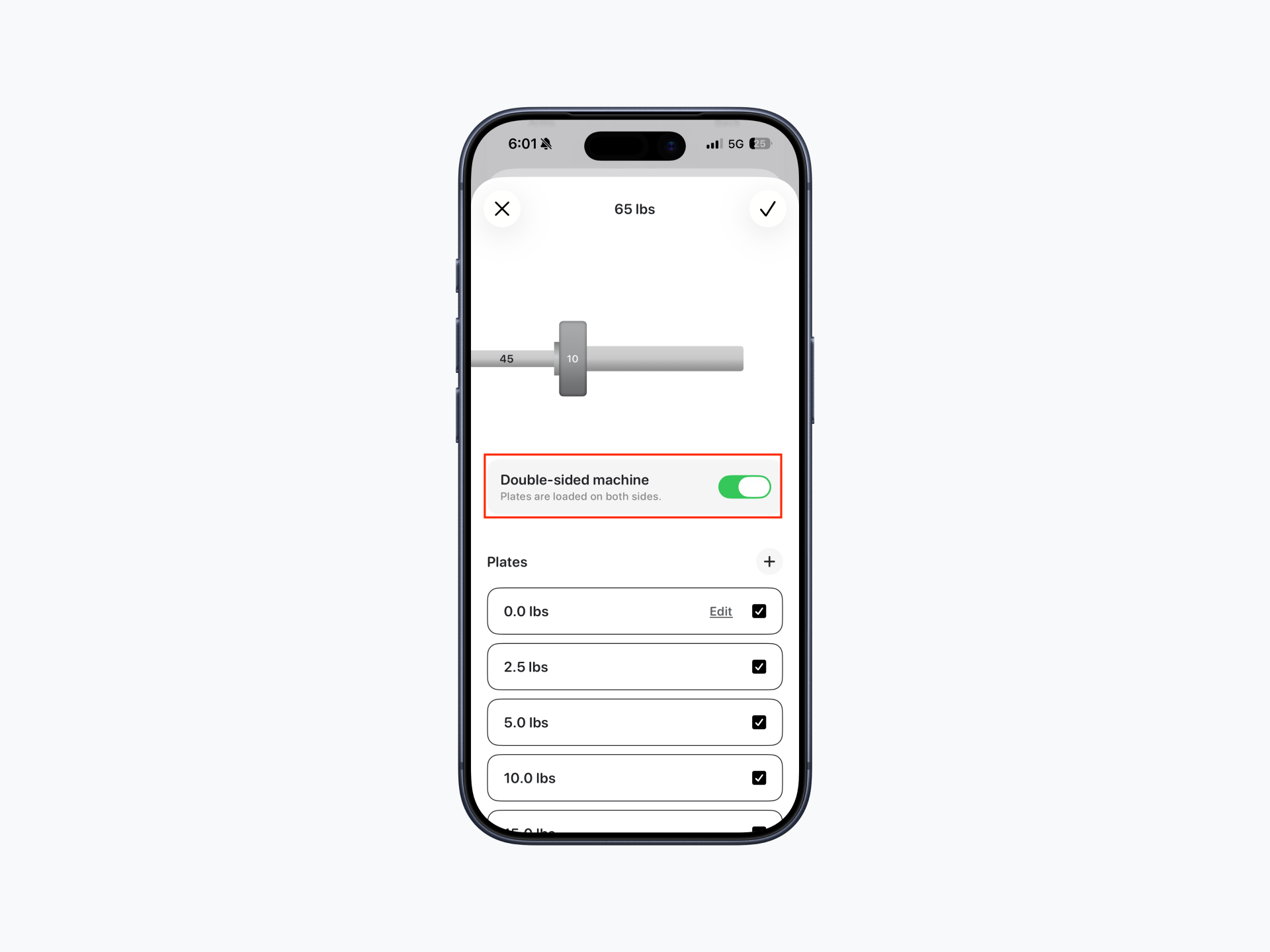
Select a Single or Double-Sided Machine
From the Plate Calculator screen:
Tap the Settings (gear icon) in the top-right corner.
Use the Double-sided machine toggle to choose how plates are loaded:
On: Plates are loaded evenly on both sides of the machine.
Off: Plates are loaded on a single side of the machine.
Tap the checkmark to save your settings.