How to Customize Strength Builder Settings
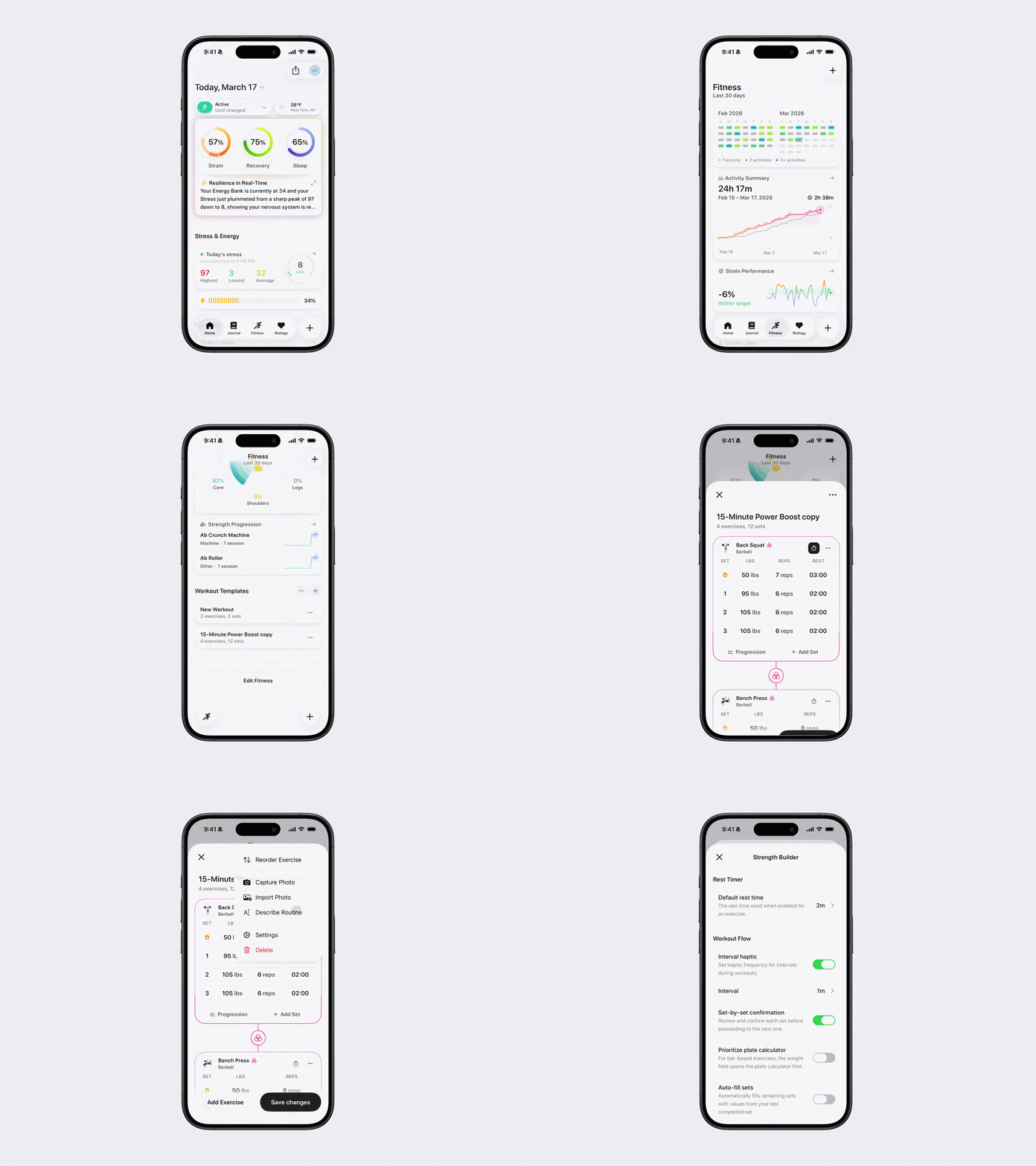
Bevel’s Strength Builder allows you to customize your strength training sessions to fit your goals, track progress, and optimize your workouts. These customizations allow you to personalize your workouts for your pace and goals, making each session more effective.
Customization Settings
Default Rest Time: The rest time used when enabled for an exercise.
Interval Haptic: Set haptic frequency for intervals during workouts.
Interval Haptic Time: Set the interval time.
Set-By-Set Confirmation: Review and confirm each set before proceeding to the next one.
Prioritize Plate Calculator: For bar-based exercises, the weight field opens the Plate Calculator first.
Note: this works only in live mode and not while editing a workout before it starts.
Auto-Fill Sets: Automatically fills remaining sets with values from your last completed set.
Auto-Update Template: Automatically saves the changes you make during a workout back to its template when you finish. This includes updates to weights, reps, sets, exercise order, and any exercises you replace or add, so the completed workout becomes your new template. Skipped exercises are not removed from the template.
Share Watch Motion Data: Help improve Strength Builder by sharing accelerometer data with Bevel. No workout or personal details will be shared.
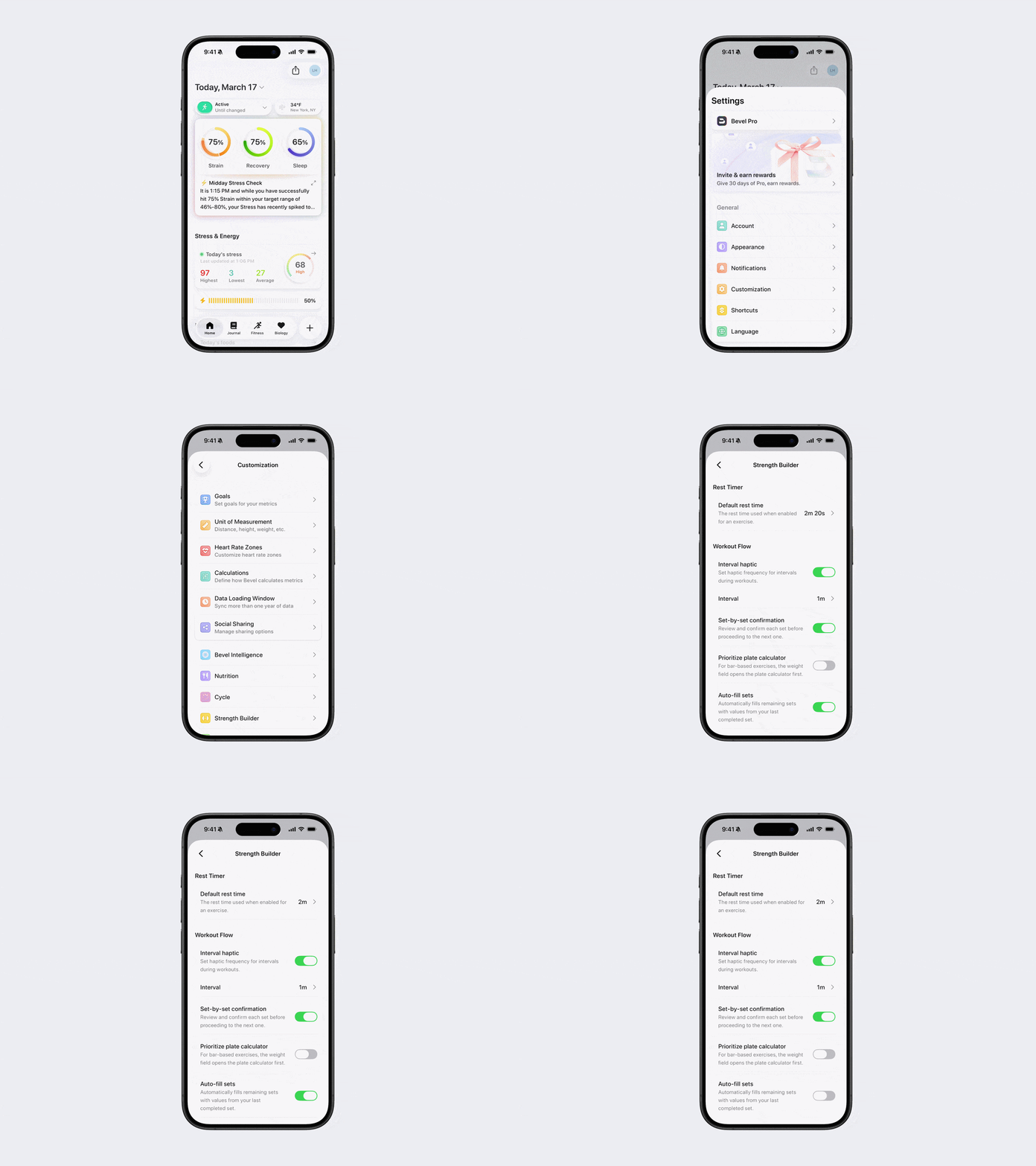
How to Edit Customization Settings
Option 1:
Open Bevel.
Tap your initials or profile picture in the top-right corner.
Tap Customization.
Tap Strength Builder.
Adjust settings such as default rest time and interval length.
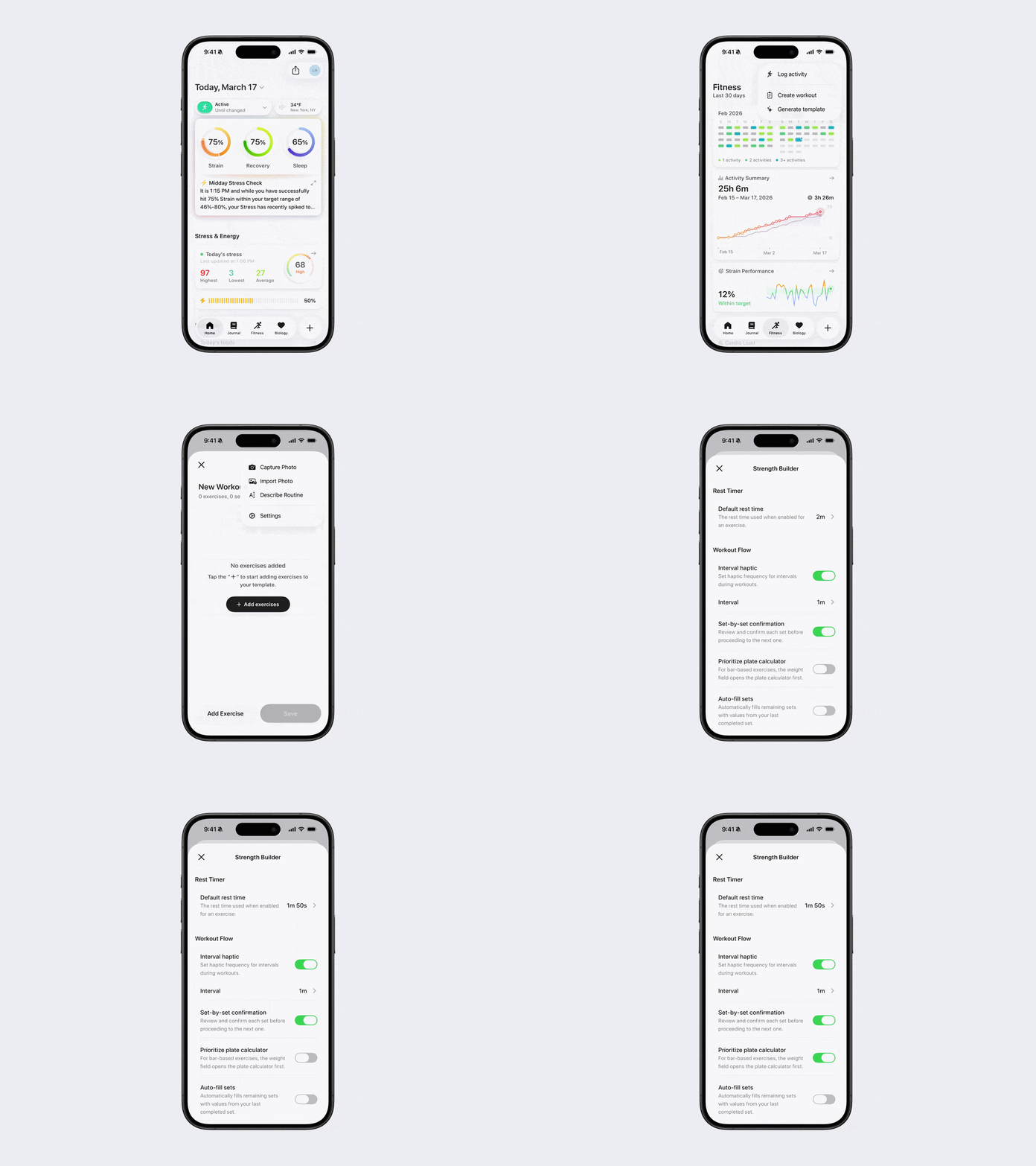
Option 2:
Open Bevel.
Go to the Fitness tab.
Tap the + button in the top-right corner.
Tap Create Workout.
Tap the three dots (...) in the top-right corner
Tap Settings.
Adjust settings such as default rest time and interval length.
Option 3:
Open Bevel.
Go to the Fitness tab.
Scroll down to Workout Templates.
Add or edit a Template:
If you don’t have a Template yet, tap Add Workout Template.
If you already have one, tap the Template, then tap Edit.
Tap the three dots (...) in the top-right corner
Tap the gear icon for settings.
Adjust settings such as default rest time and interval length.