How to Use Time to Fall Asleep
Bevel helps you understand how long it typically takes you to fall asleep, so you can better plan your bedtime and improve your Sleep quality. You can view more about Time to Fall Asleep here.
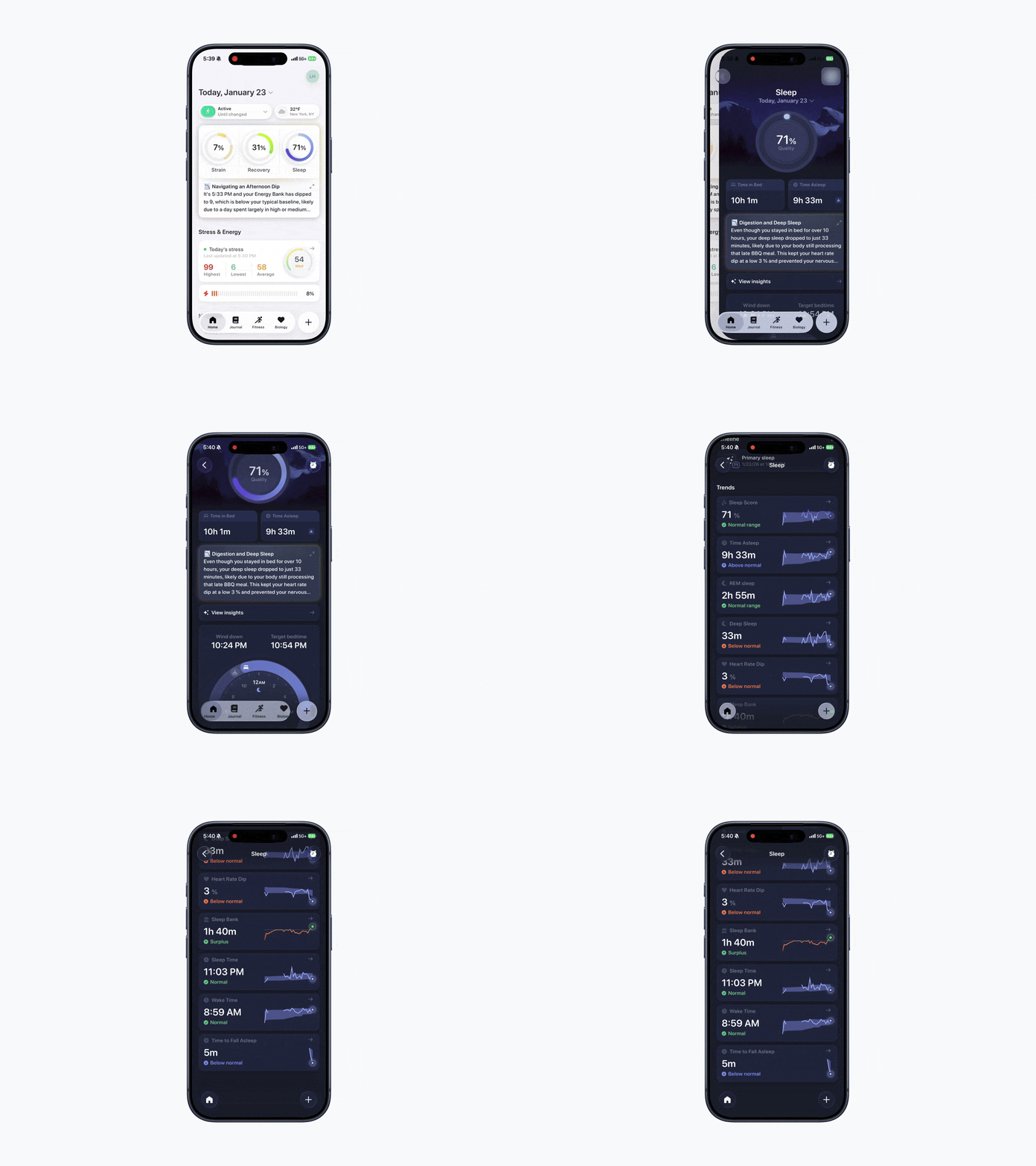
How to View Your Time to Fall Asleep
Open Bevel.
Tap Sleep Ring.
Scroll down to the Time to Fall Asleep graph under Trends.
View your average time to fall asleep based on your recent Sleep data.
Tip: If your Time to Fall Asleep graph is empty, make sure your Bevel Alarm is turned on before going to bed (even if you have “No Alarm” selected in the app). Keep in mind that Apple’s native Alarm in the Clock app is separate and won’t automatically enable Bevel’s tracking.
We can also track this metric from supported wearables that share Sleep latency data with us. For example, Oura devices provide this information through their API.
Keep in mind that your iPhone’s built-in Apple Alarm is different from the Bevel Alarm.
How it works
Bevel calculates your Time to Fall Asleep from the moment you start your Sleep Alarm until the time your watch detects your first Sleep Stage. For the most accurate measurement, only start your Sleep Alarm when you’re ready to actually go to bed.