
How to Add Contraception in Cycle
Edited
Adding contraception helps Bevel provide more accurate cycle Insights.
Steps to Add Contraception
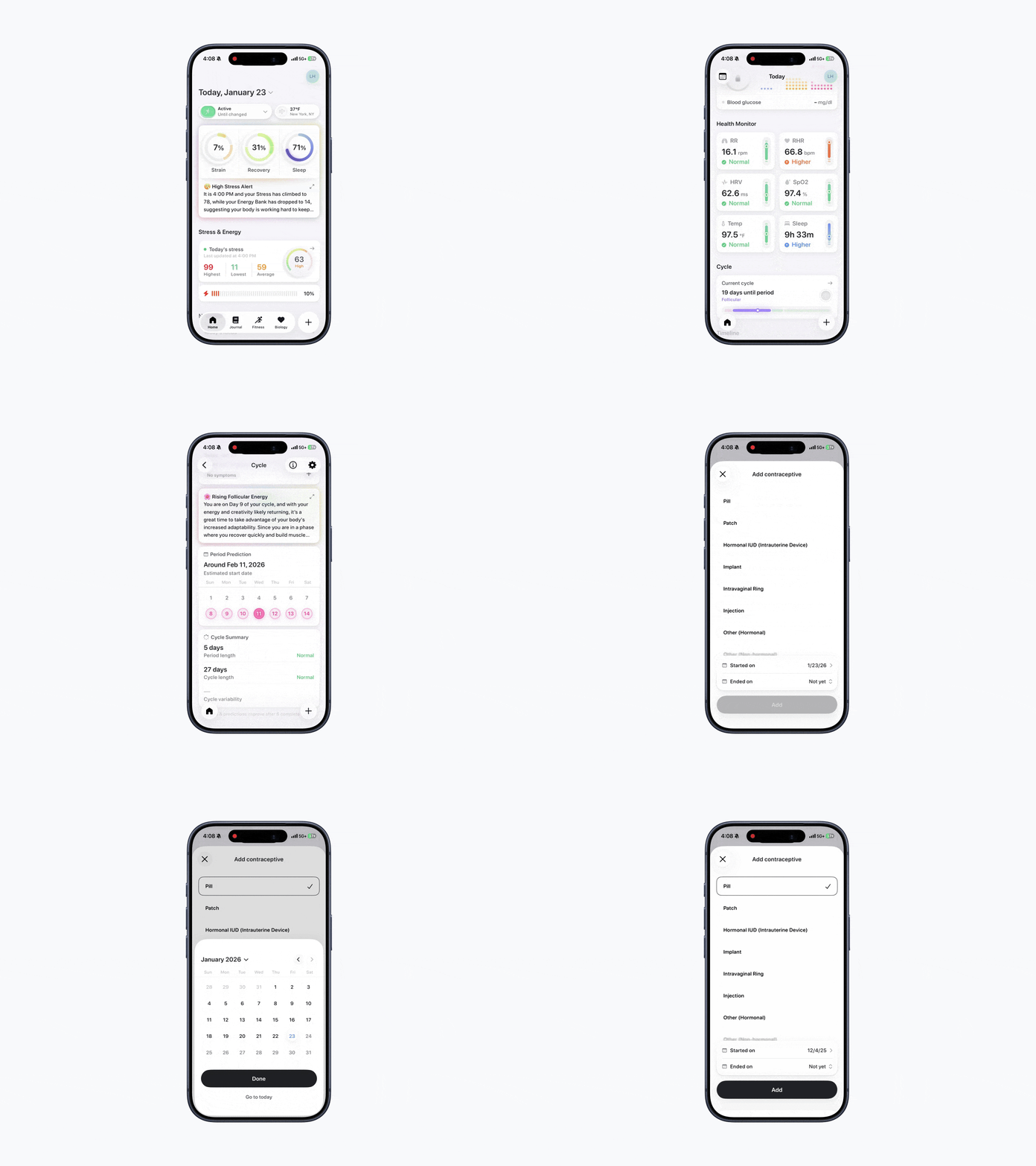
Open Bevel.
Tap Current Cycle under the Cycle section.
Scroll down to Contraception.
Tap Add Contraception or the + button under Contraception.
Select the contraceptive currently in use.
Add the Started On and Ended On dates (if applicable).
Tap Add to save.
Was this article helpful?
Sorry about that! Care to tell us more?