
How to Log Symptoms in Cycle
Logging symptoms helps Bevel better understand how your body changes throughout your cycle and provides more personalized Insights. These symptoms also sync with Apple Health, meaning they can both read from and write to Apple Health.
Steps to Log Symptoms
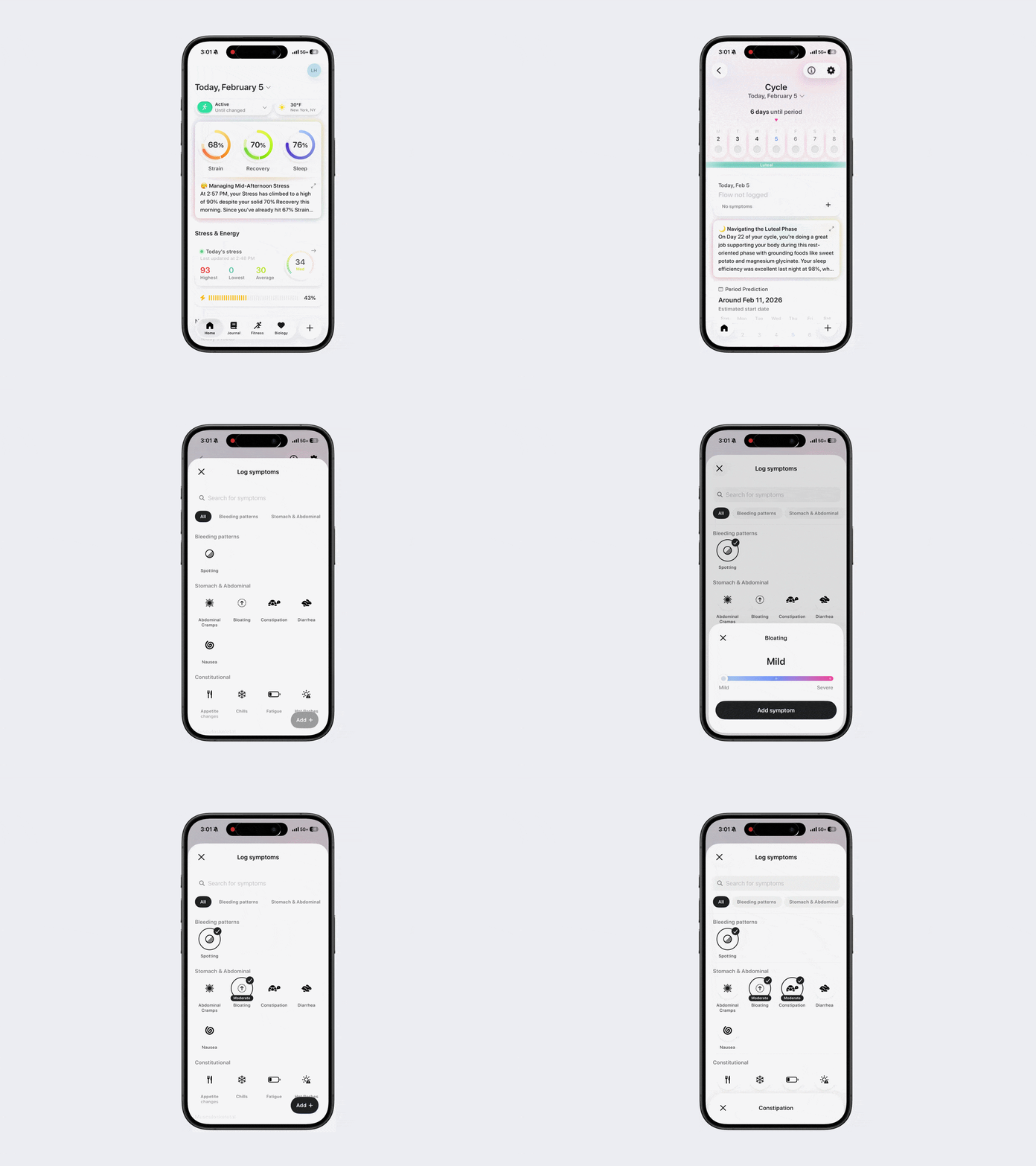
Option 1:
Open Bevel.
Tap Current Cycle under the Cycle section.
Tap the + button below and to the right of today’s date.
Tap Add Symptoms or the + button under Symptoms.
Choose your symptom(s).
Follow the on-screen prompts if a symptom requires additional details (e.g., mild, severe).
If prompted, tap Add Symptom to save that entry.
To add all selected symptoms, tap Add in the bottom-right corner.
Tap Add to Log.
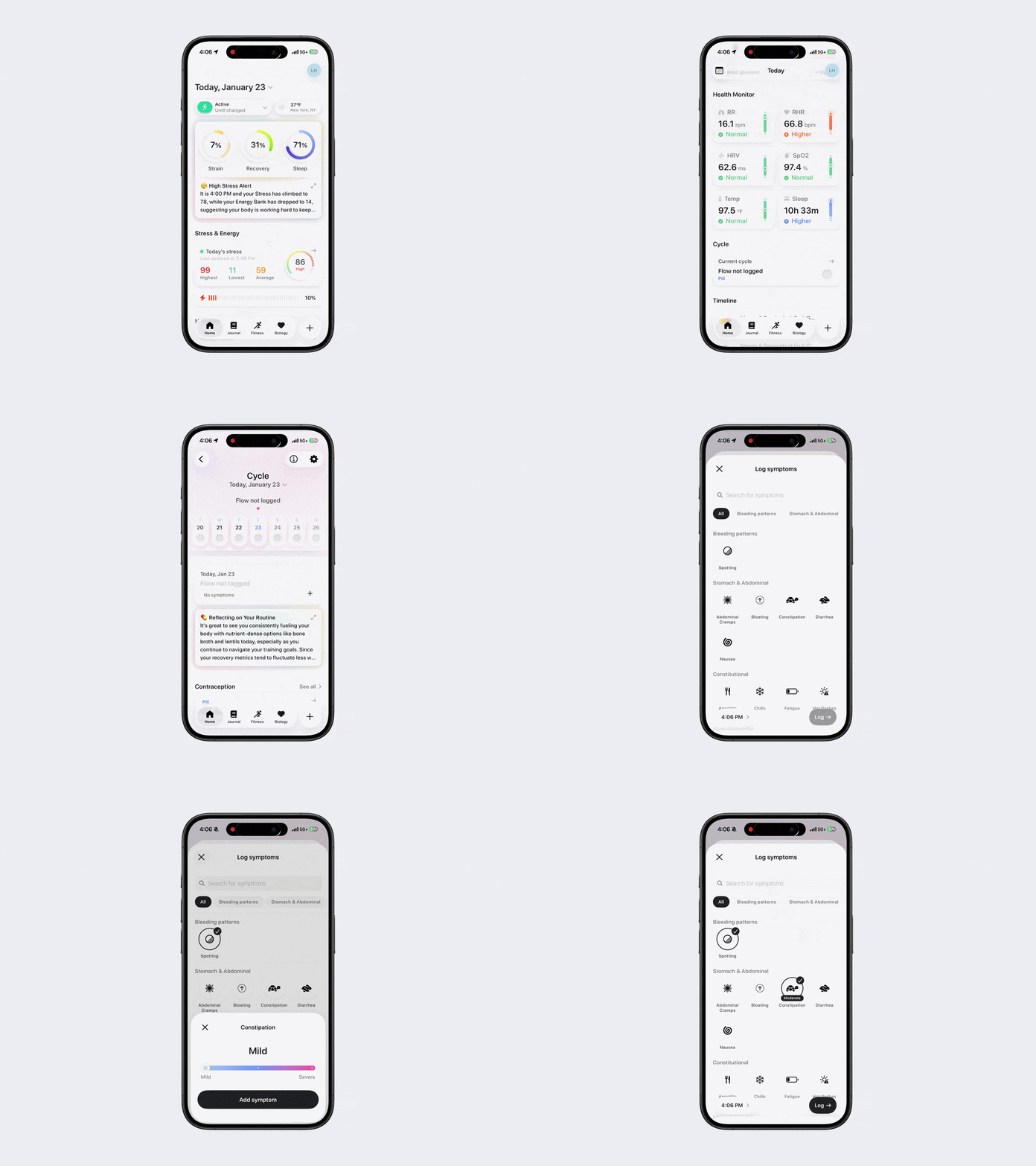
Option 2:
Open Bevel.
Tap Current Cycle under the Cycle section.
Tap underneath today’s date.
Tap + Symptom in the bottom-left corner.
Choose your symptom(s).
Follow the on-screen prompts if a symptom requires additional details (e.g., mild, severe).
If prompted, tap Add Symptom to save that entry.
To add all selected symptoms, tap Add in the bottom-right corner.
Tap Add to Log.
Available Symptoms
Bleeding Patterns: Spotting
Stomach and Abdominal: Abdominal Cramps, Bloating, Constipation, Diarrhea, Nausea
Constitutional: Appetite Changes, Chills, Fatigue, Hot Flashes
Musculoskeletal: Lower Back Pain
Neurological: Headache, Memory Lapse, Mood Changes
Reproduction: Breast Pain, Pelvic Pain, Dryness
Skin & Hair: Acne, Dry Skin, Hair Loss
Sleep: Night Sweats, Sleep Changes
Urinary: Bladder Incontinence