
How to Log Flow in Cycle
Edited
Logging your flow helps Bevel better understand your cycle patterns and improve period and ovulation predictions.
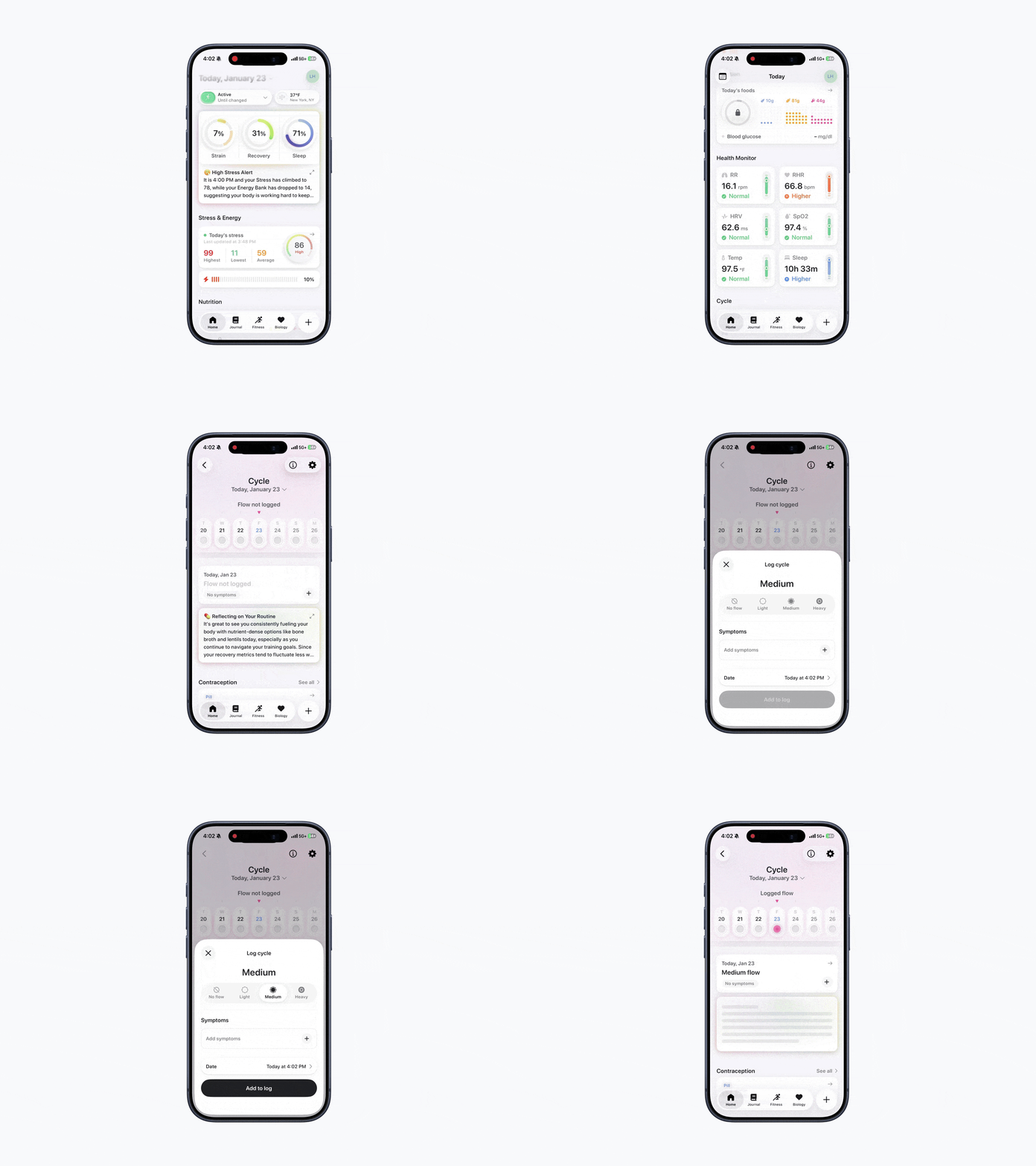
Steps to Log Flow
Option 1:
Open Bevel.
Tap Current Cycle under the Cycle section.
Tap the + button below and to the right of today’s date.
Choose your flow level (No Flow, Light, Medium, Heavy).
Tap Add to Log.
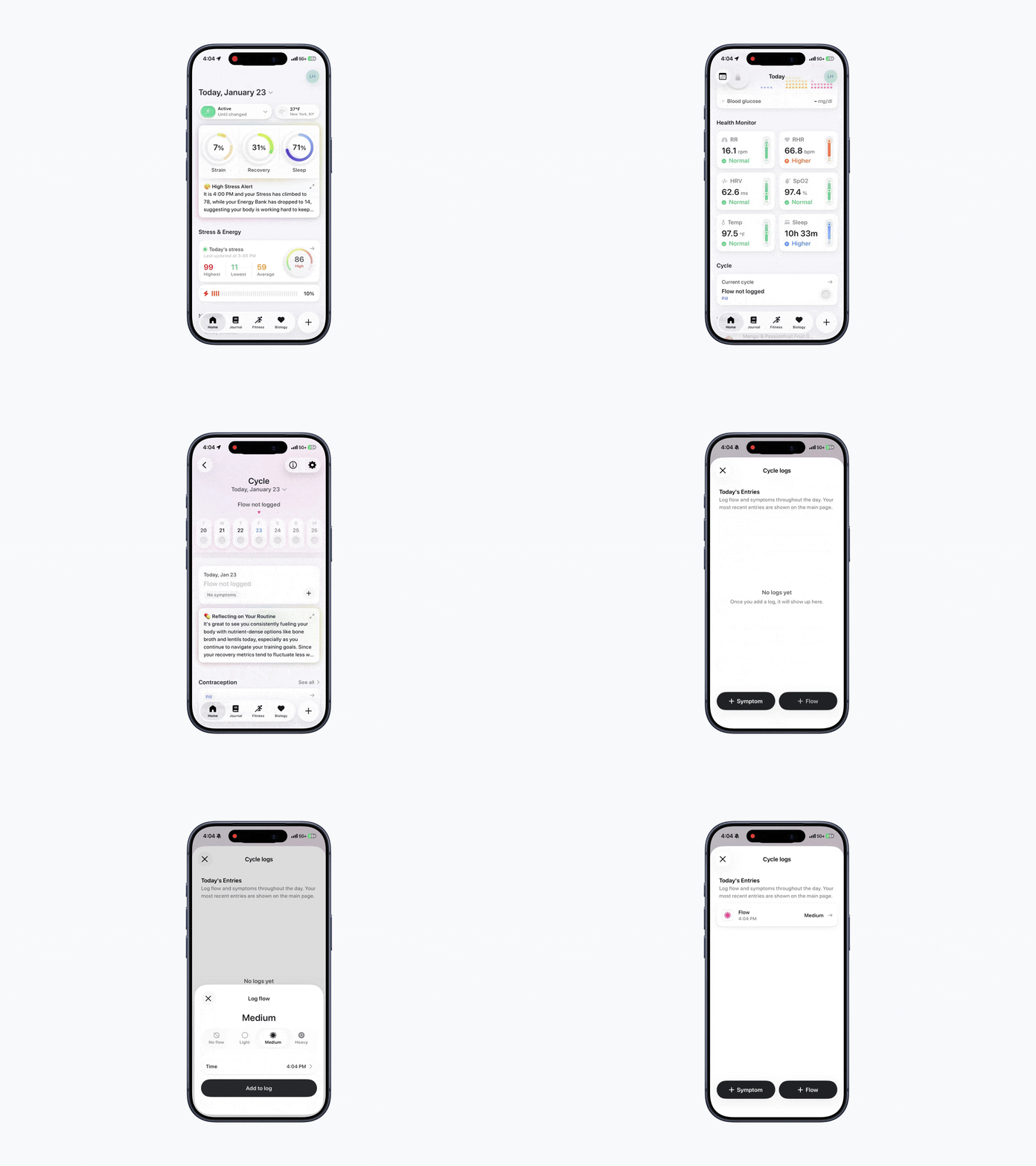
Option 2:
Open Bevel.
Tap Current Cycle under the Cycle section.
Tap underneath today’s date.
Tap + Flow in the bottom-right corner.
Choose your flow level (No Flow, Light, Medium, Heavy).
Tap Add to Log.
Was this article helpful?
Sorry about that! Care to tell us more?