
How to Change the Language
Bevel allows you to switch the app’s language to better match your preferences. Changing the language updates all menus, labels, and notifications within the app.
This article explains how to view and update your language settings.
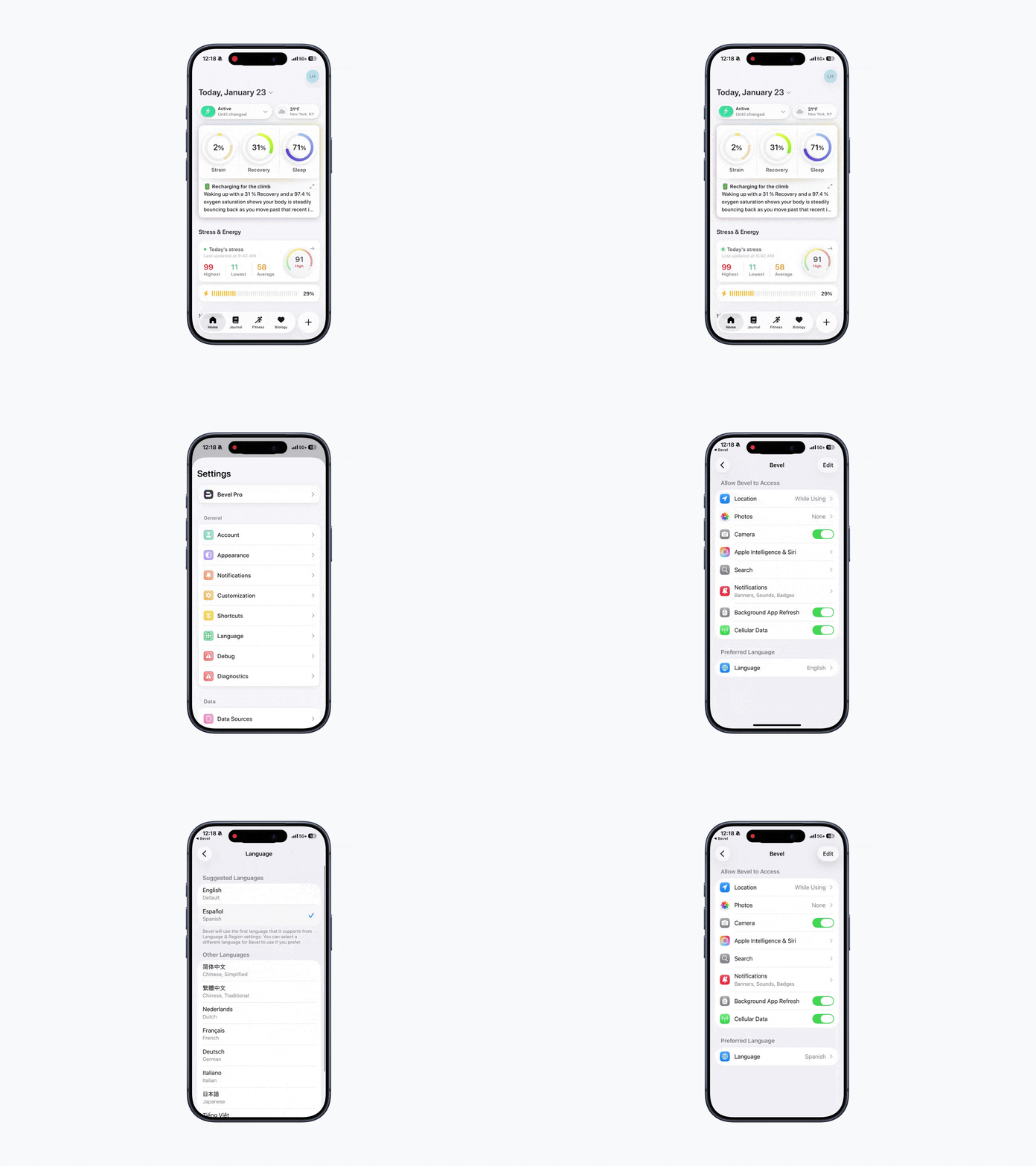
Languages Supported
Bevel currently supports the following languages:
English
Chinese
Dutch
French
German
Italian
Japanese
Spanish
Vietnamese
Portuguese (Brazil)
Polish
Russian
Accessing Language Settings
Open Bevel.
Tap your initials or profile picture in the top-right corner.
Tap Language.
Your language settings will automatically open. From here, you can see your current language and available options.
Tip: You can also access Bevel’s language settings directly from your device’s system settings without opening the app.
Changing Your Language
Tap Language in settings.
Scroll through the list of available languages.
Tap the language you want to use.
Bevel will immediately switch to your selected language. Some changes may require restarting the app to take full effect.