
How to Manage Tab Visibility
Edited
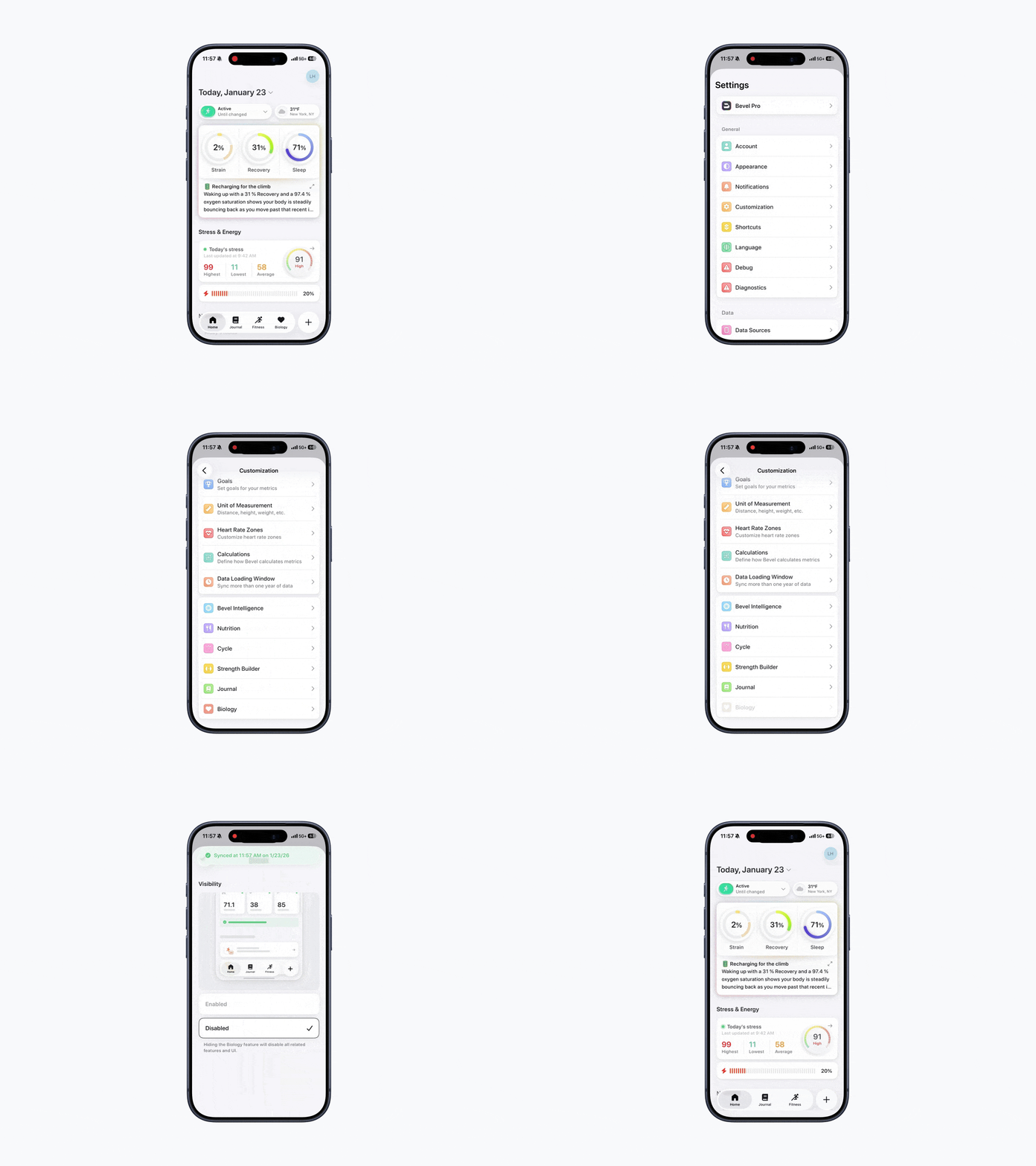
Bevel allows you to disable features you don’t need, removing not just the Tab but also all related features and UI. This makes it easy to simplify your experience and focus on what matters most.
This guide explains how to fully remove a Tab.
To Remove a Tab via Customization:
Open Bevel.
Navigate to the Home Tab.
Tap your initials or profile picture in the top-right corner.
Tap Customization.
In Strength Builder, Journal, and Biology, you can enable or disable a Tab.
Was this article helpful?
Sorry about that! Care to tell us more?