
How To Connect Devices
Bevel lets you connect supported devices to automatically sync your data. Connecting devices ensures your metrics, Trends, and Insights are accurate and up to date. If a device uploads data to Apple Health, Bevel can also pull those Apple Health metrics automatically.
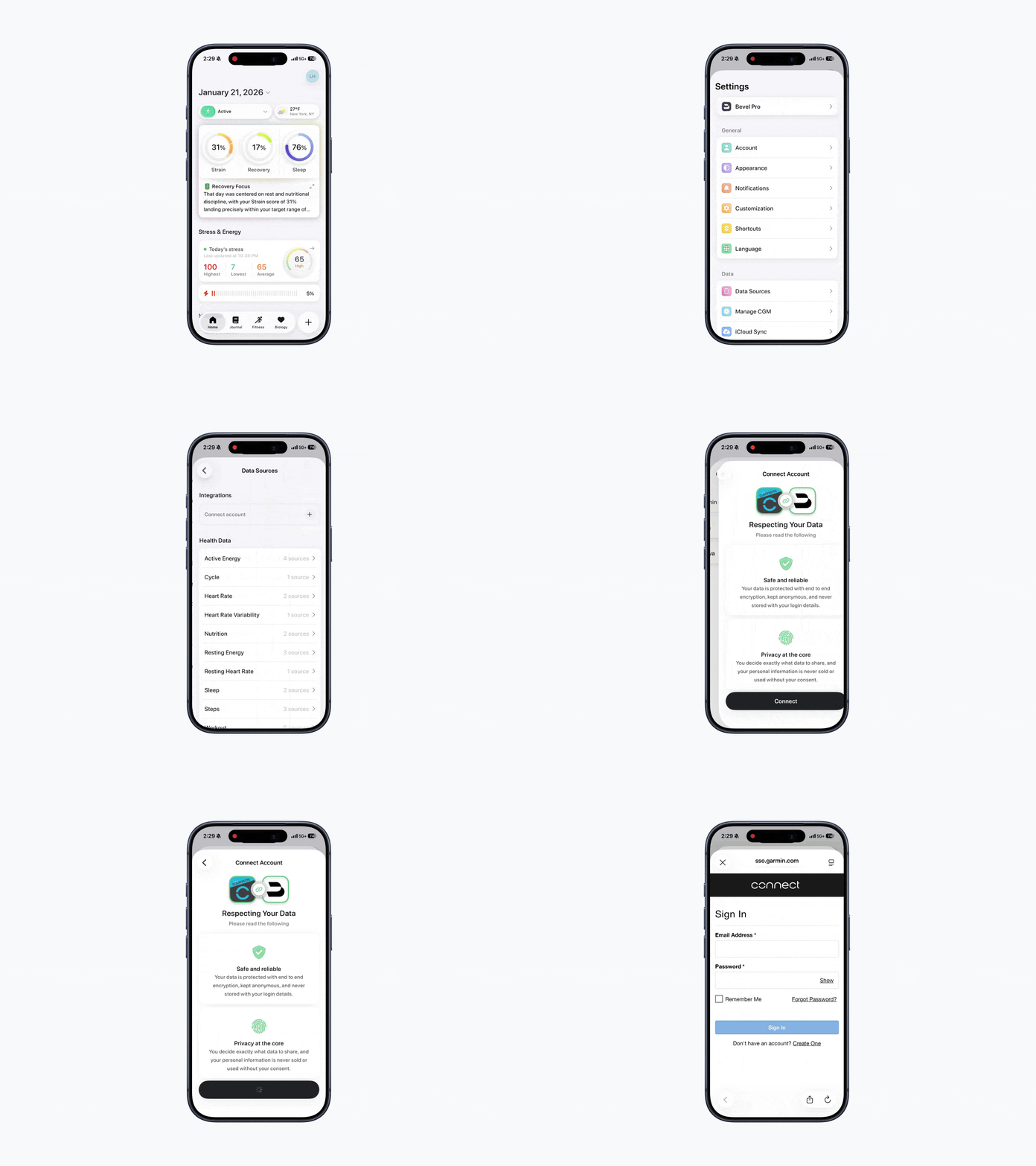
Steps to Connect a Device
Open Bevel.
Tap your initials or profile picture in the top-right corner.
Tap Data Sources
Tap the + button next to Connect Account.
Select your device.
Follow the on-screen pairing prompts for that device.
Once connected, your data will automatically sync to Bevel.
Supported Devices & Integration Limitations
Below is a list of supported devices and known limitations with each integration. These limitations affect which data can be synced into Bevel and may vary by platform and data type.
Device | Integration | Limitations |
Apple Watch | Full integration with Apple Health, providing seamless access to Sleep, Fitness and daily metrics. |
|
Garmin Watch & other devices | Direct integration with Garmin Connect™ to read all Sleep, Fitness and daily metrics. |
|
Oura Ring | Direct integration with Oura to read all Sleep, Fitness and daily metrics. |
|
Google Health | Direct integration with Google Health to read all Sleep, Fitness, and daily metrics. If you use Fitbit, your Fitbit data can also sync to Bevel through Google Health. |
|
Strava | One-way integration with Strava to push Bevel and third-party workouts manually or automatically to Strava. |
|
Amazfit Helio Strap (Zepp App) | Integration through Apple Health to read all Sleep, Fitness and daily metrics. |
|